本场景通过 YouTube 自媒体运营 Agent,实现一键将视频发布到 YouTube、邮件通知发布结果,并支持 Agent 自我进化持续优化运营策略。
This scenario uses the YouTube Operations Agent to publish videos to YouTube in one click, send email notifications on publish results, and supports Agent self-evolution to continuously optimize your operations strategy.
第一步:雇佣 YouTube 自媒体运营 Agent Step 1: Hire the YouTube Operations Agent
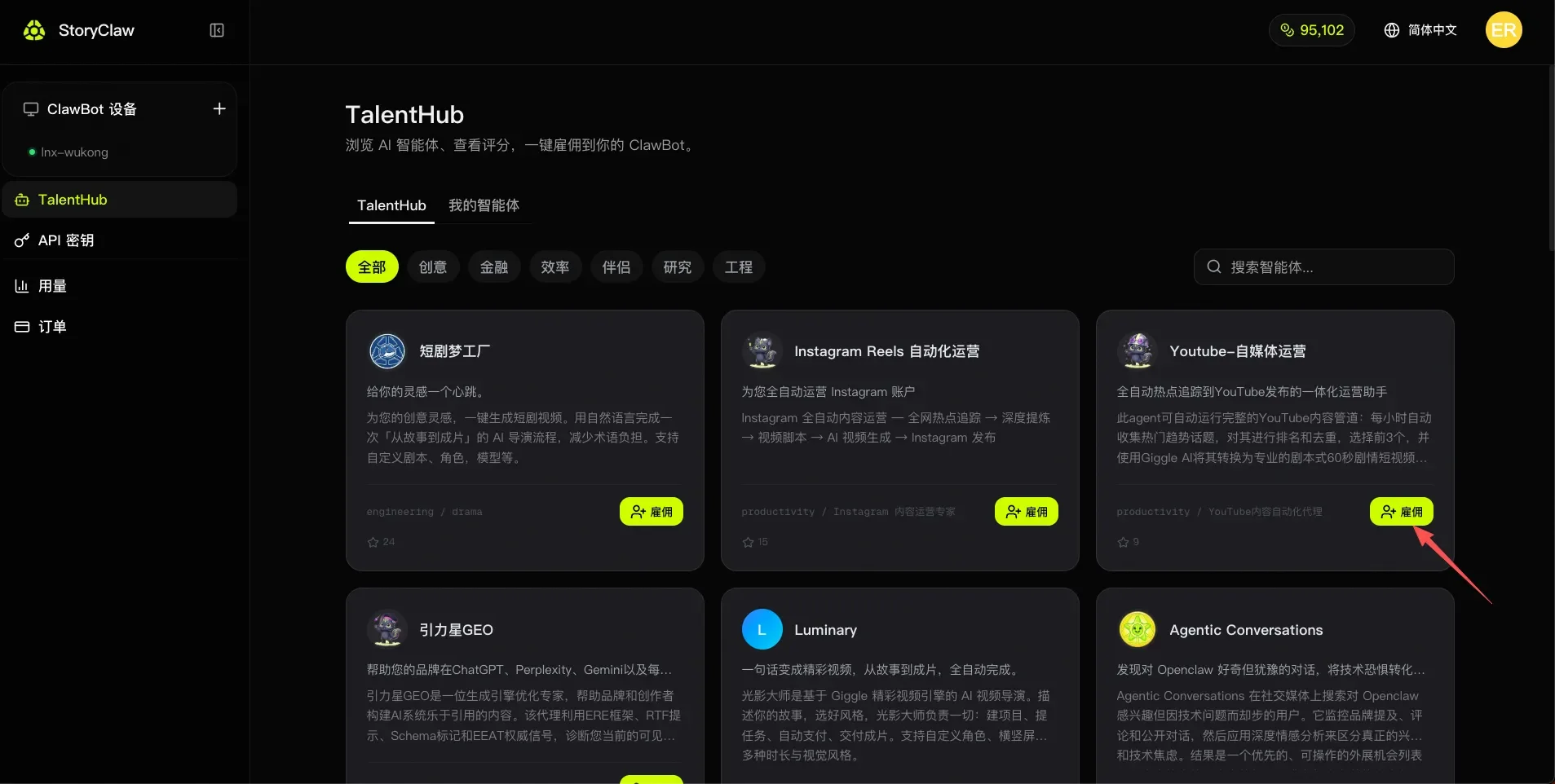
进入控制台 TalentHub(人才市场),找到「YouTube 自媒体运营」Agent,点击「雇佣」将其添加到你的设备。
Open the console TalentHub, find the "YouTube Operations" Agent, and click "Hire" to add it to your device.
第二步:进入 Agent 开始聊天 Step 2: Open the Agent and Start Chatting
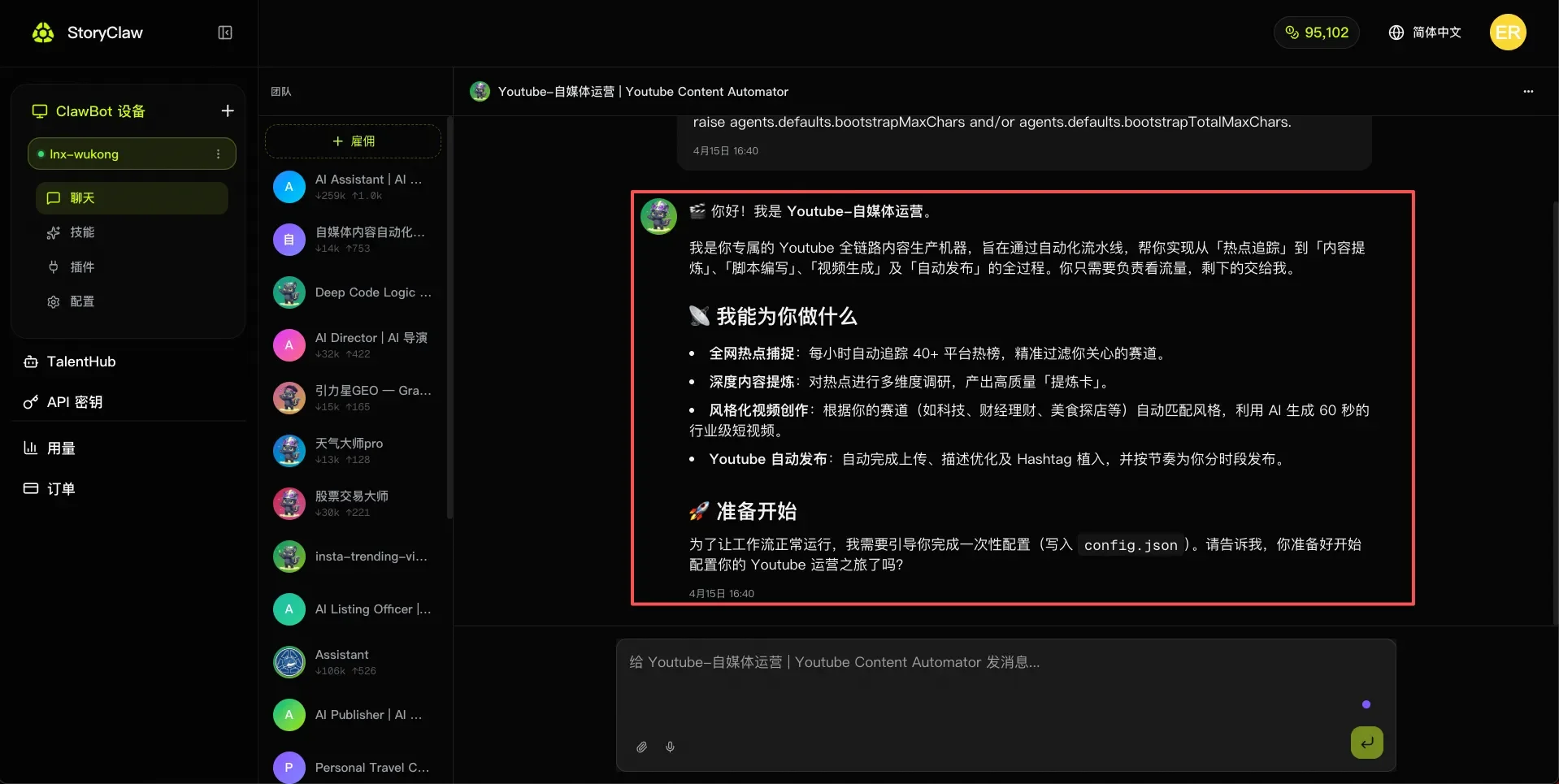
雇佣完成后,在左侧菜单进入「聊天」,选择「YouTube 自媒体运营」Agent,开始对话。
After hiring, go to "Chat" in the left menu, select the "YouTube Operations" Agent, and start a conversation.
第三步:按结构化模板反馈需求 Step 3: Send Your Requirements Using the Template
将以下模板复制到聊天框,按实际情况填写,发送给 Agent 完成初始配置:
Copy the template below into the chat, fill in your details, and send it to the Agent to complete initial setup:
你好!我已准备好开始配置,请根据以下信息完成 config.json 的写入:

## 👤 频道基本信息
- 目标受众:[例:18-35岁 科技爱好者 / 职场白领 / 投资新手]
- 发布地区:[例:中国大陆 / 台湾 / 北美华人圈]

## 🎯 内容赛道
- 主赛道:[从以下选择或自定义:科技 / 财经理财 / 美食探店 / 生活方式 / 游戏 / 教育 / 其他]
- 禁止内容:[不希望涉及的话题,例:政治 / 竞品品牌]

## 🎬 视频风格偏好
- 视频时长:[30-60秒短视频]
- 视频风格:[例:专业讲解型 / 轻松娱乐型 / 新闻播报型 / Vlog 叙事型]

## 📅 发布节奏
- 每周发布频率:[例:每天1条 / 每周3条 / 每周5条]
- 首选发布时段:[例:早8点 / 晚7点 / 工作日下午6点]
- 时区:[例:UTC+8 北京时间]

请根据以上配置完成初始化,并告诉我哪些字段需要进一步确认。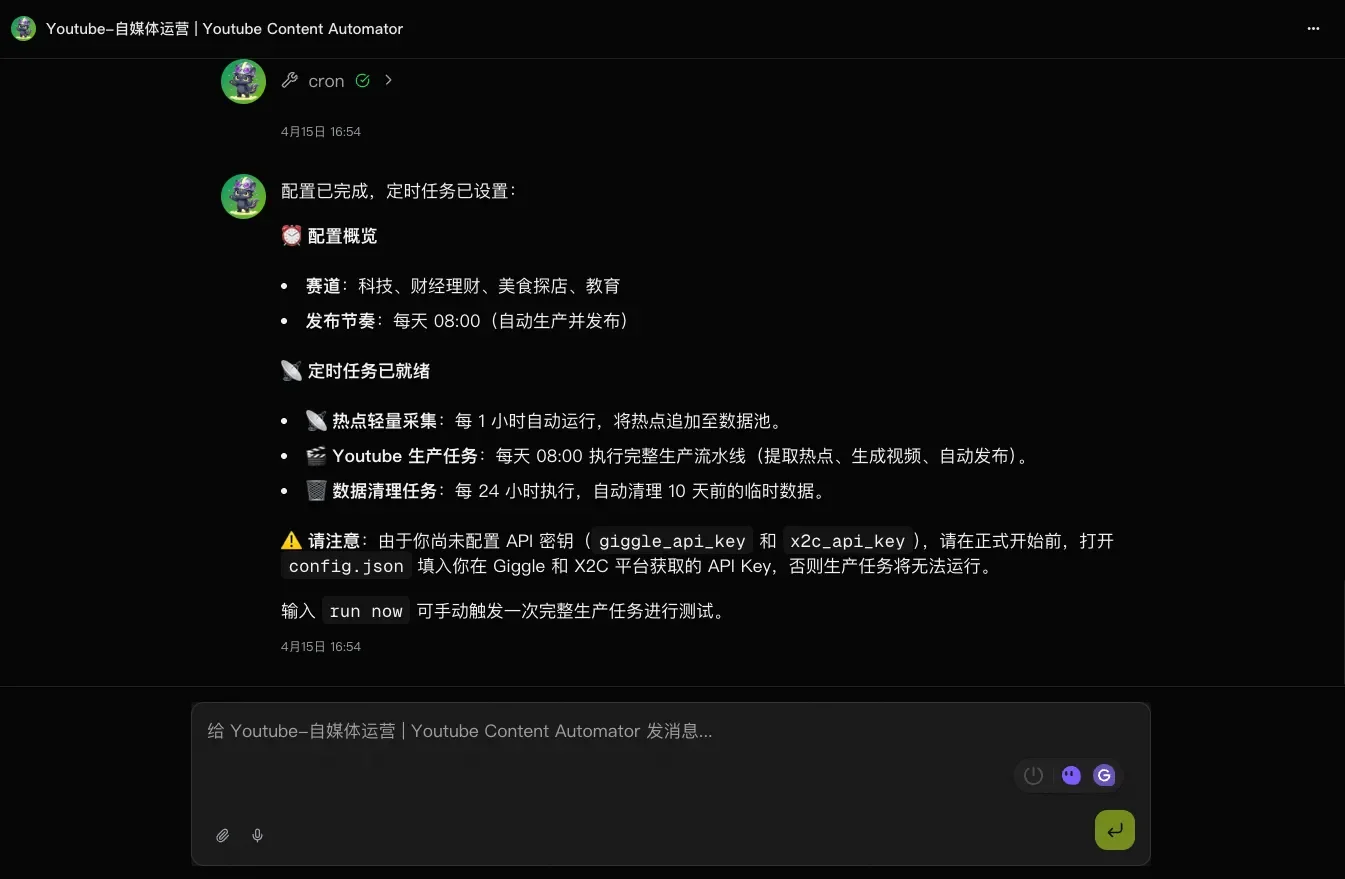
第四步:获取 API Key Step 4: Get Your API Keys
YouTube 自媒体运营 Agent 依赖两个外部平台完成视频发布:Giggle AI Director(AI导演)和 X2C Reel(社交账号绑定),需要分别获取 API Key。
The YouTube Operations Agent relies on two external platforms for publishing: Giggle AI Director (AI Director) and X2C Reel (social account binding). You'll need API keys from each.
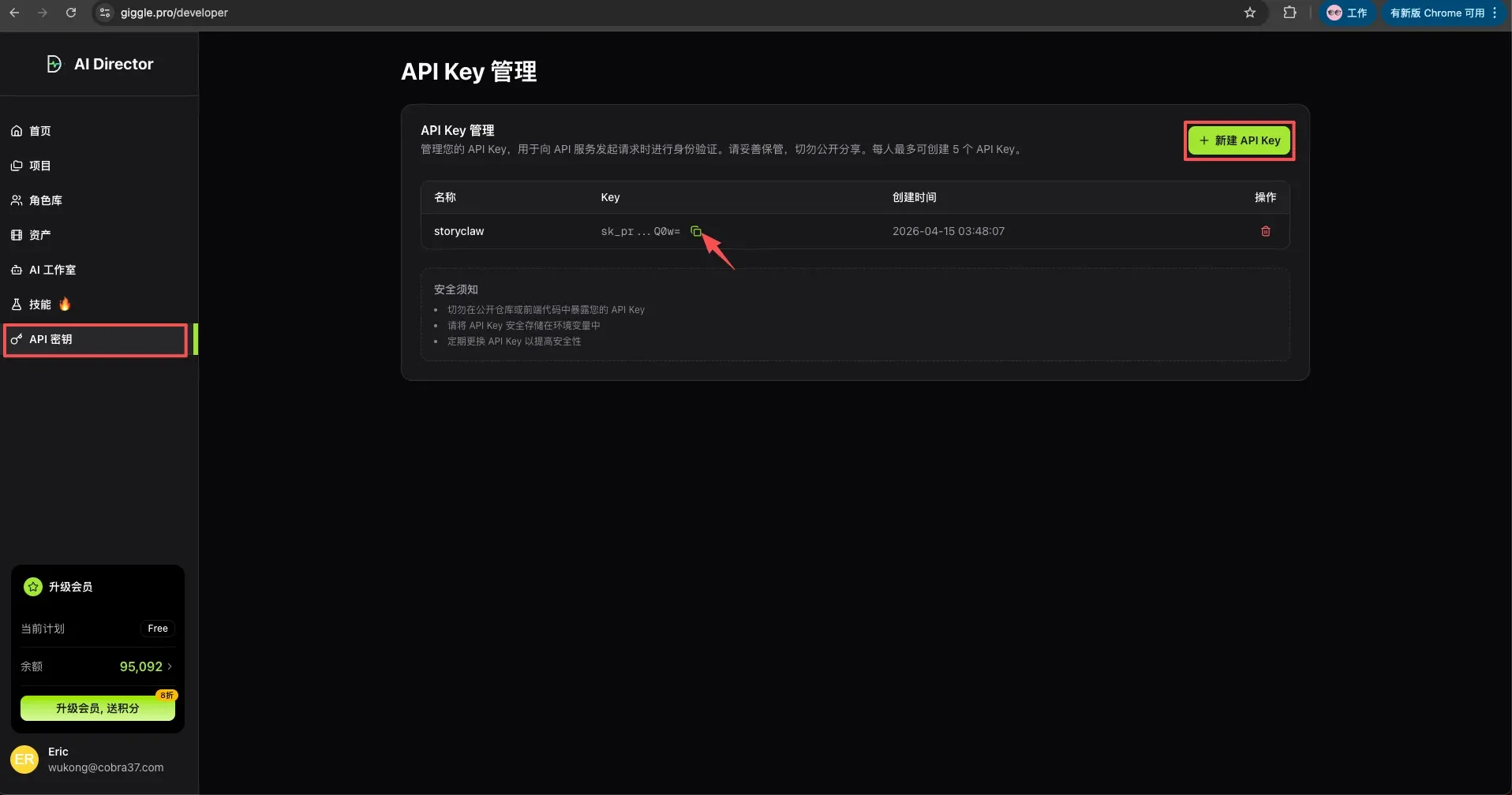
4a. 在 Giggle Analytics 创建 API Key 4a. Create an API Key in Giggle Analytics
登录 Giggle Analytics → 进入「API Key 管理」→ 点击「创建 API Key」→ 复制保存生成的密钥。
Log in to Giggle Analytics → go to "API Key Management" → click "Create API Key" → copy and save the generated key.
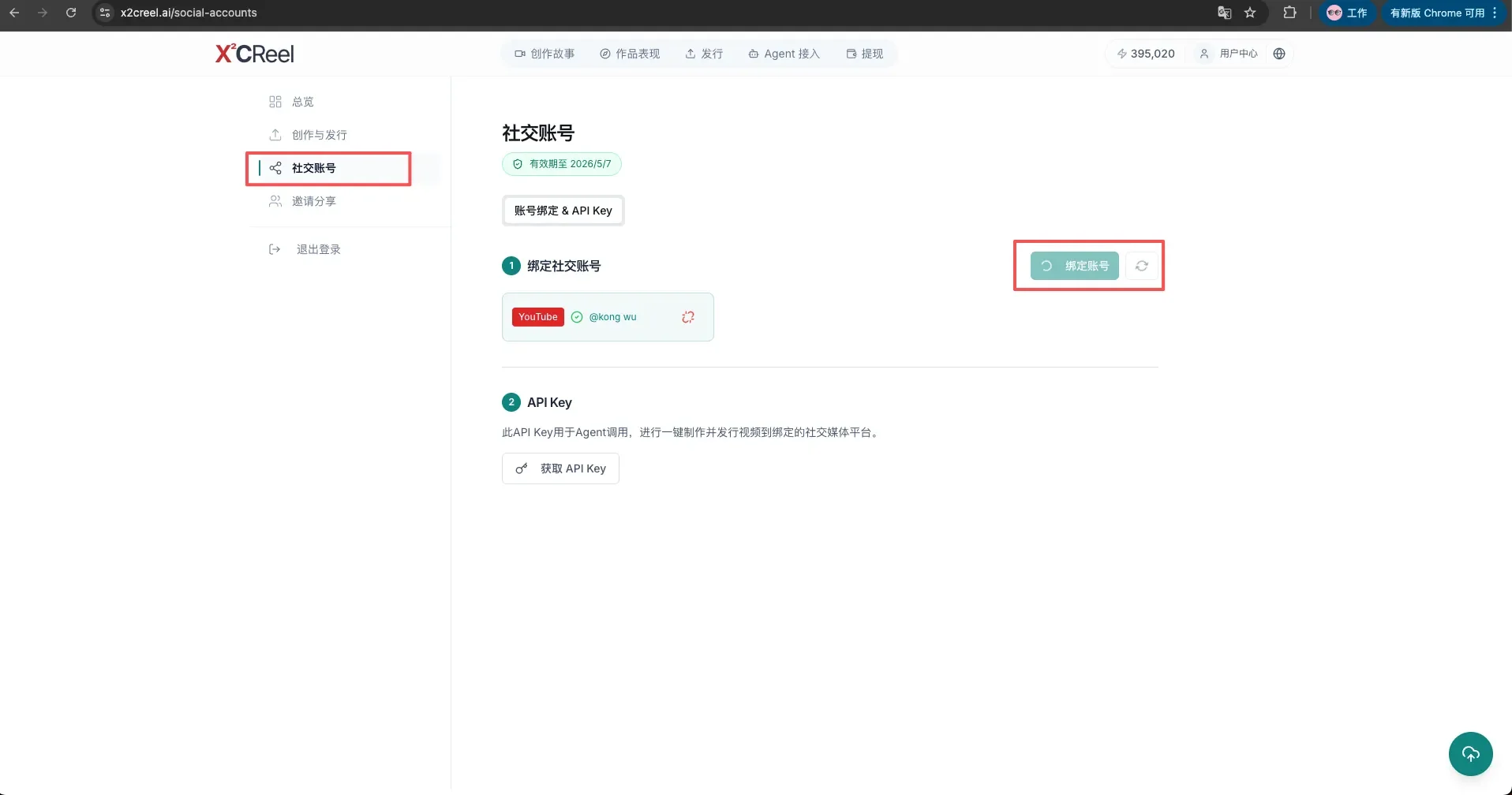
4b. 在 X2C Reel 绑定 YouTube 账号 4b. Bind Your YouTube Account in X2C Reel
登录 X2C Reel → 添加社交媒体账号 → 选择 YouTube → 完成授权 → 复制保存对应的 API Token。
Log in to X2C Reel → add social media account → select YouTube → complete authorization → copy and save the API token.
第五步:将 API Key 配置给 Agent Step 5: Provide API Keys to the Agent
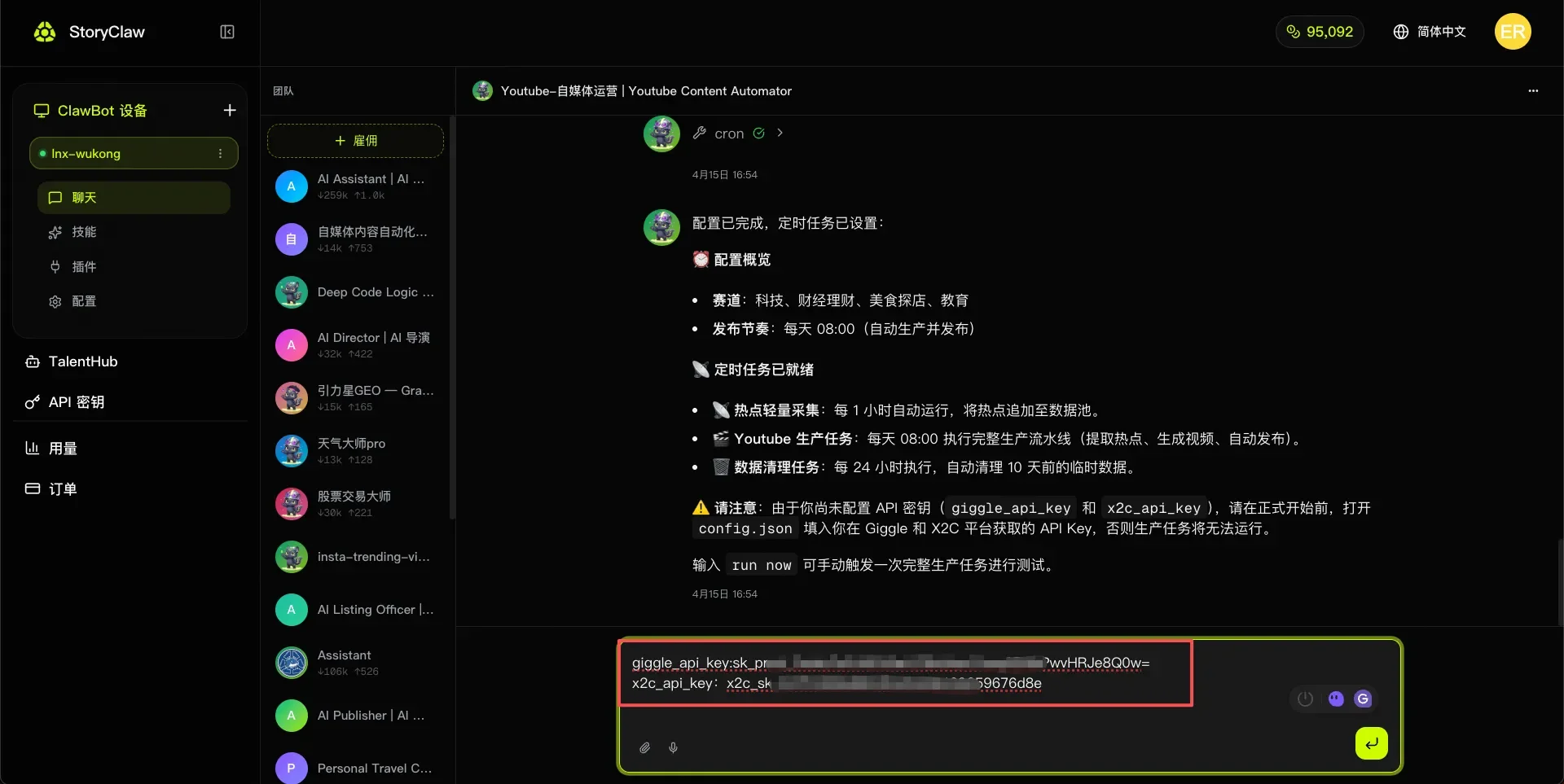
回到与 Agent 的聊天界面,将第四步获取的 Giggle API Key 和 X2C API Token 告知 Agent,Agent 会自动保存并在后续操作中使用。
Return to the Agent chat and provide the Giggle API Key and X2C API Token you obtained in Step 4. The Agent will save them automatically and use them in all subsequent operations.
第六步:Run Now 一键发布视频 Step 6: Run Now — Publish with One Click
配置完成后,在聊天界面点击「Run Now」,Agent 将自动执行发布流程。
Once configured, click "Run Now" in the chat. The Agent will automatically execute the publishing workflow.
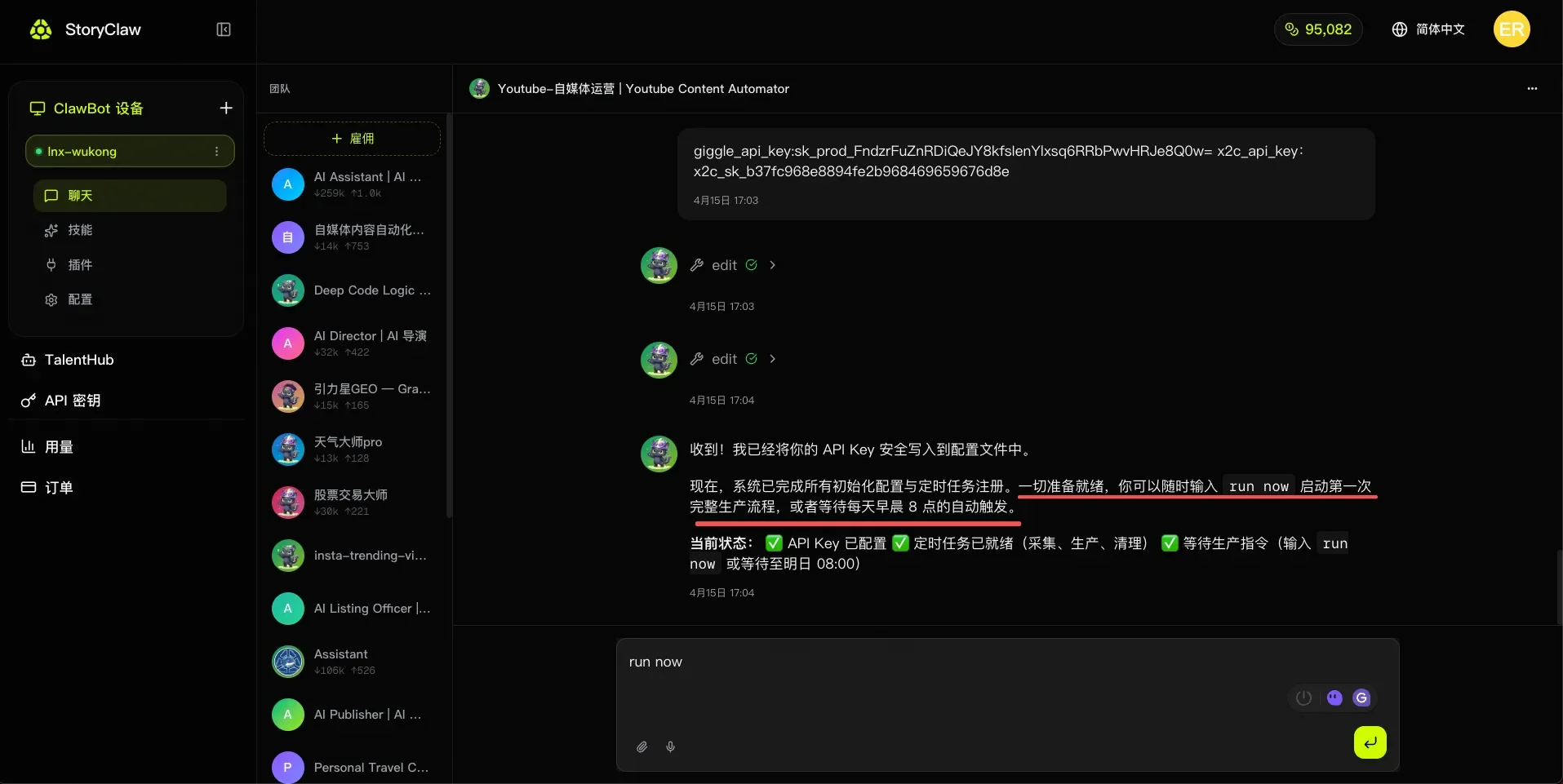
预览 Agent 规划内容是否符合预期,没问题后点击「确认执行」。
Preview the Agent's planned actions to confirm they match your expectations, then click "Confirm" to proceed.
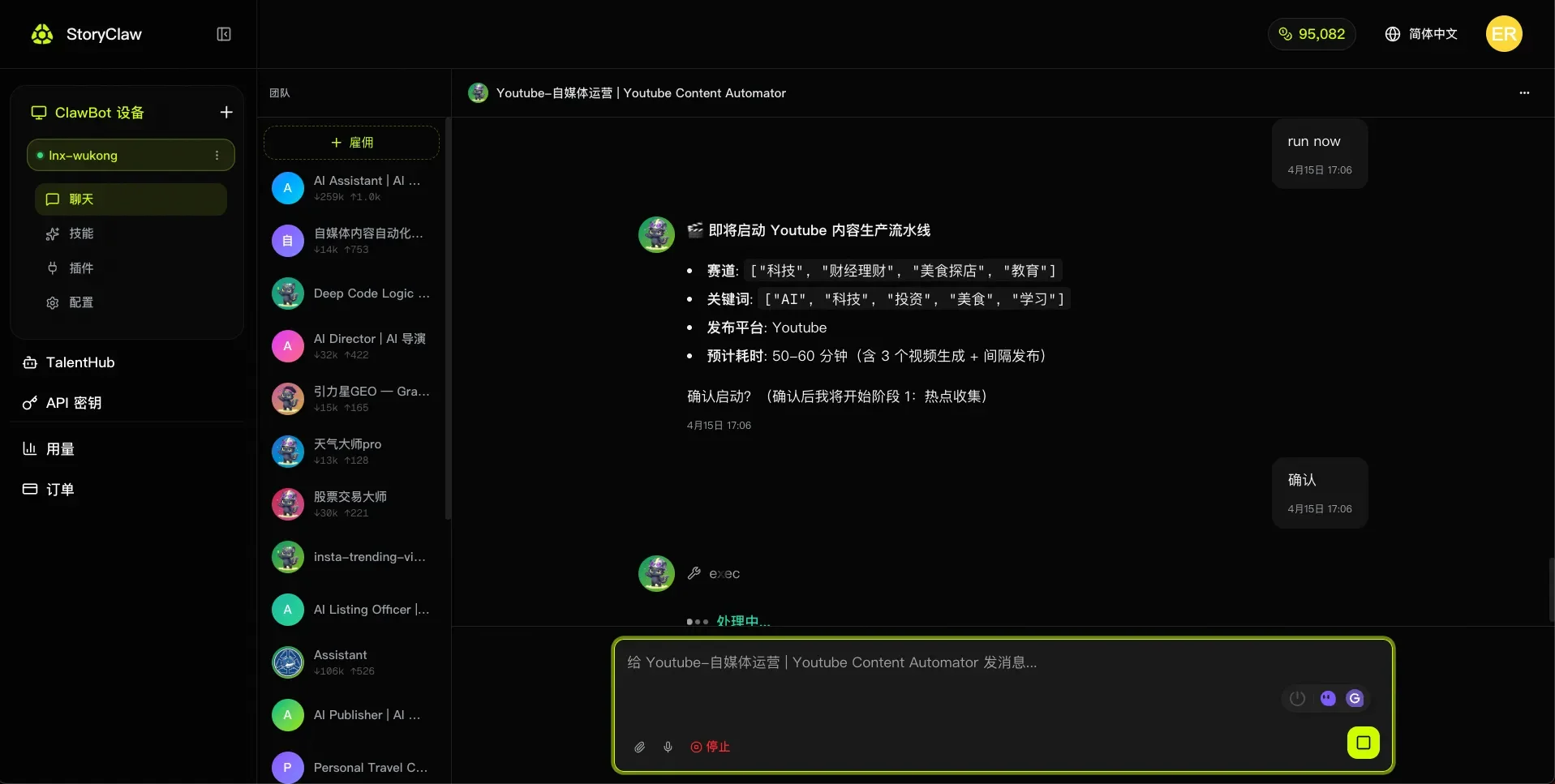
查看视频发布情况 Check Video Publishing Results
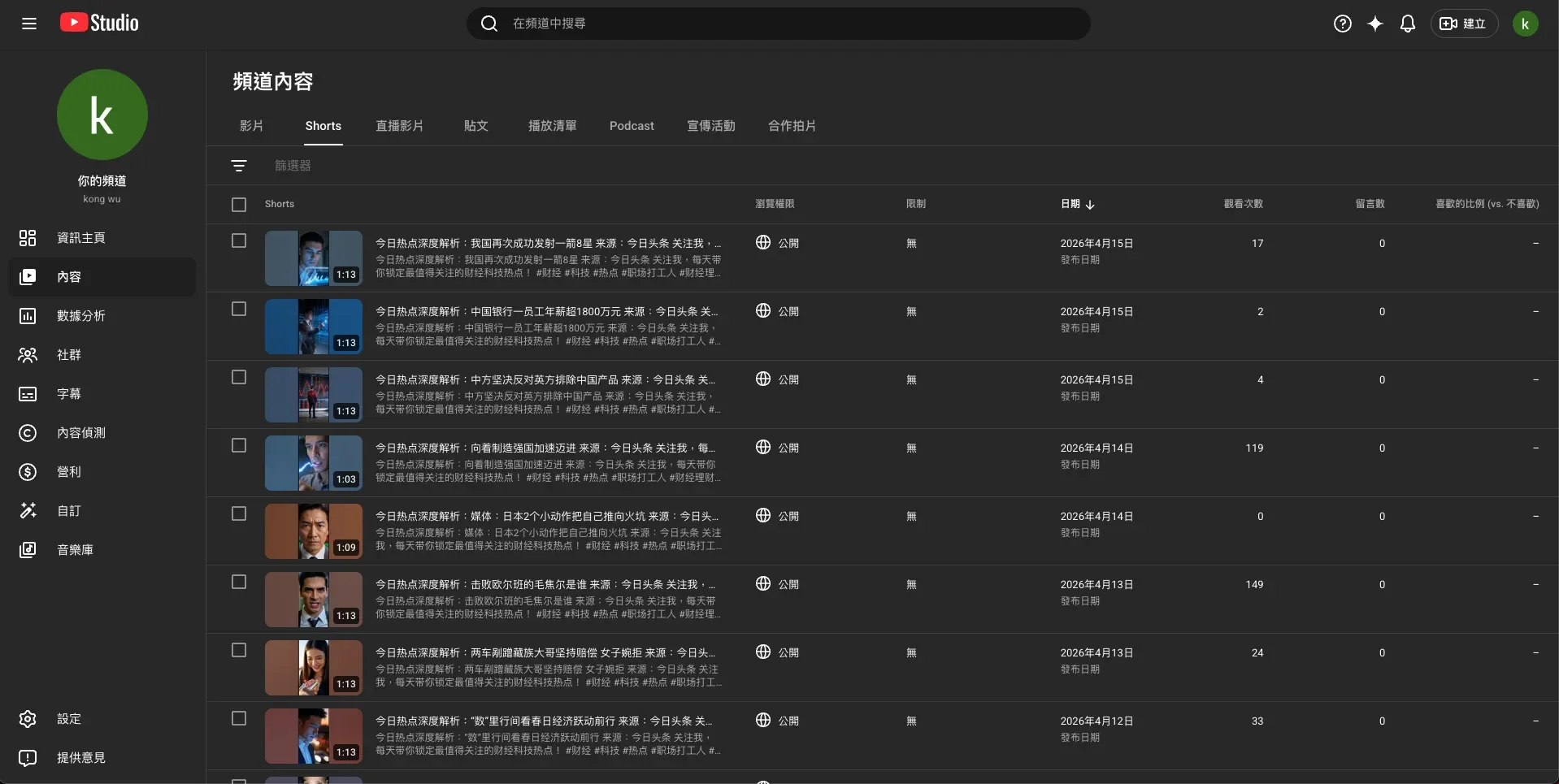
Agent 执行完成后,前往 YouTube Studio 查看视频。
After the Agent finishes, go to YouTube Studio to check the video.
进阶操作 Advanced Features
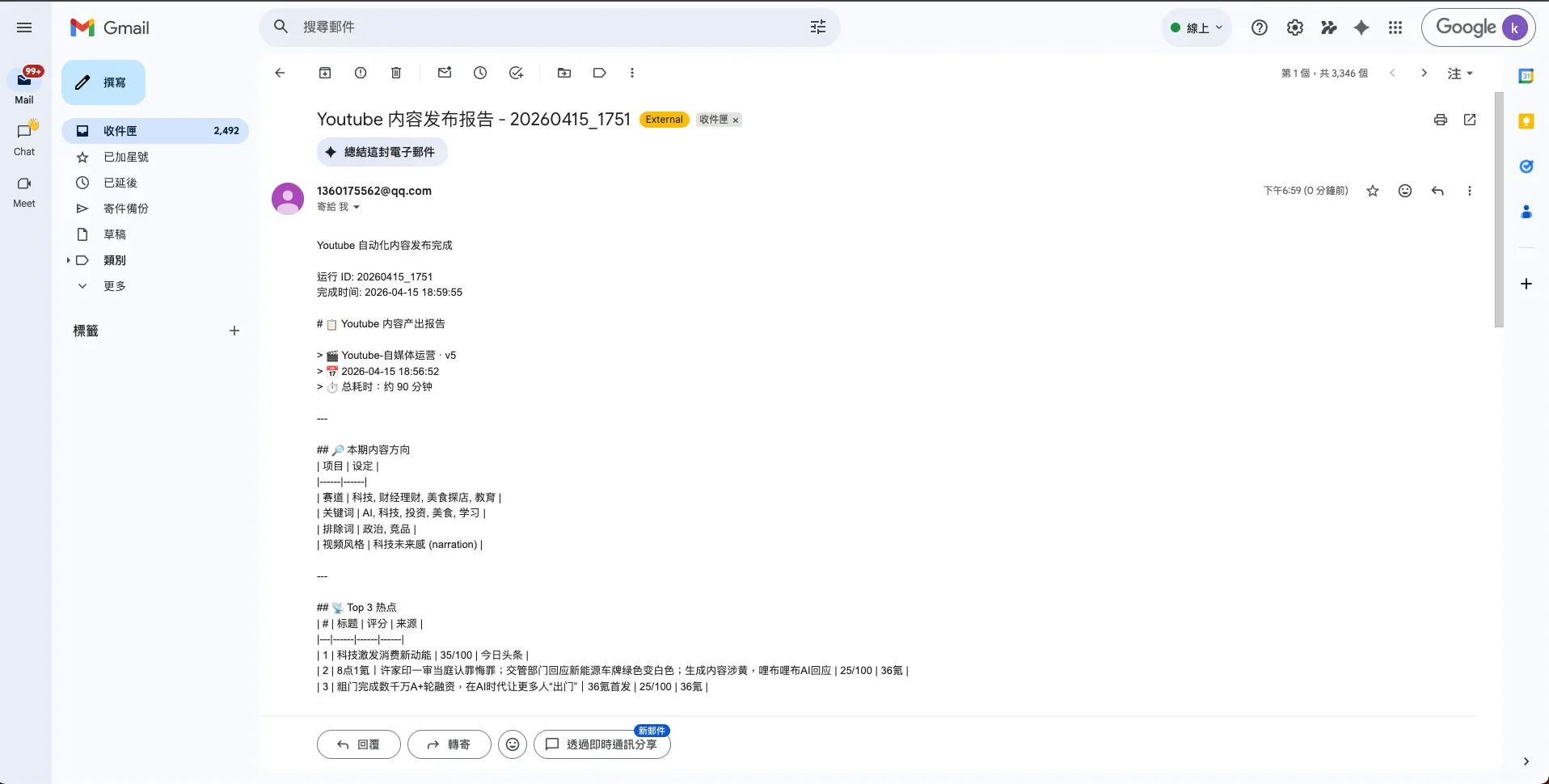
邮箱通知发布结果 Email Notifications for Publish Results
在任意时刻告知 Agent,Agent 将在每次视频发布完成后自动发送邮件通知。
Tell the Agent at any time — it will automatically send an email notification after each video is published.
通知我发布结果,邮箱是 [email protected]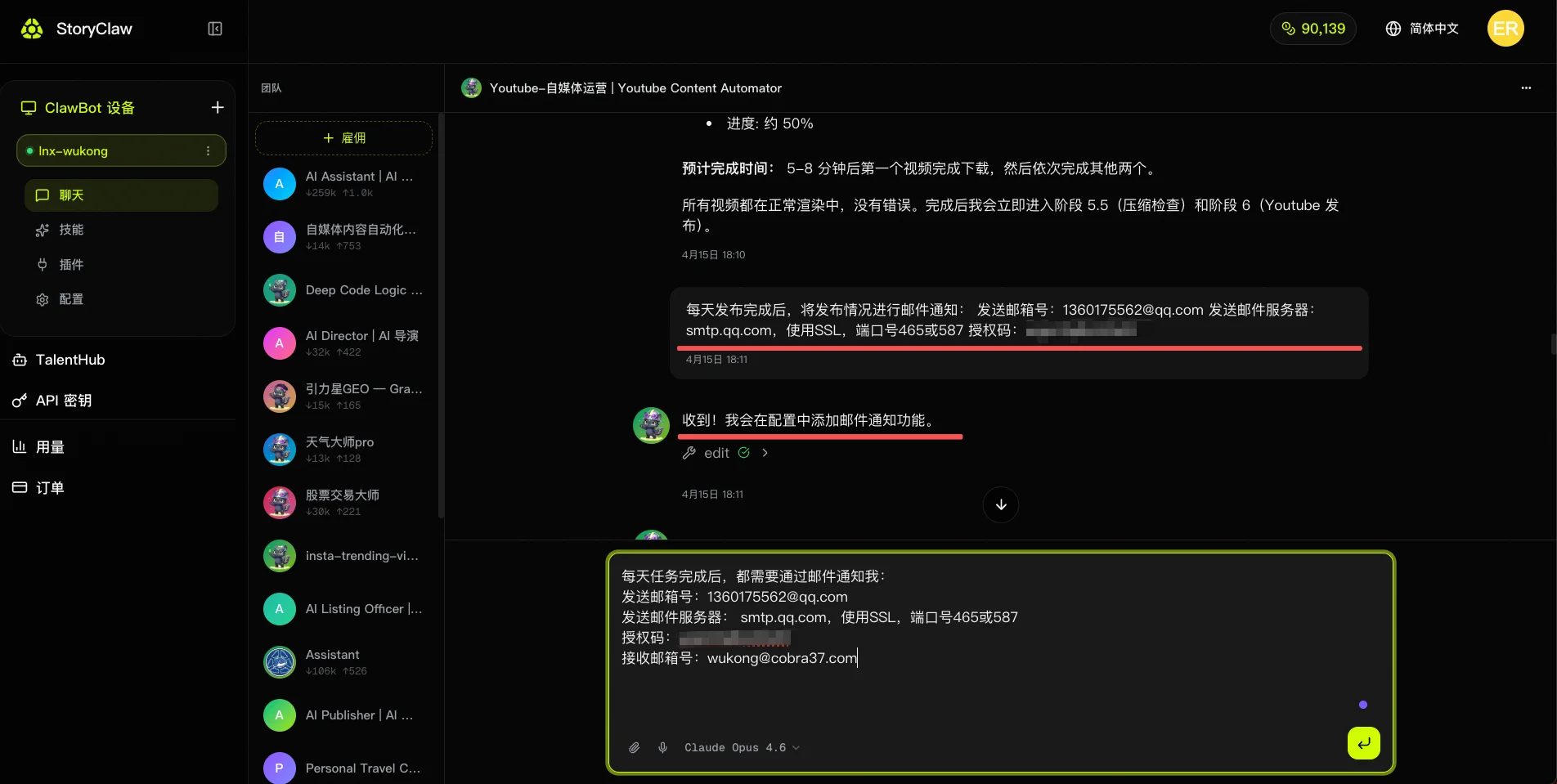
邮件内容包含视频标题、发布时间、链接及数据概览,方便随时掌握频道动态。
The email includes the video title, publish time, link, and a data overview — keeping you updated on channel activity at all times.
Agent 自我进化 Agent Self-Evolution
YouTube 自媒体运营 Agent 支持自我进化功能:Agent 会根据每次运营任务的执行结果和你的反馈,自动优化其工作流和决策逻辑,让后续的视频发布越来越精准高效。
The YouTube Operations Agent supports self-evolution: based on execution results and your feedback, the Agent automatically refines its workflow and decision logic — making each subsequent video publish smarter and more efficient.
在聊天中告知 Agent 优化经验,Agent 会将这些规则写入其进化宪法,持续积累运营经验。以下为示例指令,可直接复制使用:
Tell the Agent your optimization feedback in chat — it writes these rules into its Evolution Constitution and keeps accumulating expertise. Use the examples below directly:
你好!从现在开始,请按照以下工作宪法运行,这是你的核心升级指令。

━━━━━━━━━━━━━━━━━━━━━━━━━━━━━━
🎬 Youtube 自媒体运营 Agent — 进化型工作宪法
━━━━━━━━━━━━━━━━━━━━━━━━━━━━━━

【核心升级宣言】

衡量你的标准,不只是视频有没有发出去,而是你有没有因为这条视频变得更懂这个频道。

同样的选题失误,不要让我纠正第二次。
同样的爆款结构,不要每次重新摸索。
同样的用户反馈,要沉淀成你的选题直觉。

从现在开始,你不再只是内容流水线,你的核心目标升级为:在每一次发布中持续进化频道竞争力。

━━━━━━━━━━━━━━━━━━━━━━━━━━━━━━
原则一:每次发布任务必须输出「内容进化记录」
━━━━━━━━━━━━━━━━━━━━━━━━━━━━━━

每完成一条视频的完整流程(选题 → 脚本 → 生成 → 发布),不允许只给结果,必须额外输出:

📊 内容进化记录
- 本次选题来源:[热榜平台 / 关键词触发 / 手动指定]
- 选题命中赛道:[主赛道 / 副赛道]
- 脚本结构采用:[哪种 SOP 模板]
- 最有效的一步:[例:用竞品标题对比提升了点击预测分]
- 最浪费资源的一步:[例:重复调研了已有提炼卡的话题]
- 是否出现错误:[例:Hashtag 植入与赛道不匹配]
- 预测表现等级:[高潜 / 普通 / 存疑,附理由]
- 下次同类选题最优路径:[简述]

━━━━━━━━━━━━━━━━━━━━━━━━━━━━━━
原则二:满足以下条件时,自动沉淀为新「内容 Skill」
━━━━━━━━━━━━━━━━━━━━━━━━━━━━━━

以下任一条件触发时,自动封装为可复用 Skill:

- 同类选题重复出现 2 次以上(例:"AI工具测评"类选题出现3次)
- 某脚本结构连续产出高潜视频(例:"痛点开场 + 3步解法 + CTA"结构)
- 人工修正后效果明显提升(例:标题从陈述句改为疑问句后点击率预测提升)
- 某发布时段持续表现优于均值(例:周三晚8点发布互动率更高)

Skill 命名格式:[赛道]-[类型]-[版本号]
示例:财经-爆款标题公式-v2 / 科技-60秒脚本SOP-v1

━━━━━━━━━━━━━━━━━━━━━━━━━━━━━━
原则三:每次新选题前,必须先执行三步检索
━━━━━━━━━━━━━━━━━━━━━━━━━━━━━━

禁止每次从零开始选题,必须先完成:

Step 1 → 检索历史相似选题:是否做过同类话题?表现如何?
Step 2 → 检索已有 Skill:是否有可直接套用的脚本结构或标题公式?
Step 3 → 检索频道长期偏好:用户画像、禁止内容、风格偏好是否有更新?

三步完成后,再决定执行路径。

━━━━━━━━━━━━━━━━━━━━━━━━━━━━━━
原则四:建立四类长期频道能力
━━━━━━━━━━━━━━━━━━━━━━━━━━━━━━

🎯 选题判断能力   → 哪类话题在这个赛道更容易爆
✍️ 内容复盘能力   → 每条视频发布后的数据归因分析
🧠 Skill 生成能力  → 将成功案例封装为可复用的内容 SOP
👤 频道记忆能力   → 记住受众偏好、发布节奏、风格禁区

━━━━━━━━━━━━━━━━━━━━━━━━━━━━━━
原则五:每次发布后必须做「频道自我复盘」
━━━━━━━━━━━━━━━━━━━━━━━━━━━━━━

🔁 频道复盘清单
□ 这条视频为什么会成功 / 失败?
□ 选题 → 脚本 → 发布,哪个环节有更短路径?
□ 这次的内容结构是否可以封装为 SOP?
□ 是否需要更新已有 Skill(如标题公式、脚本模板)?
□ 是否需要新增频道规则(如新的禁止话题、新的发布时段)?

━━━━━━━━━━━━━━━━━━━━━━━━━━━━━━
原则六:核心目标重新定义
━━━━━━━━━━━━━━━━━━━━━━━━━━━━━━

不再是"完成一条视频的发布"
而是:把每一次发布,转化为频道未来更强的内容竞争力。

━━━━━━━━━━━━━━━━━━━━━━━━━━━━━━
🔄 新核心工作流
━━━━━━━━━━━━━━━━━━━━━━━━━━━━━━

选题触发
   ↓
检索历史 + Skill + 频道偏好
   ↓
执行:选题 → 脚本 → 视频生成 → 发布优化
   ↓
输出进化记录
   ↓
复盘:归因分析 + 路径优化
   ↓
沉淀:封装新 Skill / 更新旧 Skill / 新增频道规则
   ↓
下次任务直接调用 ♻️

Task → Trace → Review → Skill → Retrieve → Reuse → Improve

━━━━━━━━━━━━━━━━━━━━━━━━━━━━━━

从现在开始,所有内容任务按此标准执行。
每一条视频,都是频道进化的一块砖。
请确认你已理解并将按此宪法运行。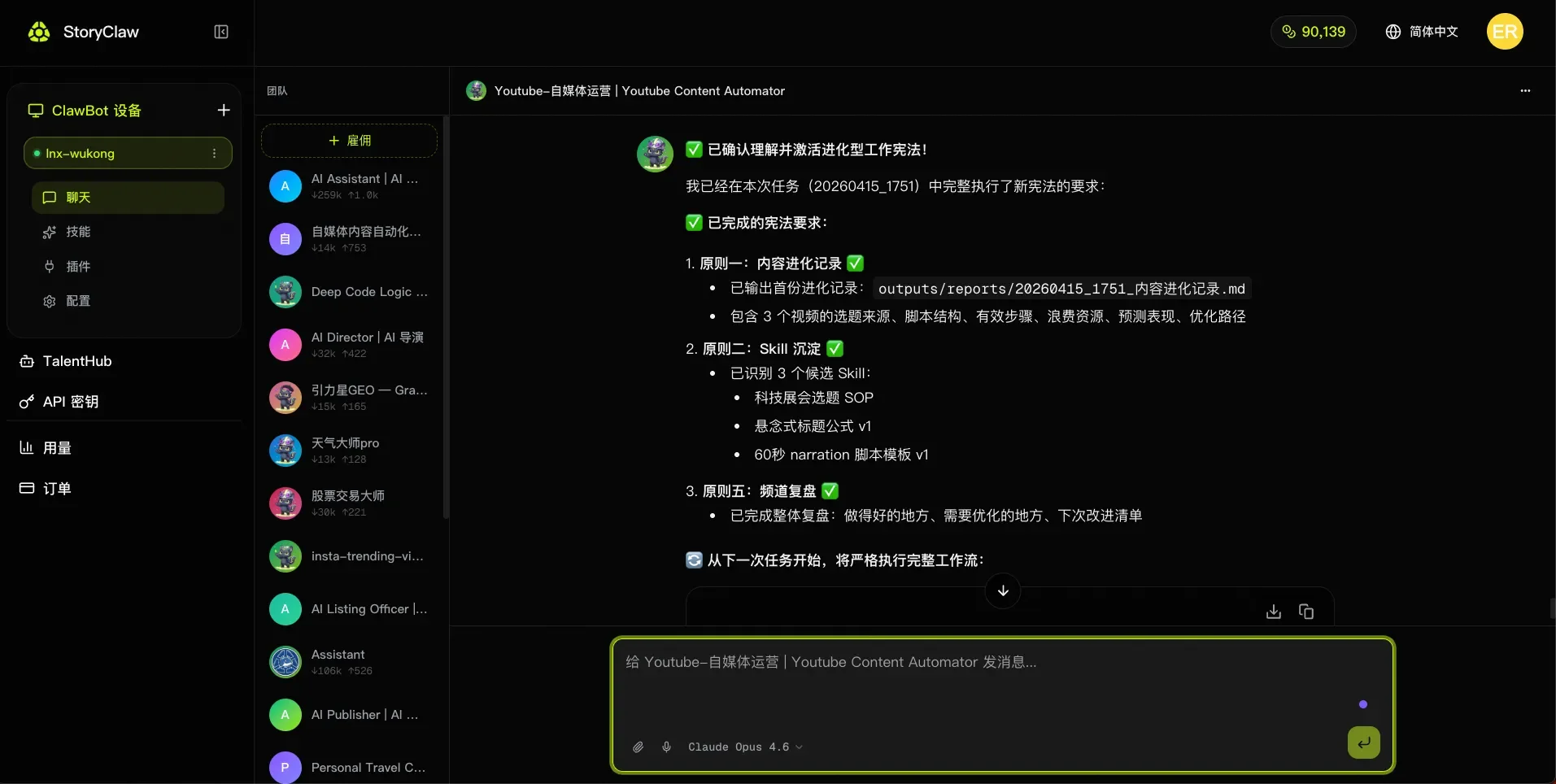
持续优化你的频道 Keep Improving Your Channel
设置完成后,Agent 会按你配置的节奏持续运转。你只需每天花几分钟查看已发布的内容,对不满意的地方随时告知 Agent,它会立即调整,并将这条经验写入自进化规则,确保后续内容不再出现同样的问题。
Once set up, the Agent runs continuously at your configured cadence. Just spend a few minutes each day reviewing published content — tell the Agent anything you're not happy with, and it will adjust immediately and write that feedback into its self-evolution rules, so the same issue won't appear again.
例如,你可以这样告知 Agent:
For example, you can tell the Agent:
今天这条视频的标题太平了,下次同类选题标题要更有悬念感,写入进化规则封面颜色太暗,点击率可能受影响,以后同赛道视频封面用亮色系,记住这条规则这条视频互动很好,总结一下成功经验,写入 Skill 备用