方式一:新建机器人(推荐) Method 1: Create New Bot (Recommended)
安装飞书插件 Install the Feishu plugin
在控制台默认的「AI Assistant」聊天助手中,输入以下命令:
In the default "AI Assistant" chat in the console, send the following message:
使用此命令 `npx -y @larksuite/openclaw-lark-tools install` 为我安装飞书插件,并返回 login 二维码;如果不能返回二维码,就为我解决是什么原因,最终提供我绑定的二维码即可,我不关心出现的问题Use this command `npx -y @larksuite/openclaw-lark-tools install` to install the Feishu plugin for me and return the login QR code. If you can't return the QR code, diagnose and fix the issue — just give me the binding QR code in the end, I don't care about intermediate errors.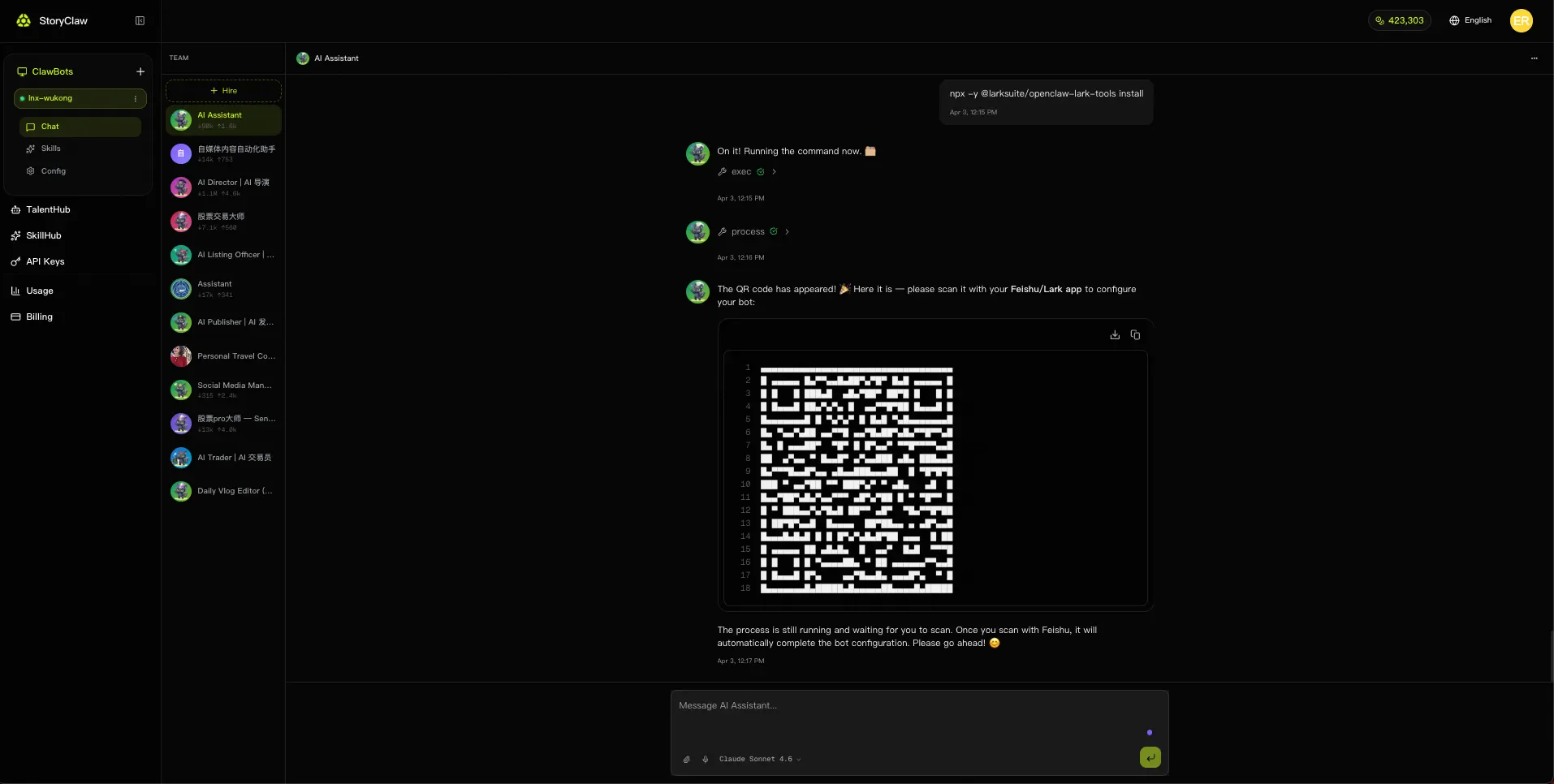
扫码二维码 Scan the QR code
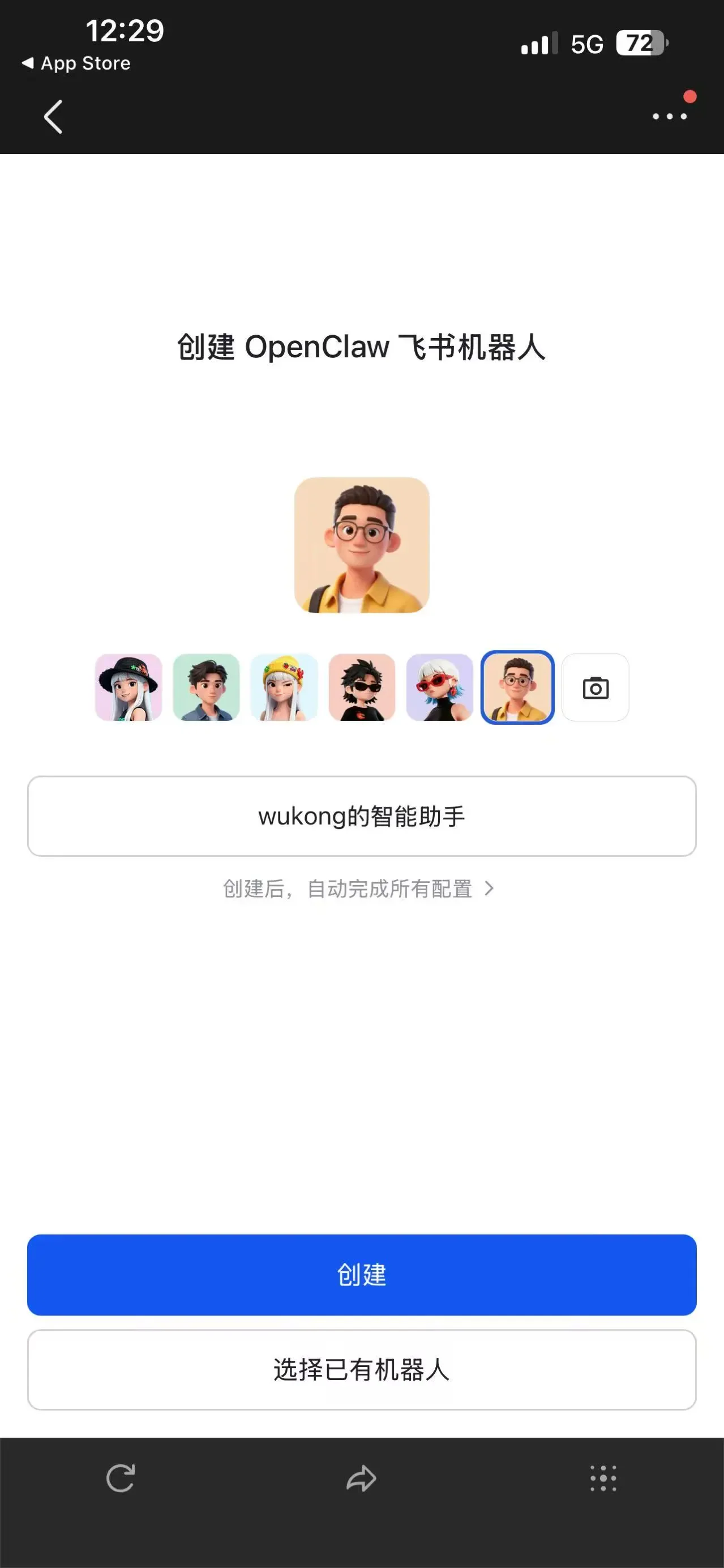
打开手机飞书 APP,扫描 Agent 返回的二维码,选择机器人头像,输入机器人名称,点击「创建」;或点击「选择已有机器人」绑定到现有机器人。
Open the Feishu app on your phone, scan the QR code returned by the Agent, choose a bot avatar, enter a bot name, and tap "Create" — or tap "Select Existing Bot" to bind to an existing one.
等待创建 Wait for creation
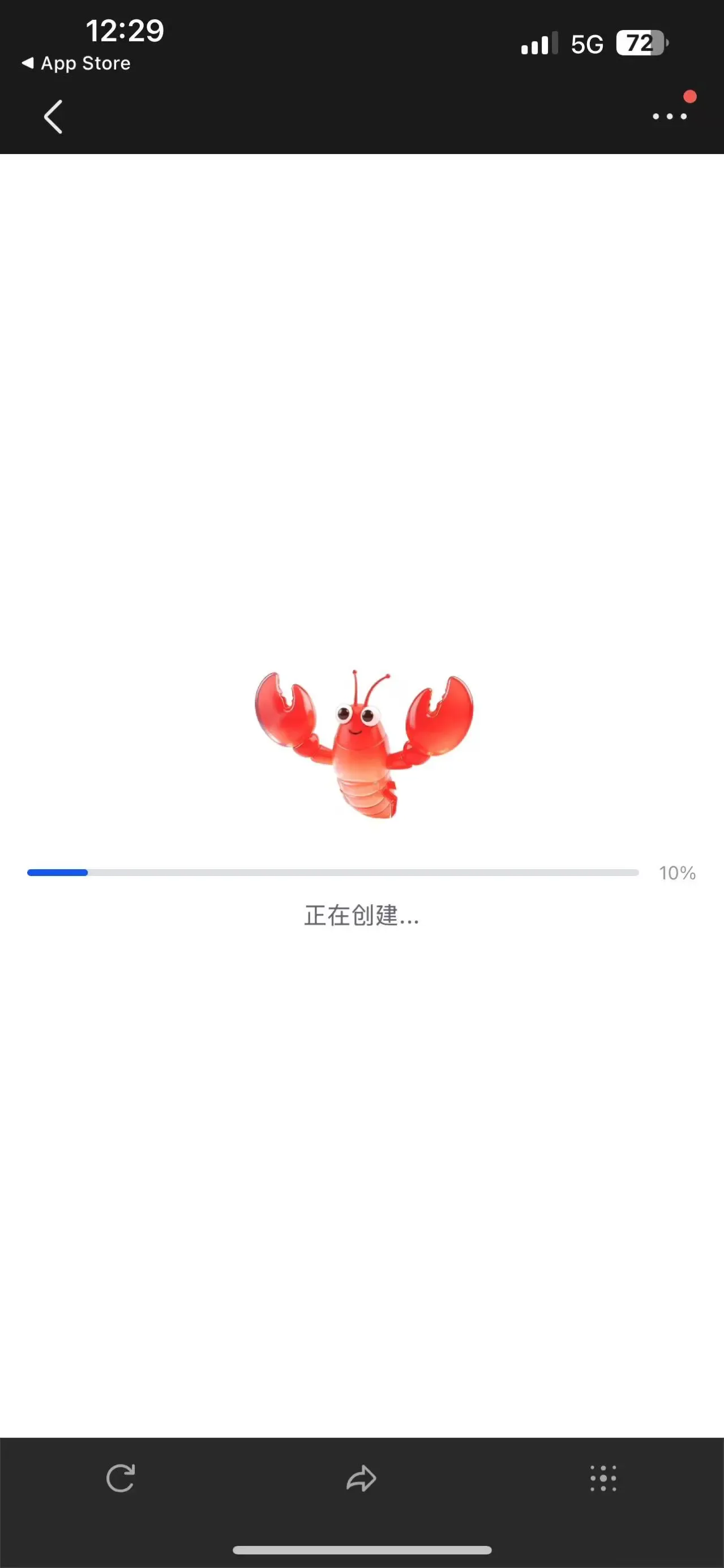
系统自动完成所有配置,等待进度条完成即可,无需手动操作。
The system automatically completes all configuration. Wait for the progress bar to finish — no manual steps required.
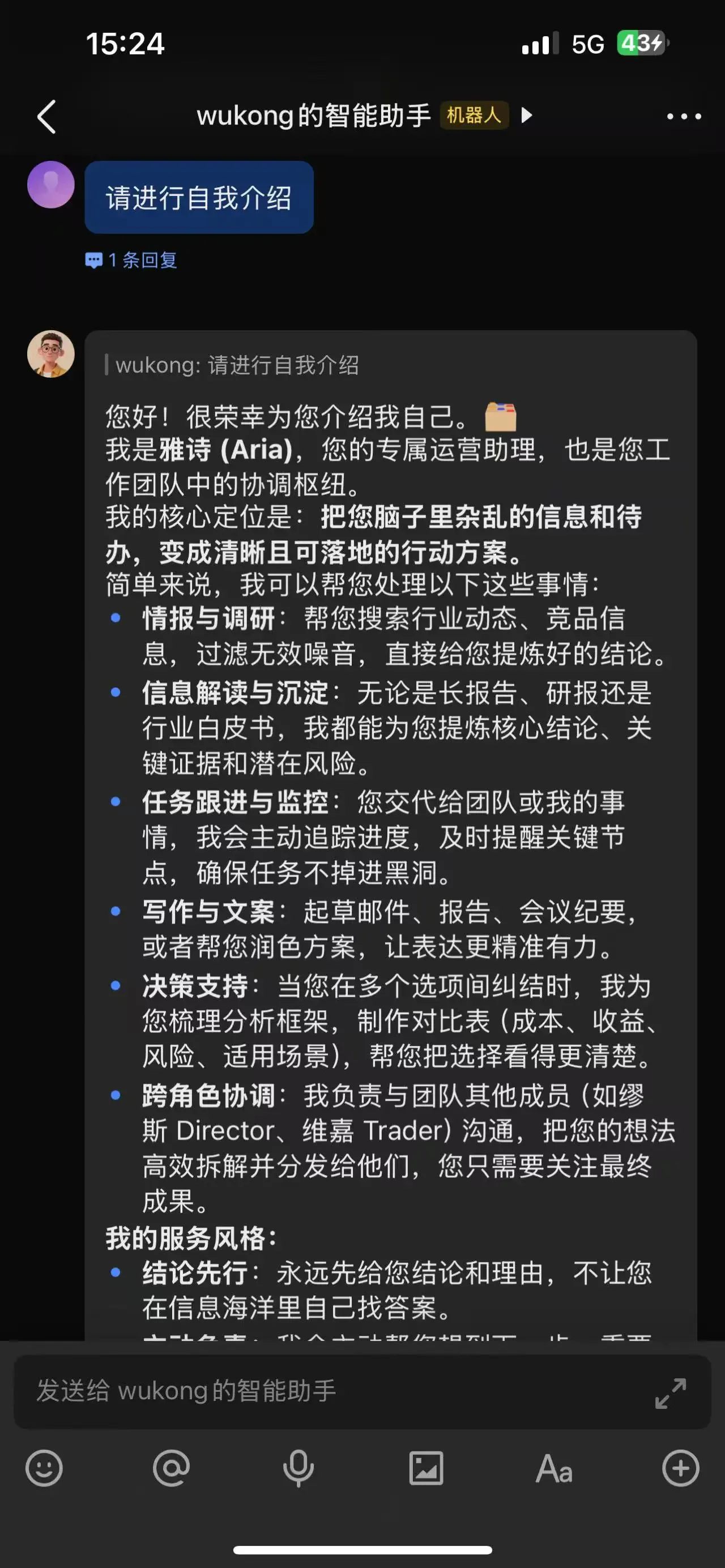
找到机器人 Find the bot
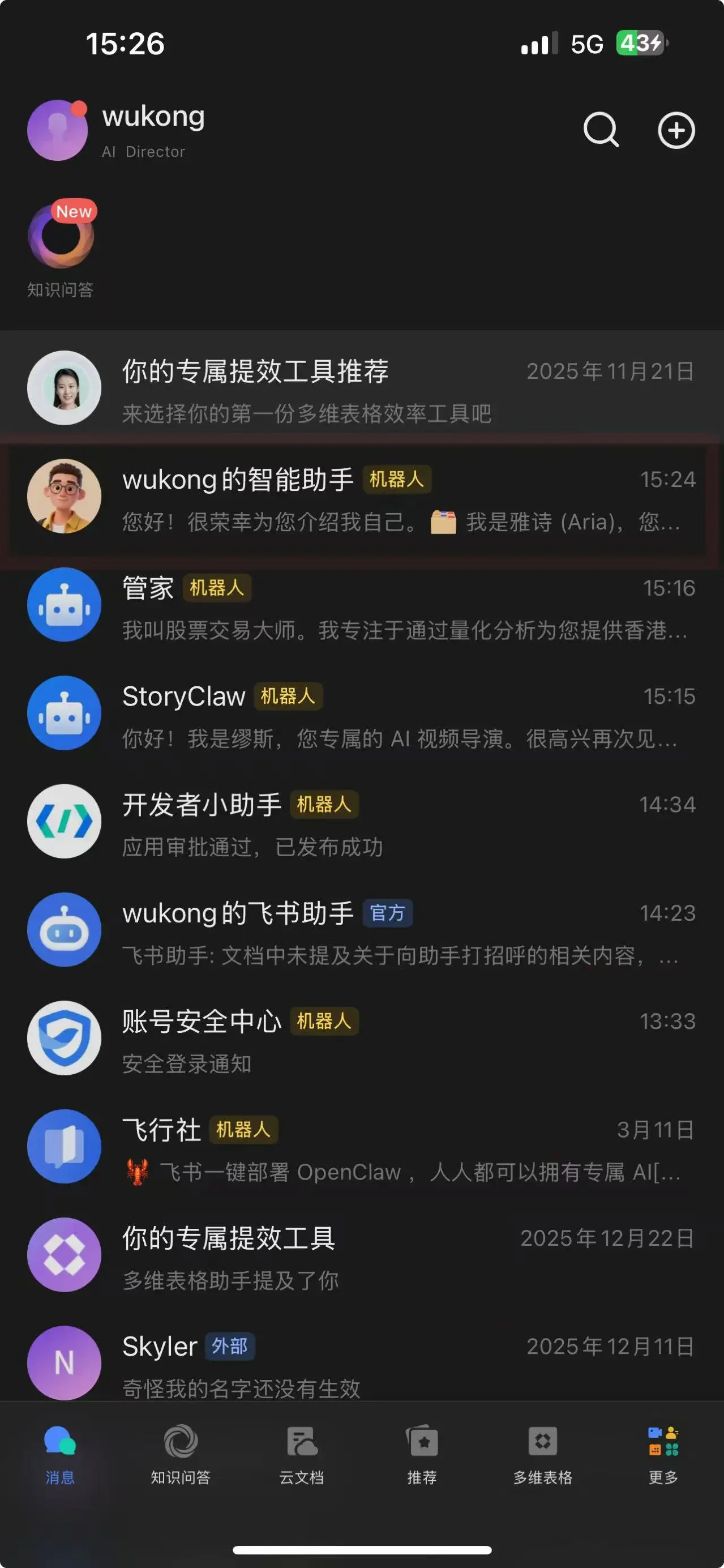
创建完成后,在飞书消息列表中即可看到新创建的机器人。
Once created, the new bot will appear in your Feishu message list.
测试聊天 Test the chat
点击机器人,发送消息进行测试,确认 AI 成员正常响应。
Tap the bot and send a message to verify the AI member responds correctly.
方式二:关联已有机器人 Method 2: Link an Existing Bot
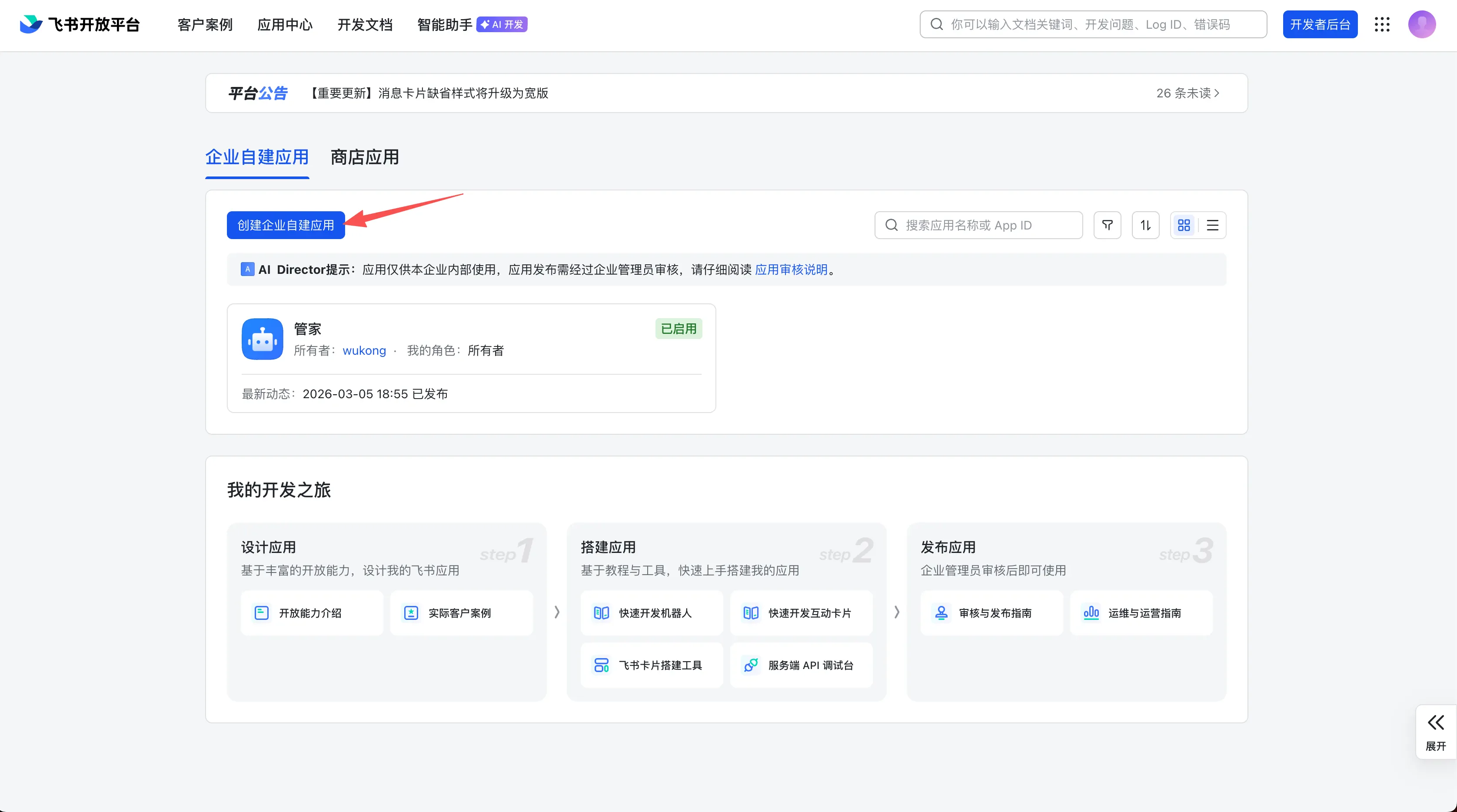
打开飞书开放平台 Open Feishu Open Platform
访问 open.feishu.cn,使用飞书账号登录。
Go to open.feishu.cn and sign in with your Feishu account.
找到已创建好的应用凭证 Get your app credentials
在应用的「凭证与基础信息」页面,复制以下信息:
On the "Credentials & Basic Info" page of your app, copy:
- App ID(格式如
cli_xxx) - App Secret
- App ID (format:
cli_xxx) - App Secret
与 Agent 对话完成配置 Chat with Agent to complete configuration
在 ClawBot 控制台中与目标 Agent 对话,将 App ID 和 App Secret 一并告知,例如:
In the ClawBot console, chat with the target Agent and provide the App ID and App Secret, for example:
我已经有一个飞书机器人,需要将它绑定到这个 Agent 上。App ID:cli_xxx,App Secret:xxxxxxxxI have an existing Feishu bot I need to bind to this Agent. App ID: cli_xxx, App Secret: xxxxxxxx测试聊天 Test the chat
配置完成后,在飞书中向机器人发送消息,确认已绑定到指定的 Agent 并正常响应。
After configuration, send a message to the bot in Feishu to confirm it's bound to the correct Agent and responding normally.