方式一:插件页面扫码 Method 1: QR Code via Plugins Page
1
进入插件页面 Open the Plugins page
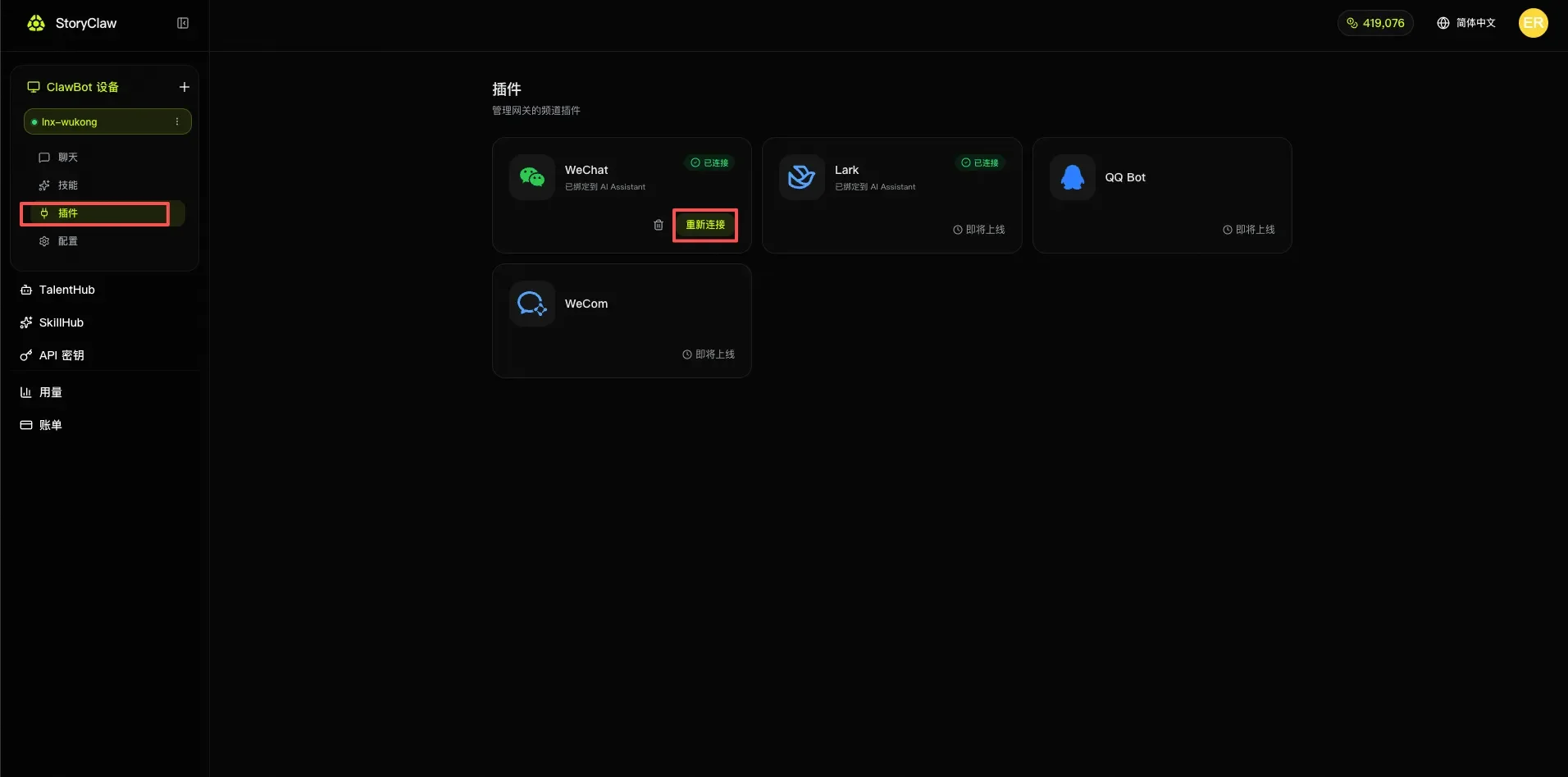
登录 StoryClaw 控制台,在左侧菜单选择你的 ClawBot 设备,点击「插件」。
Log in to the StoryClaw console, select your ClawBot device in the left menu, and click "Plugins".
2
点击 WeChat 插件连接 Click Connect on the WeChat plugin
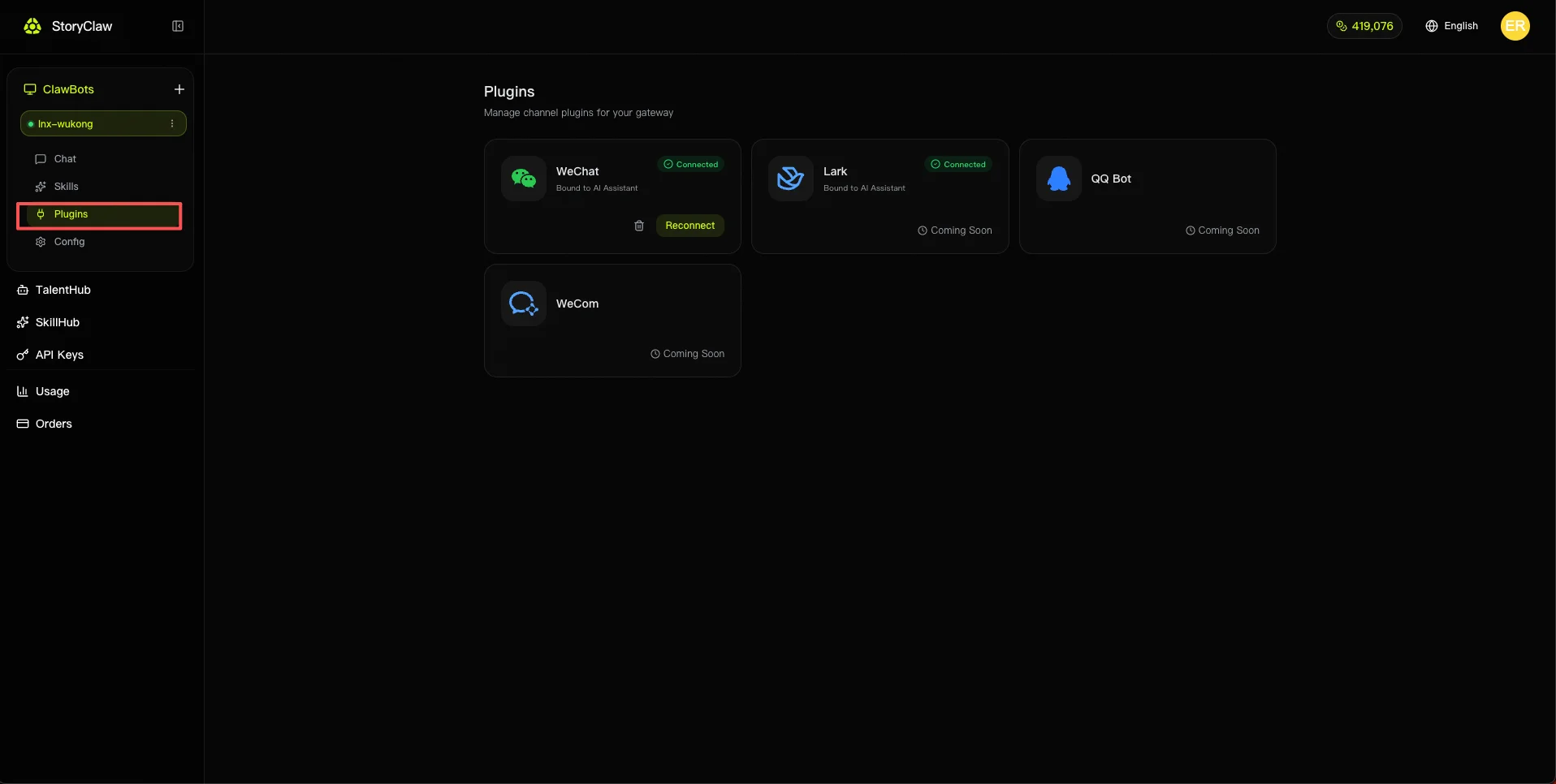
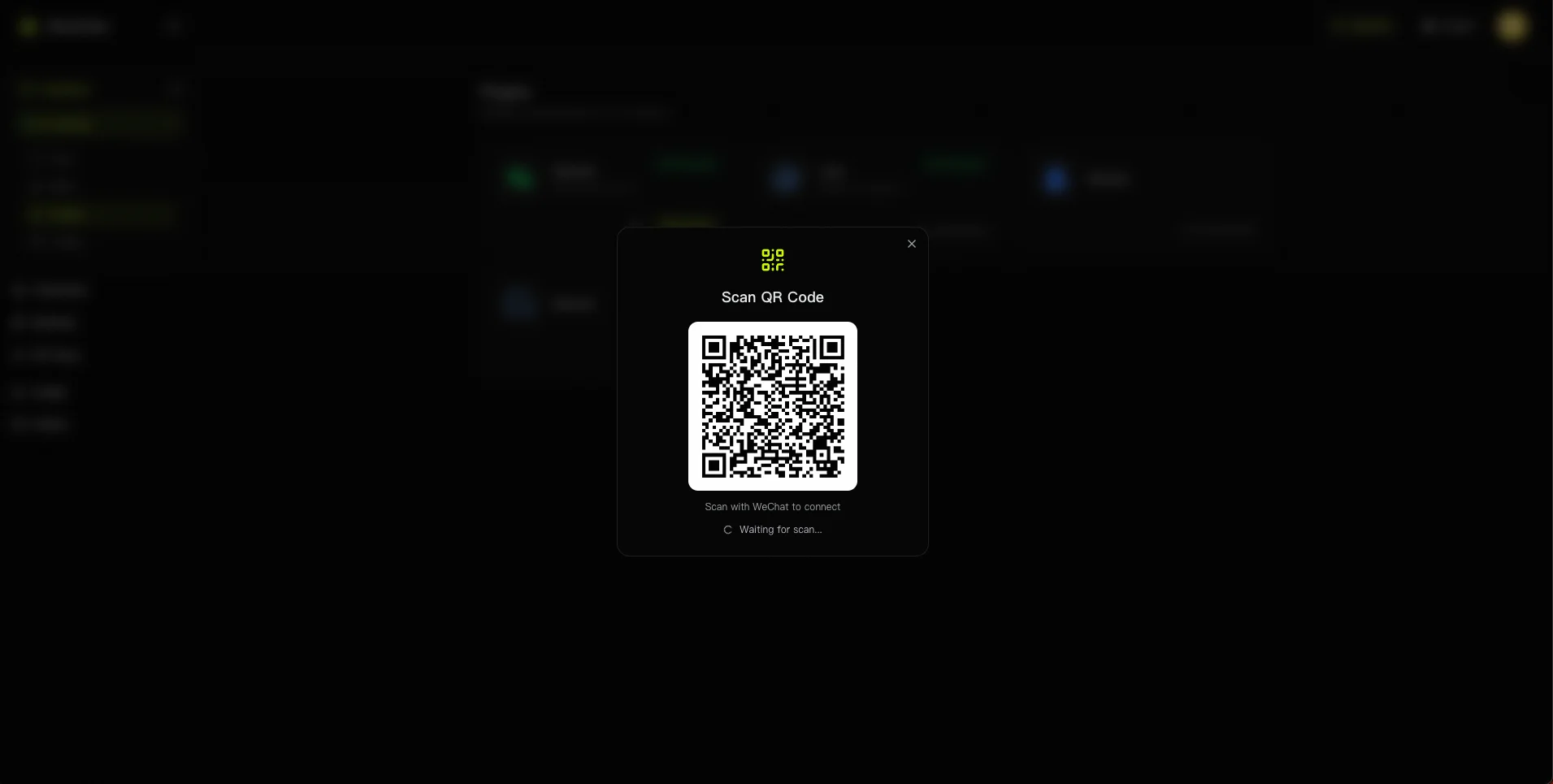
在插件列表中找到「WeChat」卡片,点击「连接」按钮。系统会弹出二维码扫描窗口。
Find the "WeChat" card in the plugin list and click "Connect". A QR code scan window will appear.
3
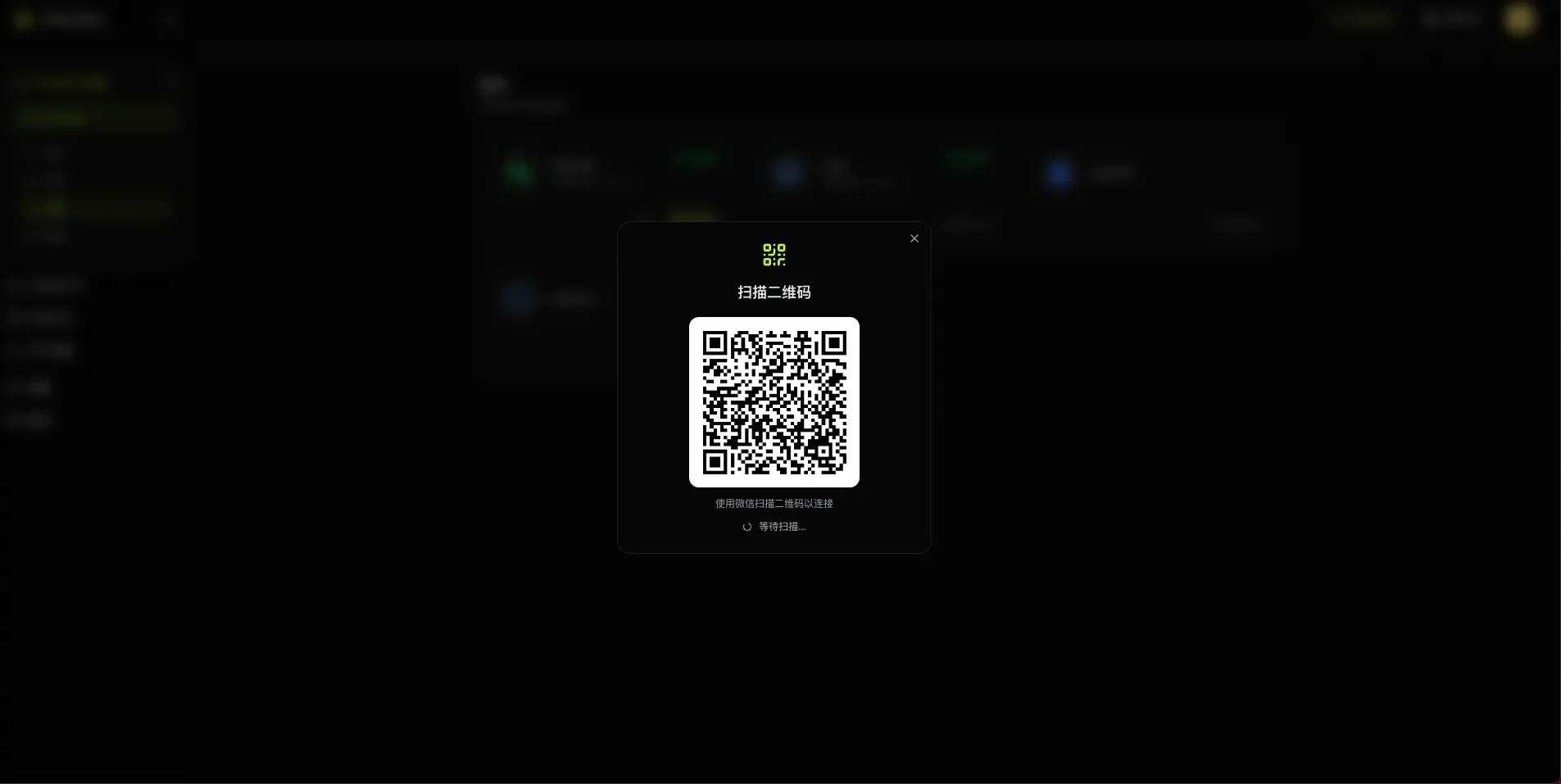
用微信扫描二维码 Scan the QR code with WeChat
打开手机微信,点击右上角「+」→「扫一扫」,扫描页面上的二维码。扫描后在手机上确认登录。
Open WeChat on your phone, tap the "+" icon → "Scan QR Code", and scan the code on screen. Confirm login on your phone.
方式二:通过 Agent 对话绑定 Method 2: Bind via Agent Chat
1
在 ClawBot 中与 Agent 进行对话 Chat with an Agent in ClawBot
推荐使用 Claude Sonnet 4.6 与 Agent 进行对话
Claude Sonnet 4.6 is recommended for this task
向 Agent 发送以下消息:
Send the following message to the Agent:
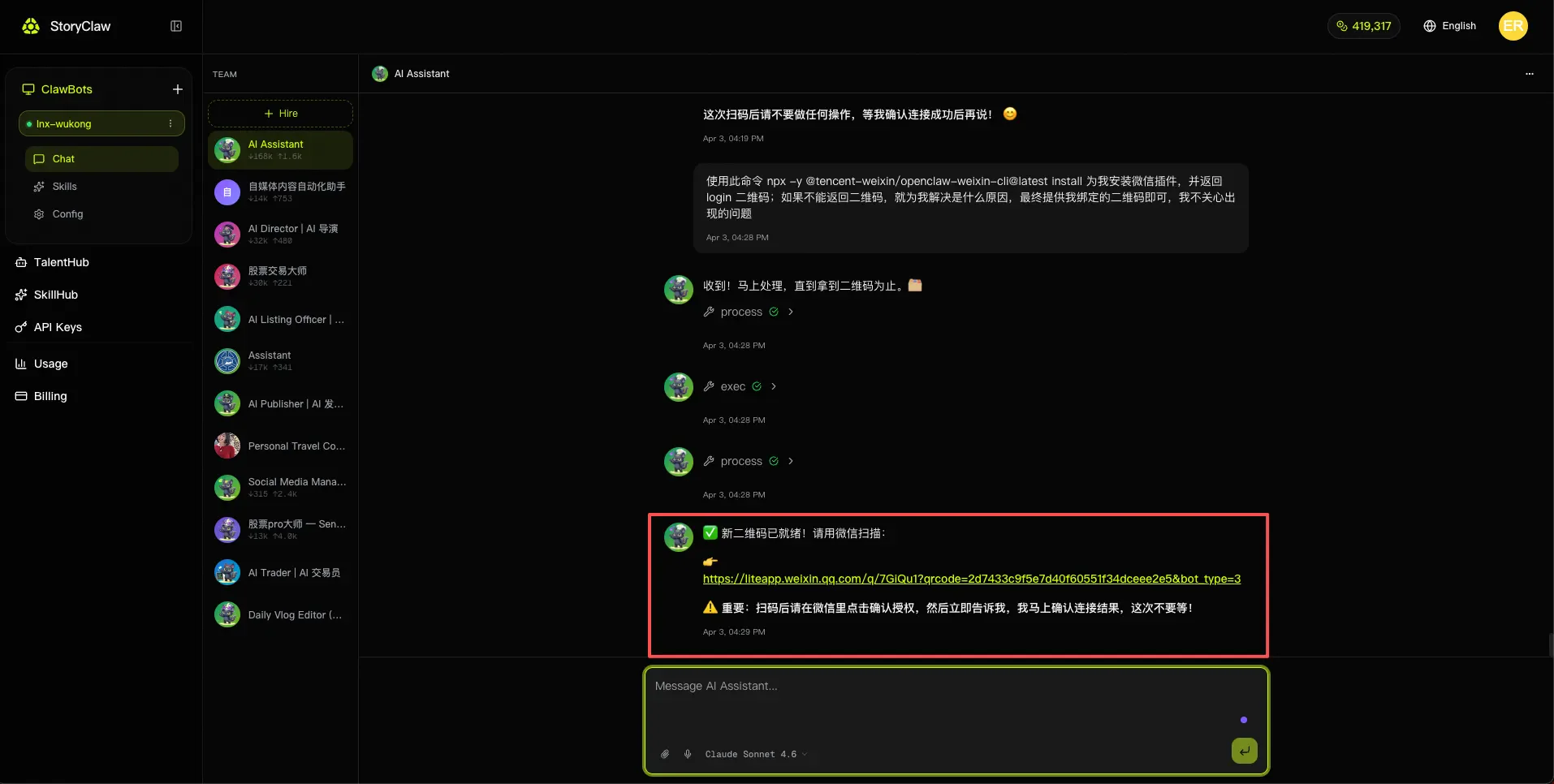
使用此命令 `npx -y @tencent-weixin/openclaw-weixin-cli@latest install` 为我安装微信插件,并返回 login 二维码;如果不能返回二维码,就为我解决是什么原因,最终提供我绑定的二维码即可,我不关心出现的问题Use this command `npx -y @tencent-weixin/openclaw-weixin-cli@latest install` to install the WeChat plugin for me and return the login QR code. If you can't return the QR code, diagnose and fix the issue — just give me the binding QR code in the end, I don't care about intermediate errors.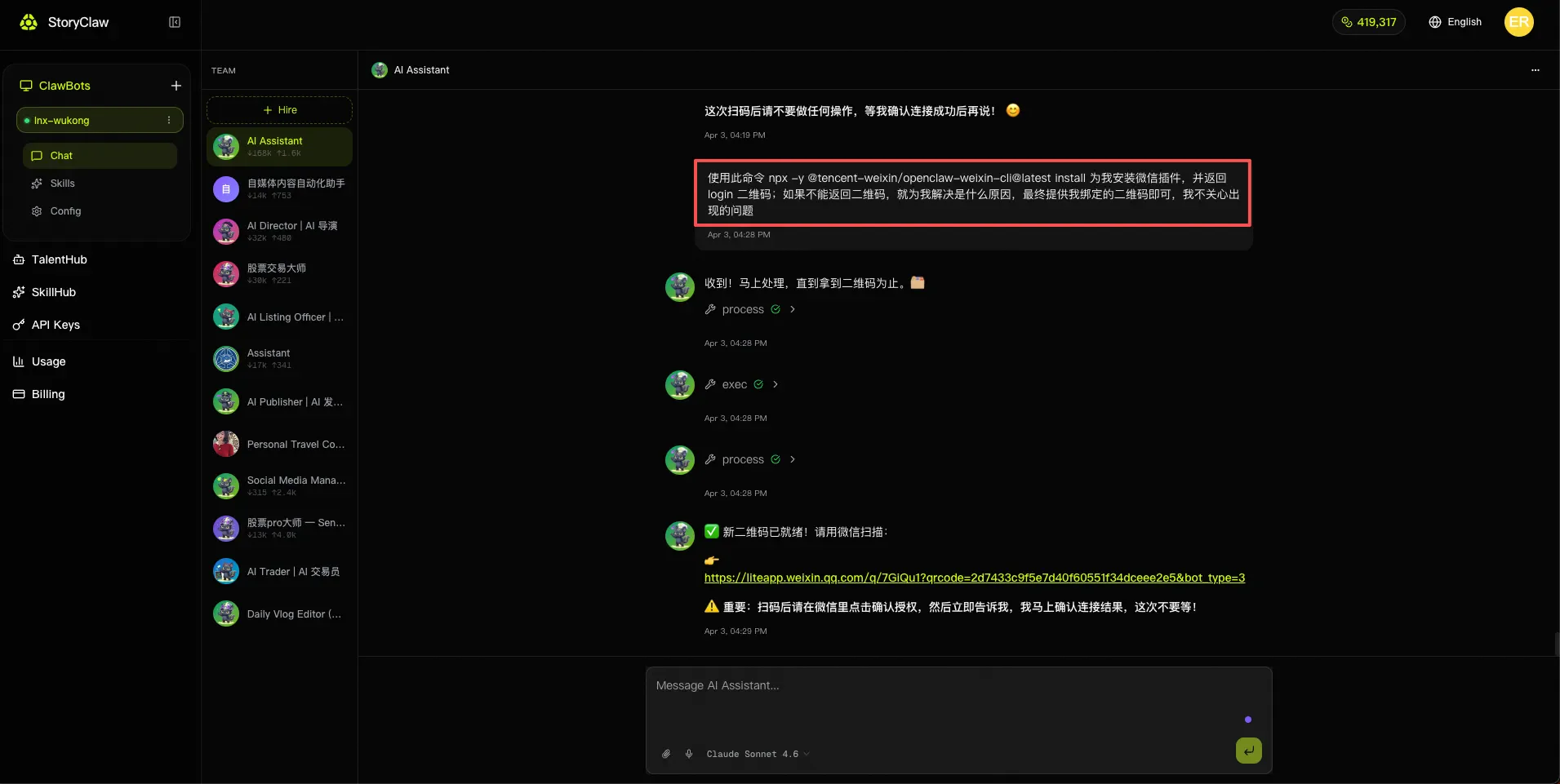
2
点击链接生成的二维码,通过微信扫码完成绑定 Click the generated QR code link and scan with WeChat to bind
Agent 处理完成后会返回一条二维码链接,点击链接打开二维码,用微信扫码后在微信弹窗中点击授权即可完成绑定。
After processing, the Agent returns a QR code link. Click the link to open the QR code, scan it with WeChat, then tap Authorize in the WeChat popup to complete binding.