首次使用约需 3~5 分钟,完成配网与账号绑定后,设备每次开机自动联网,无需重复操作。
First-time activation takes about 3–5 minutes. Once WiFi and account binding are complete, the device connects automatically on every subsequent boot.
配网 WiFi 要求
- 推荐:家庭宽带、办公室直连 WiFi(输入密码即可上网)
- 注意:酒店、机场、商场等需要打开浏览器页面进行登录认证的网络,须为设备额外接入显示器、鼠标和键盘后,才能完成认证操作
WiFi Requirements
- Recommended: Home broadband, office direct WiFi (password only)
- Note: For hotel, airport, or mall networks requiring a browser login page, connect a monitor, mouse, and keyboard to the device first to complete authentication
绑定邮箱请谨慎变更
- 首绑赠分:首次绑定的邮箱将获赠 2000 积分(Token),解绑后更换新邮箱,新邮箱不再享有此赠送
- 积分不可转移:已充值到原邮箱的积分无法转移至新邮箱,切换有一定损失风险
- 多人共用:如需分享给他人,可在设备设置中添加共享邮箱(最多 5 个),无需解绑原账号
Think twice before changing your bound email
- First-bind bonus: The first bound email receives 2,000 bonus credits (Token). Unbinding and switching to a new email forfeits this bonus
- Credits are non-transferable: Credits already topped up to the original email cannot be moved to a new one
- Sharing: To let others use the device, add shared emails in device settings (up to 5) — no need to unbind your account
配网后无需随身携带设备——将 StoryClaw 放在家中稳定的 WiFi 环境中即可,无论您身在何处,都可以通过手机 App 或电脑控制台远程访问使用,无需带着盒子出差或旅行。
No need to carry the device with you — place StoryClaw in a stable home WiFi environment once, then access and use it from anywhere via the App or console. No need to travel with the device.
插电开机,等待 1 分钟 Power on, wait 1 minute
接入电源适配器 → 按电源键 → 等待约 1 分钟,无需接显示器。
Plug in the power adapter → press the power button → wait about 1 minute. No display needed.
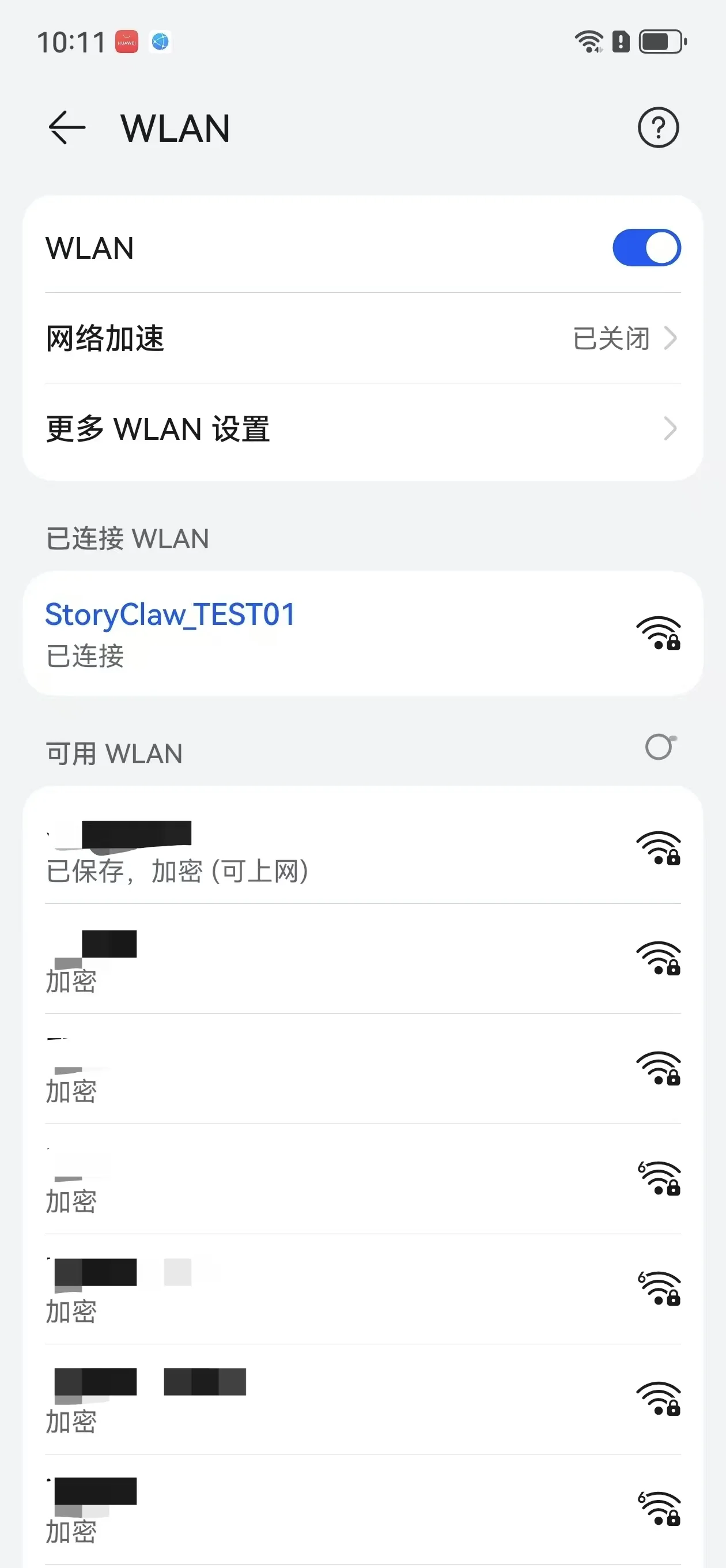
手机连接设备热点 Connect phone to device hotspot
打开手机 WiFi,连接以下热点:
Open phone WiFi and connect to:
StoryClaw_XXXXXX
clawos2026
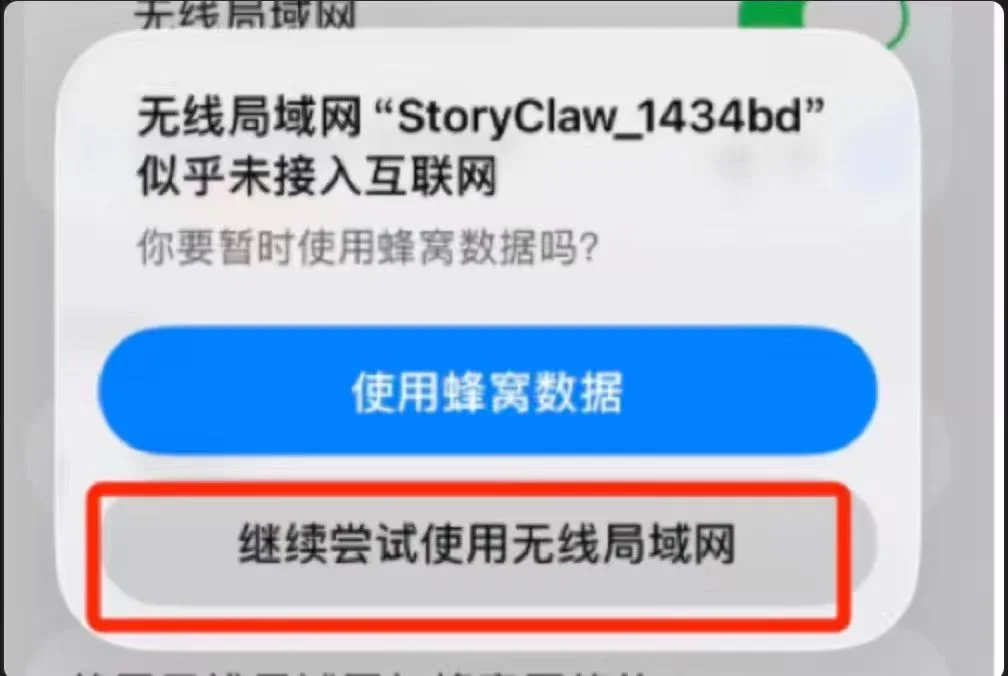
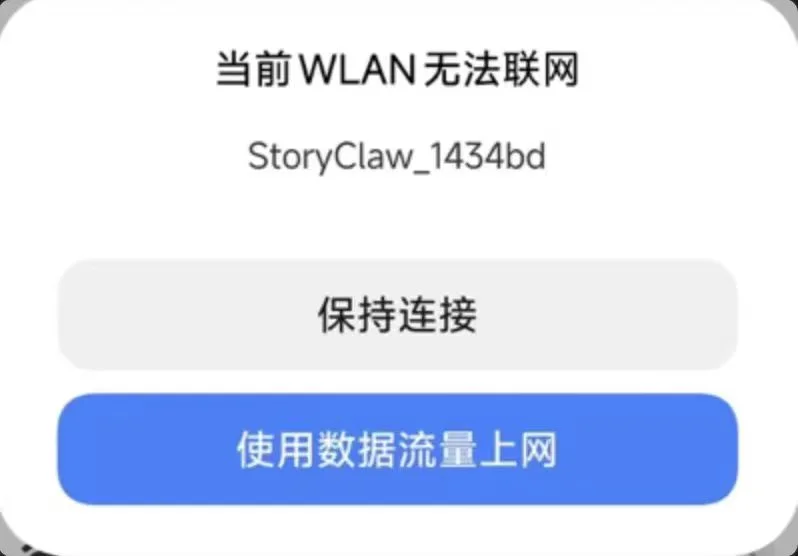
弹出「无法联网」属正常,按下图操作不要切走:
Ignore the "No Internet" warning — tap as shown and stay connected:
打开配网页,输入 WiFi 密码 Open setup page, enter WiFi password
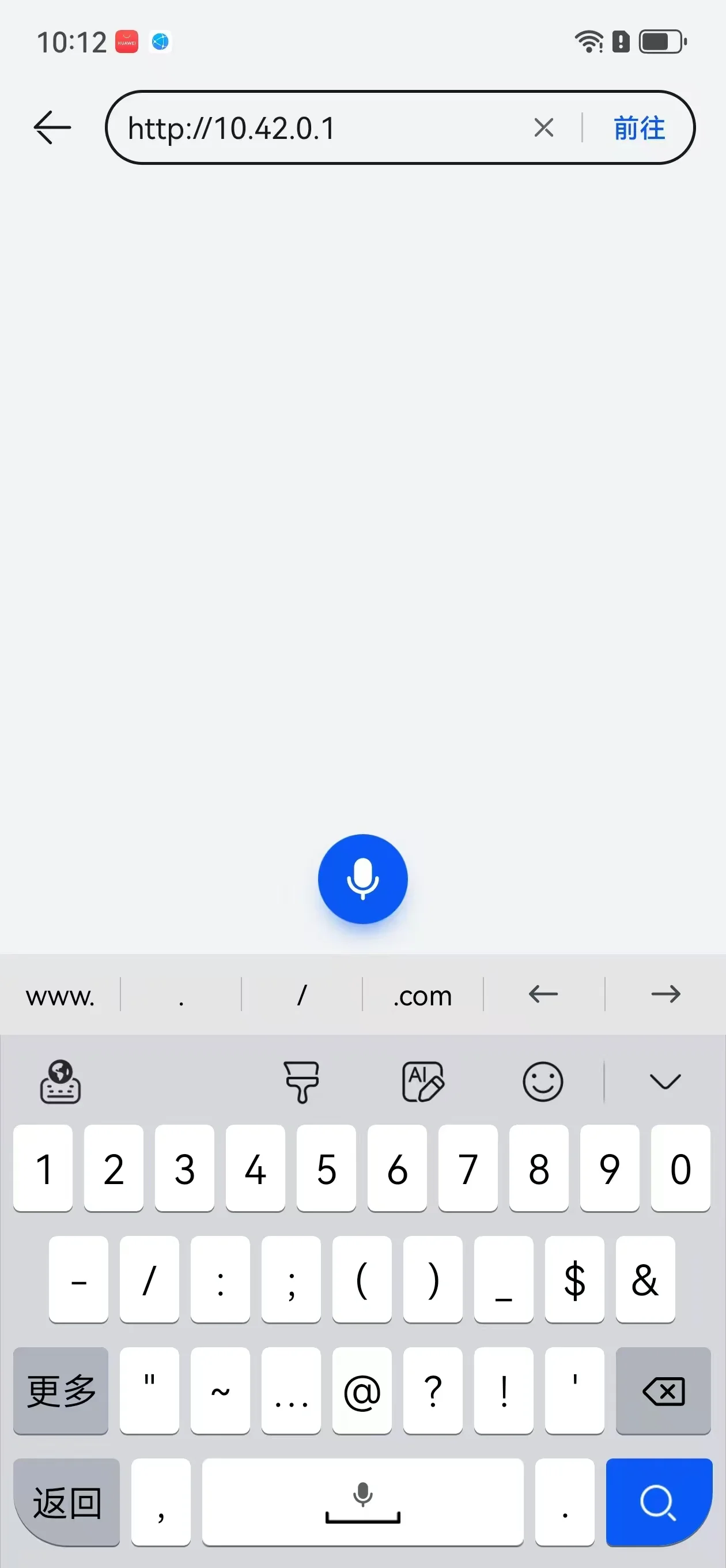
浏览器地址栏输入(注意 http,直接输入,勿搜索):
In your browser address bar (use http, type directly, don't search):
http://10.42.0.1
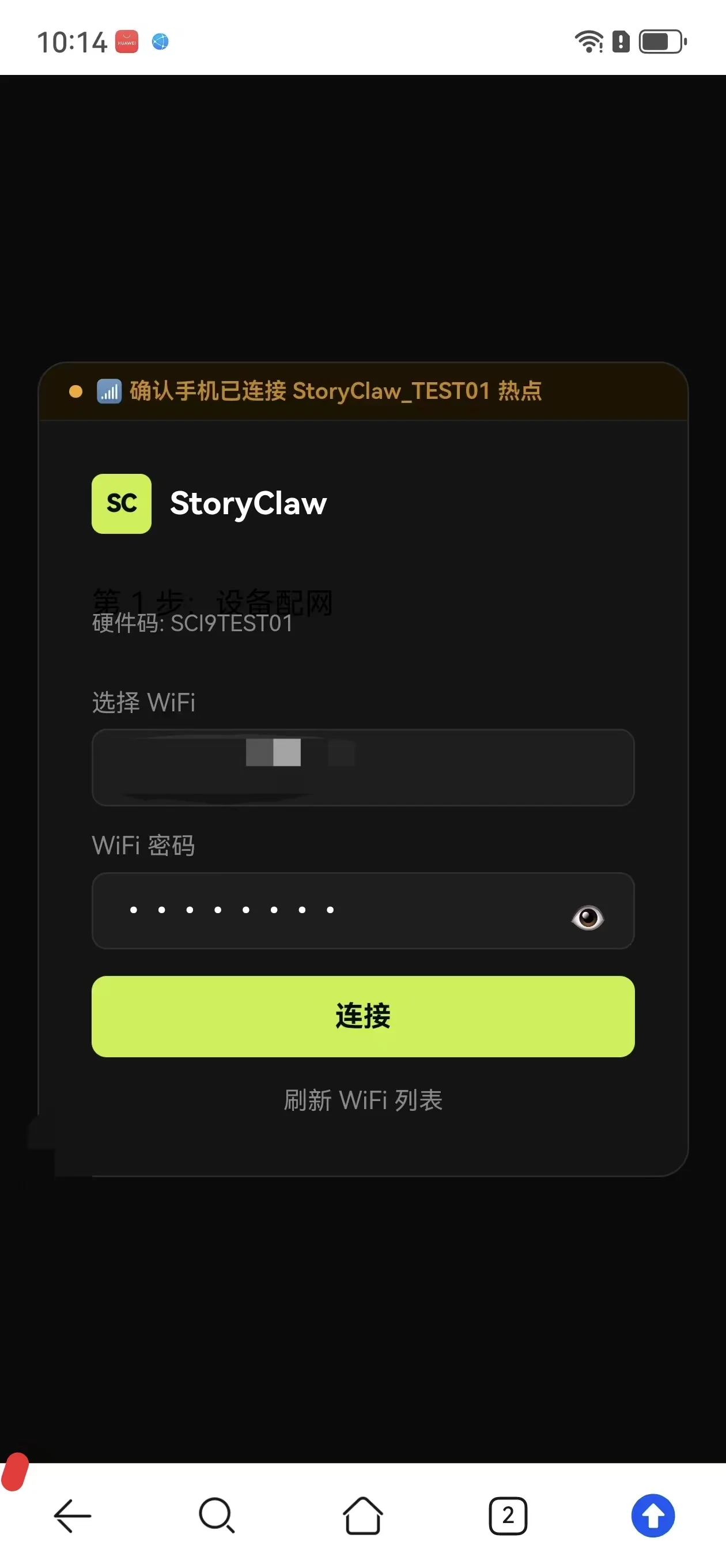
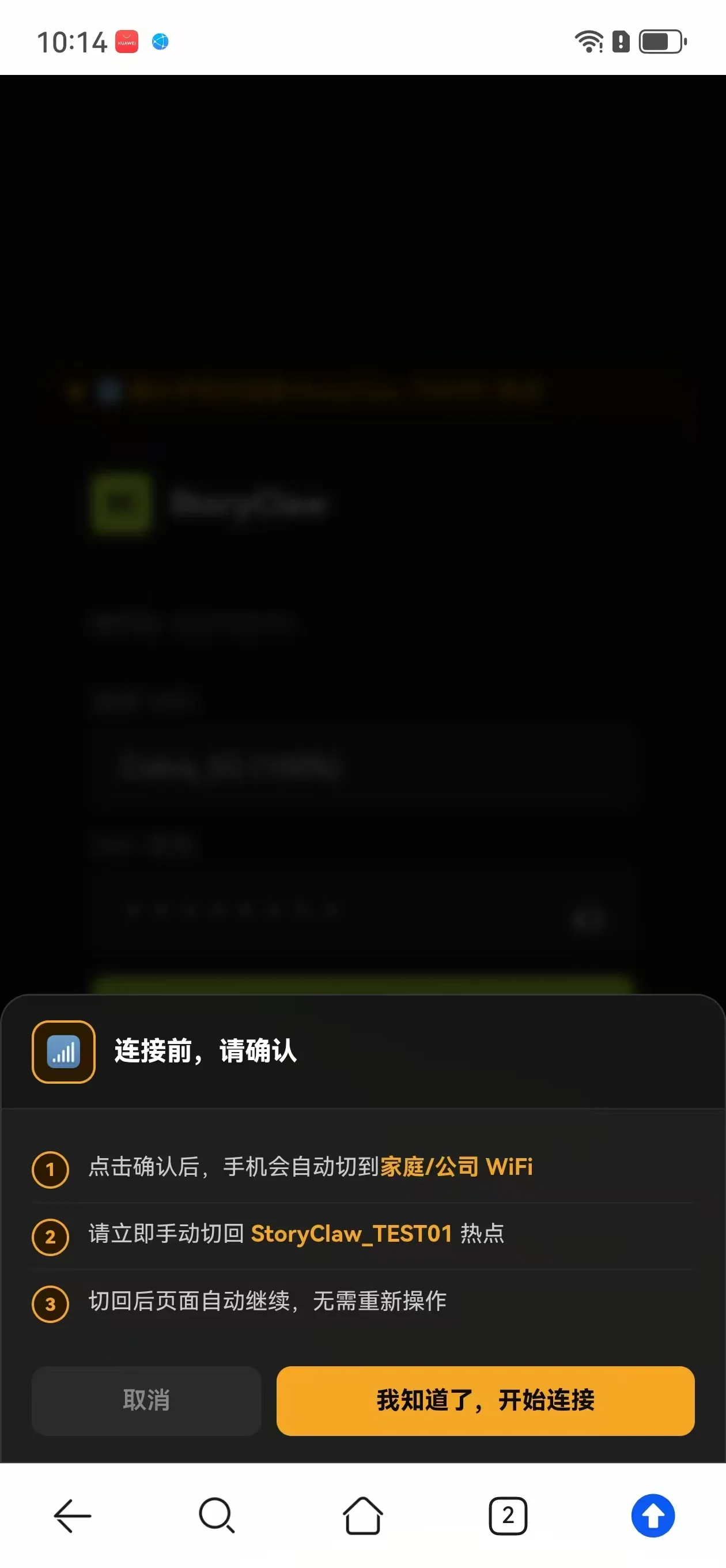
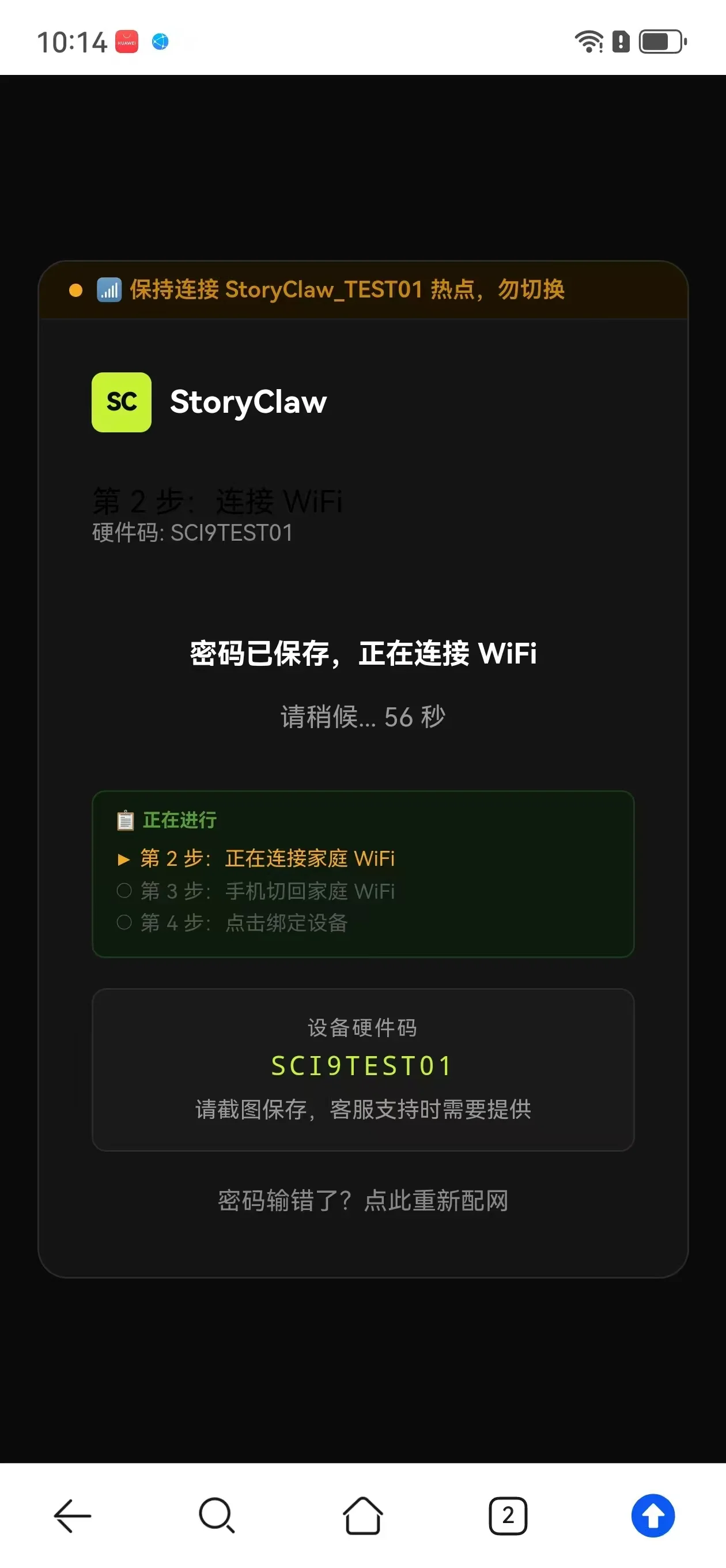
选择家庭 WiFi → 输入密码 → 点击「连接」。
Select your home WiFi → enter password → tap "Connect".
切回家庭 WiFi Switch back to home WiFi
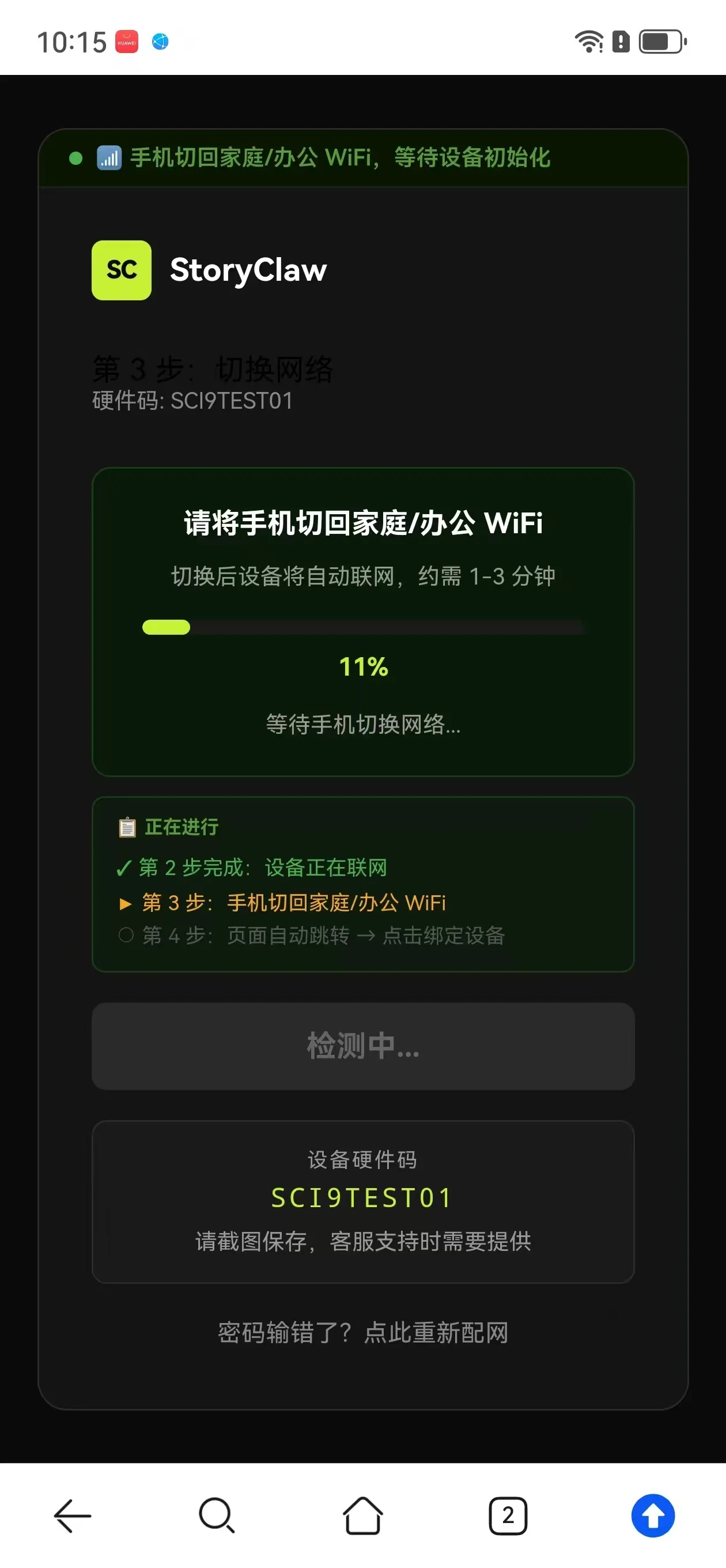
看到「WiFi 连接成功」→ 切回家庭 WiFi → 等 15 秒 → 点「我已切回 →」。
See "WiFi Connected" → switch back to home WiFi → wait 15s → tap "I've switched back →".
登录并绑定设备 Sign in and bind device
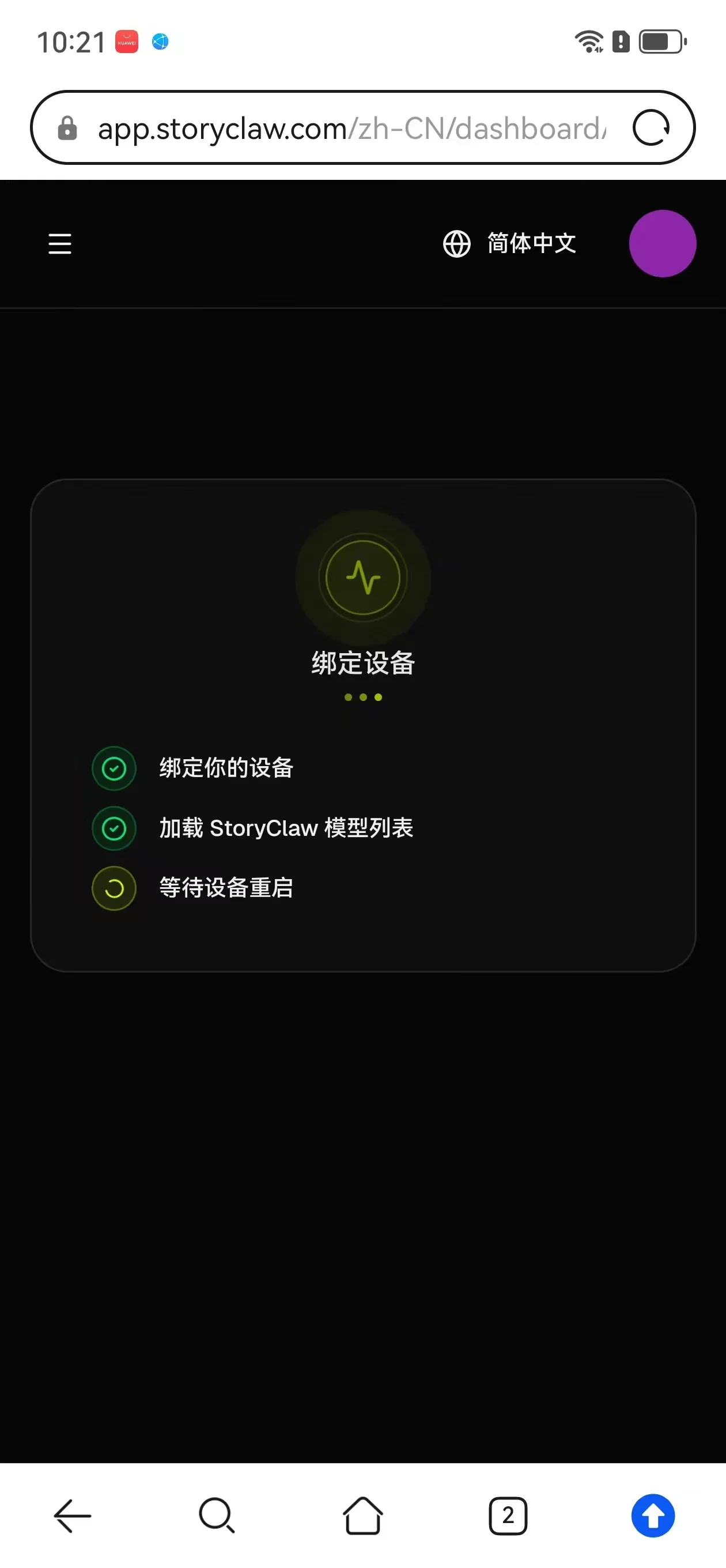
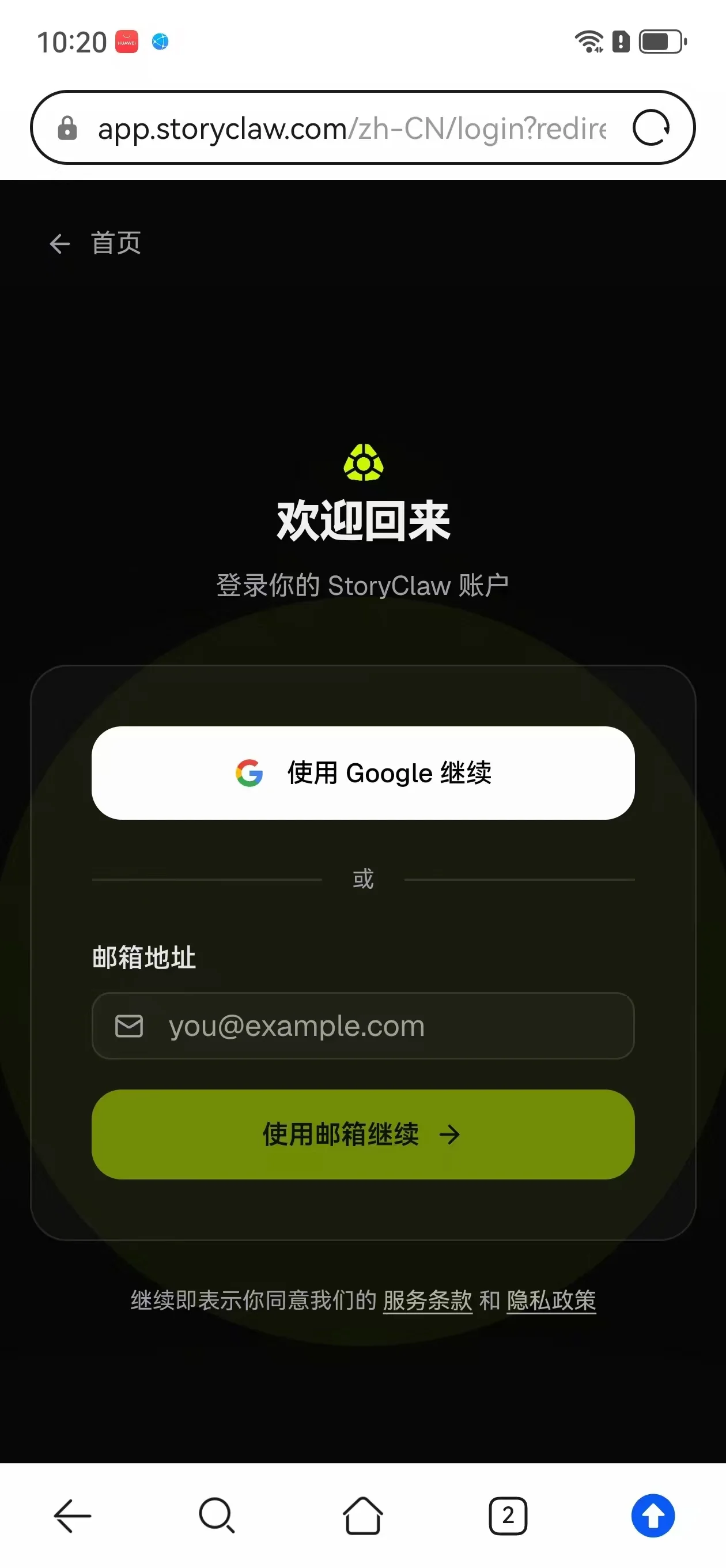
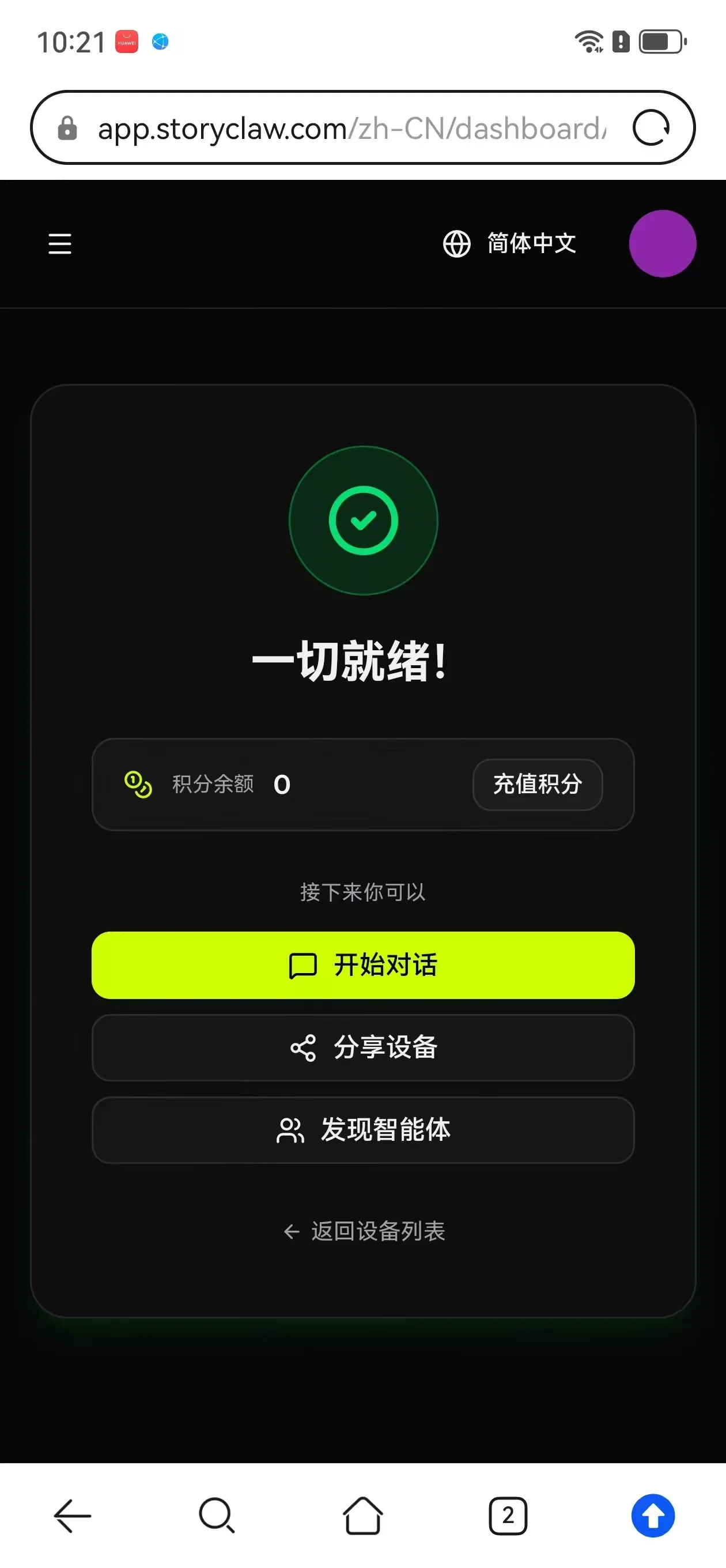
等待约 30~90 秒 → 点「绑定设备」→ 登录账号 → 完成!🎁 首次绑定赠积分。
Wait 30–90 seconds → tap "Bind Device" → sign in → done! 🎁 Bonus credits on first bind.
常见问题 Troubleshooting
- 开机后等待约 1 分钟再搜索,热点不会立即出现Wait about 1 minute after power on before scanning — the hotspot doesn't appear instantly
- 先关闭再开启手机 WiFi,强制刷新列表Toggle WiFi off and on to force a refresh
- 热点为 2.4GHz 频段,确认手机已开启 2.4GHz WiFiThe hotspot is 2.4GHz — ensure your phone supports it
- 热点有效时间仅 15 分钟,超时自动关闭——若开机已超过 15 分钟仍未配网,需断电重启再试The hotspot is only active for 15 minutes — if more than 15 minutes have passed since boot, power cycle the device and try again
- 关闭手机移动数据,确认 WiFi 仍连接 StoryClaw_XXXXXX,再重新访问Turn off mobile data, confirm WiFi is still on StoryClaw_XXXXXX, then retry
- 连热点弹窗必须选「继续使用」或「保持连接」,不能切走When the hotspot warning appears, tap "Keep Using" — do not switch away
- 在浏览器地址栏直接输入 http://10.42.0.1,不要用搜索引擎Type http://10.42.0.1 directly in the address bar — do not use a search engine
- 页面会出现「✅ 已连上,继续绑定 →」按钮,直接点击跳过,继续完成绑定即可。The page will show a "✅ Connected, continue binding →" button — tap it to skip and proceed with binding.
- 手机系统会自动切回有网的 WiFi,属正常现象。重新连接 StoryClaw_XXXXXX 热点,刷新页面再试一次。Your phone automatically switches back to a connected WiFi — this is normal. Reconnect to StoryClaw_XXXXXX and refresh the page to try again.
- 若页面直接跳到第 4 步,说明设备已联网,正常继续即可。If the page jumps directly to step 4, the device is already online — continue normally.
- 热点重新配网:开机等 1 分钟,设备检测不到已保存的 WiFi 后会自动开启热点(StoryClaw_XXXXXX)。手机连接热点,浏览器访问
http://10.42.0.1,输入新 WiFi 密码即可。Hotspot reconfiguration: Boot and wait 1 minute. If saved WiFi isn't found, device auto-broadcasts the hotspot (StoryClaw_XXXXXX). Connect your phone to the hotspot, openhttp://10.42.0.1, and enter the new WiFi password. - 网线直连(推荐):将网线一端插入设备,另一端插入路由器,开机后自动联网,无需任何操作。两种方式均无需重新绑定账号。Wired connection (recommended): Connect device to router via Ethernet — auto-connects on boot. Neither method requires re-binding your account.