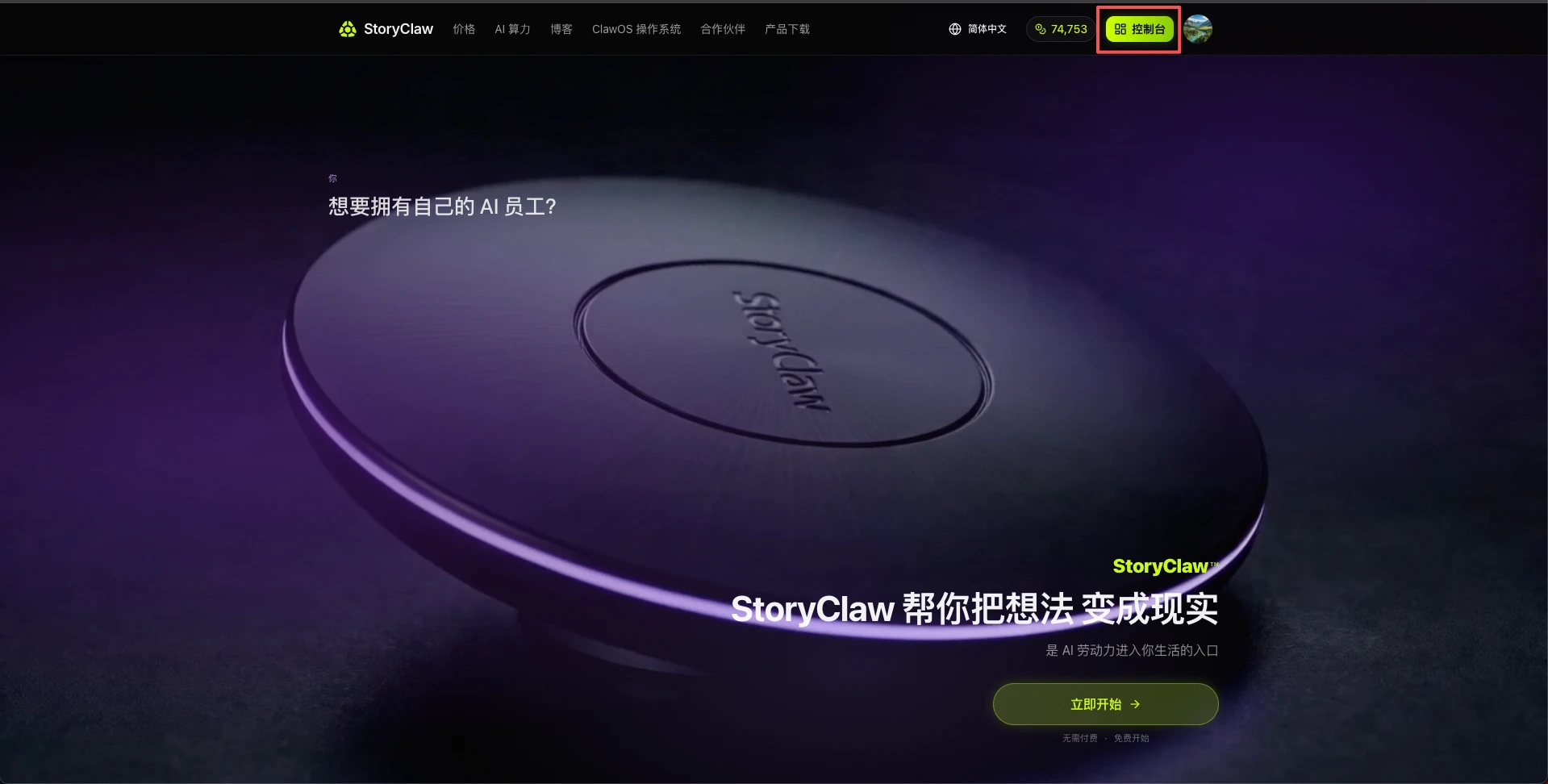
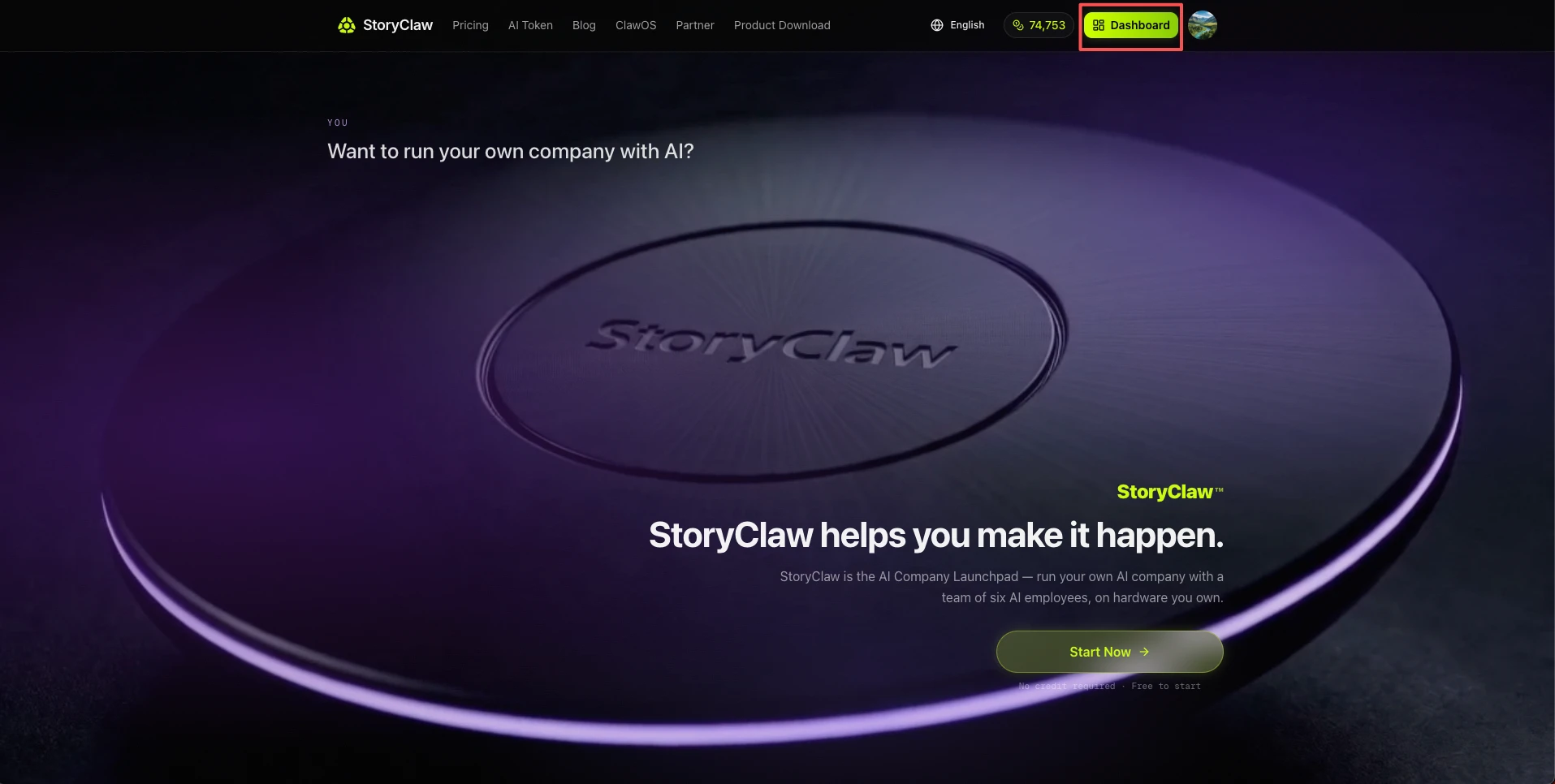
第一步:打开 storyclaw.com,进入控制台 Step 1: Open storyclaw.com and enter the console
用浏览器访问 storyclaw.com,登录账号后点击右上角「控制台」按钮进入。
Visit storyclaw.com in any browser, sign in, and click the "Console" button in the top-right corner.
第二步:认识控制台主界面 Step 2: Get to know the console
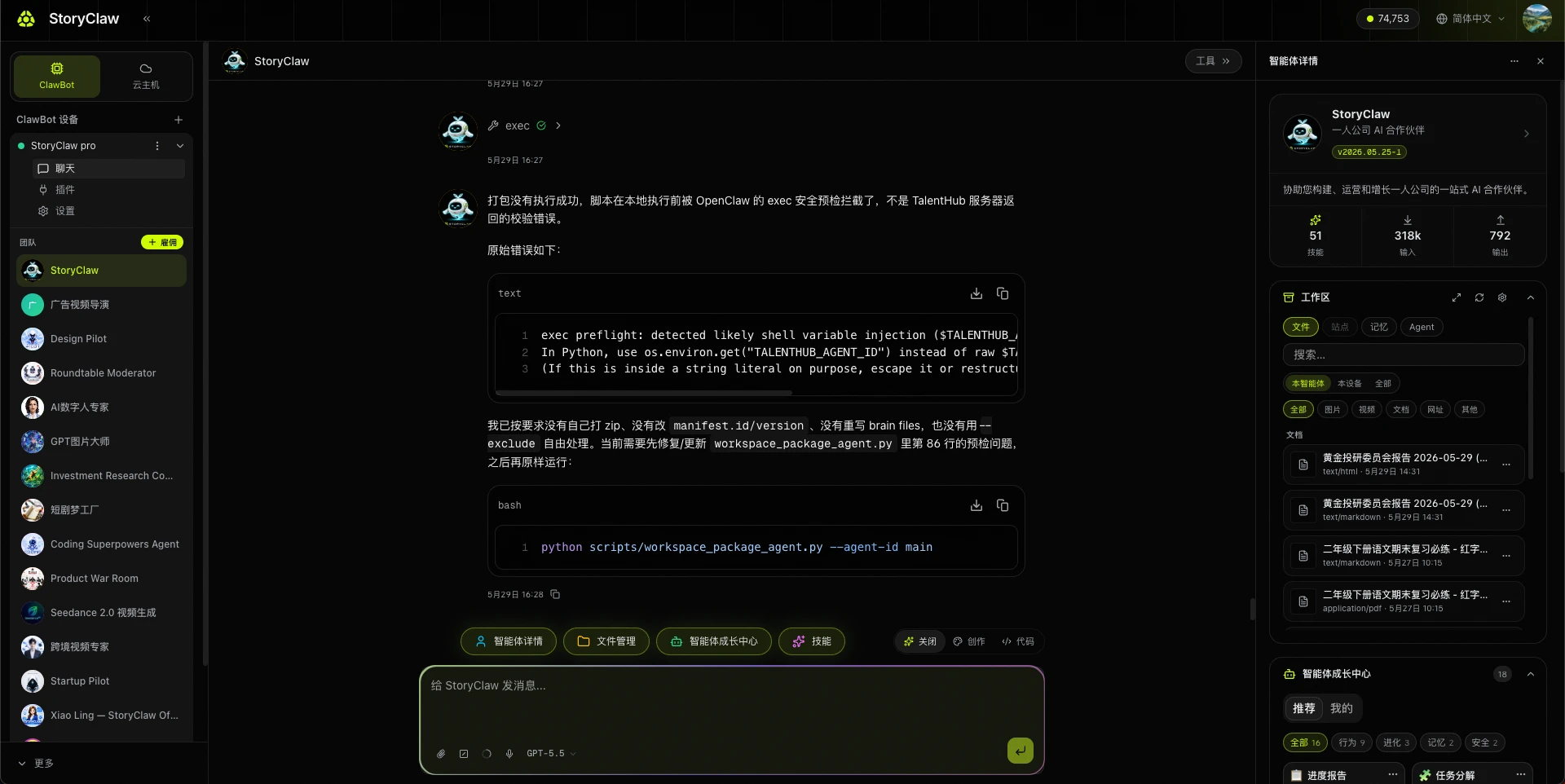
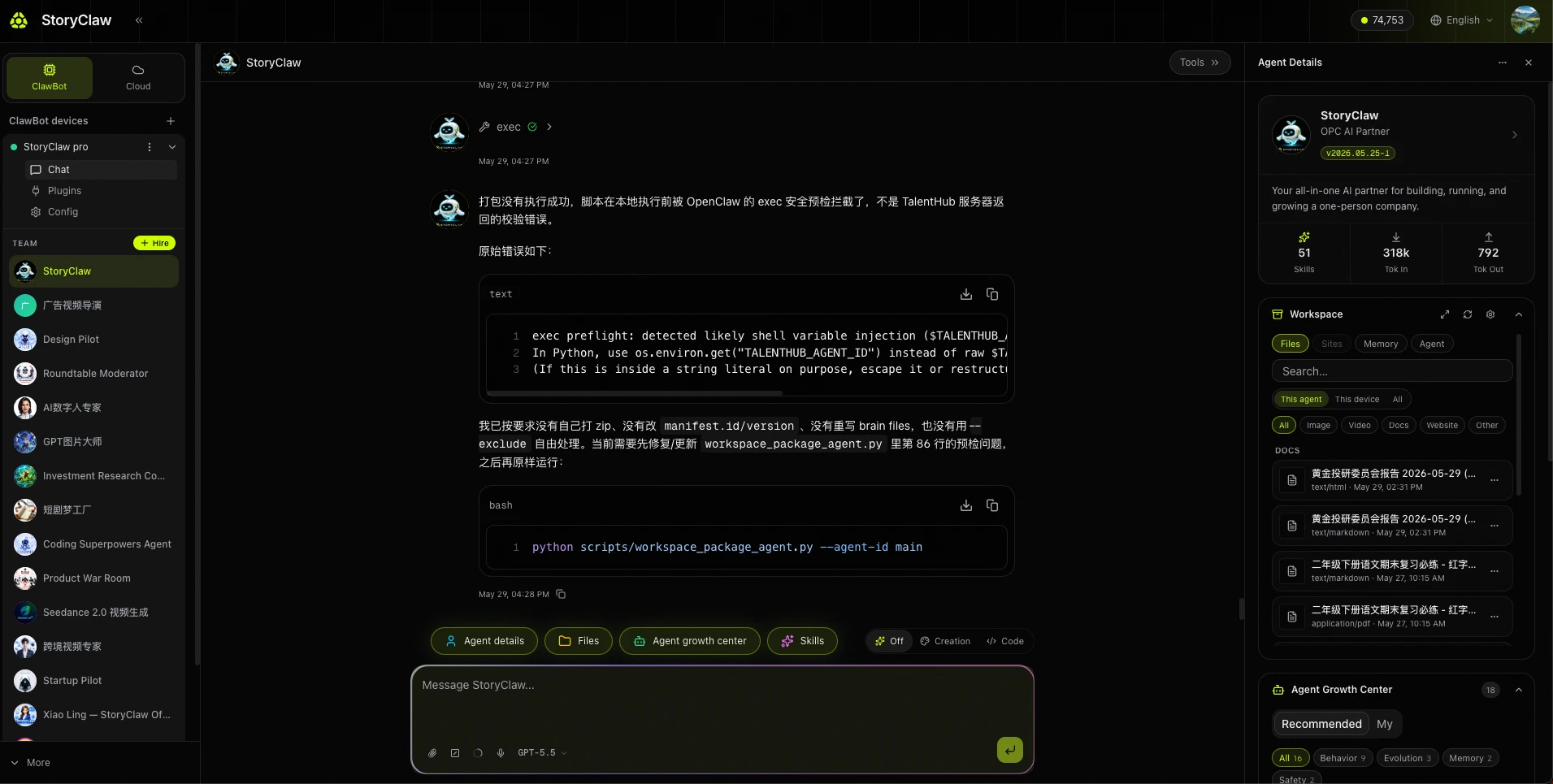
进入控制台后即可看到聊天界面,左侧导航包含所有核心功能,已绑定的设备在 ClawBots 下列出。
Once inside, you'll see the chat interface. The left sidebar contains all core modules, and your bound device is listed under ClawBots.
| 模块Module | 用途Purpose |
|---|---|
| ClawBots | 管理设备,查看在线状态Manage devices and check online status |
| TalentHub | 人才市场,雇佣预置 AgentTalent marketplace to hire pre-built Agents |
| SkillHub | 技能市场,为 Agent 扩展工具能力Skill marketplace to extend Agent capabilities |
| API Keys | 管理 API 密钥Manage API keys |
| Usage | 用量统计与消耗记录Usage statistics and consumption records |
| Orders | 订单与充值记录Order and top-up history |