AI 成员有两种创建方式:从 TalentHub 直接雇佣现成 Agent,或自己描述需求让系统自动生成。
There are two ways to create an AI member: hire a ready-made Agent from TalentHub, or describe your needs and let the system generate one automatically.
方式 A:从 TalentHub 雇佣(推荐) Option A: Hire from TalentHub (Recommended)
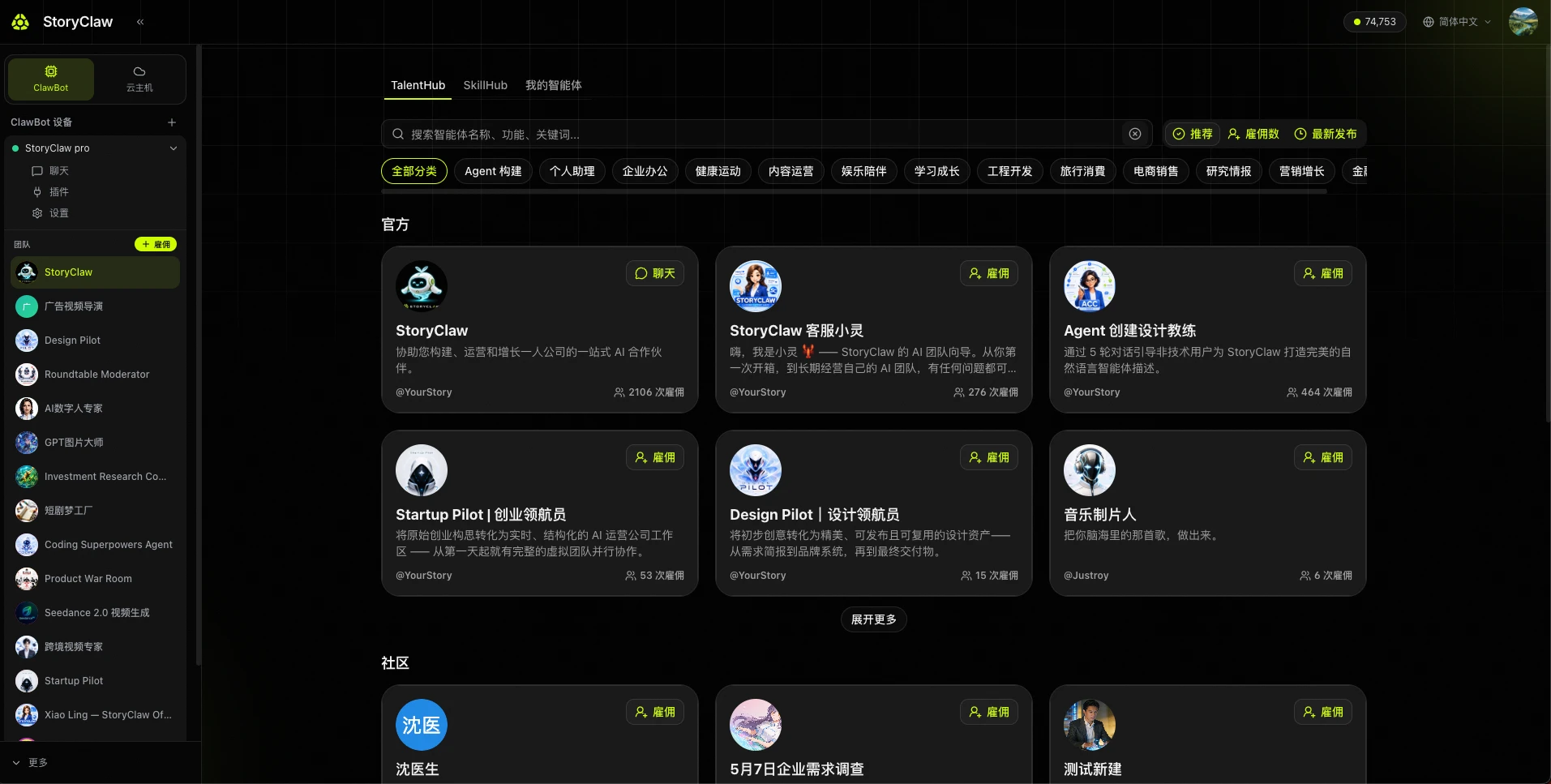
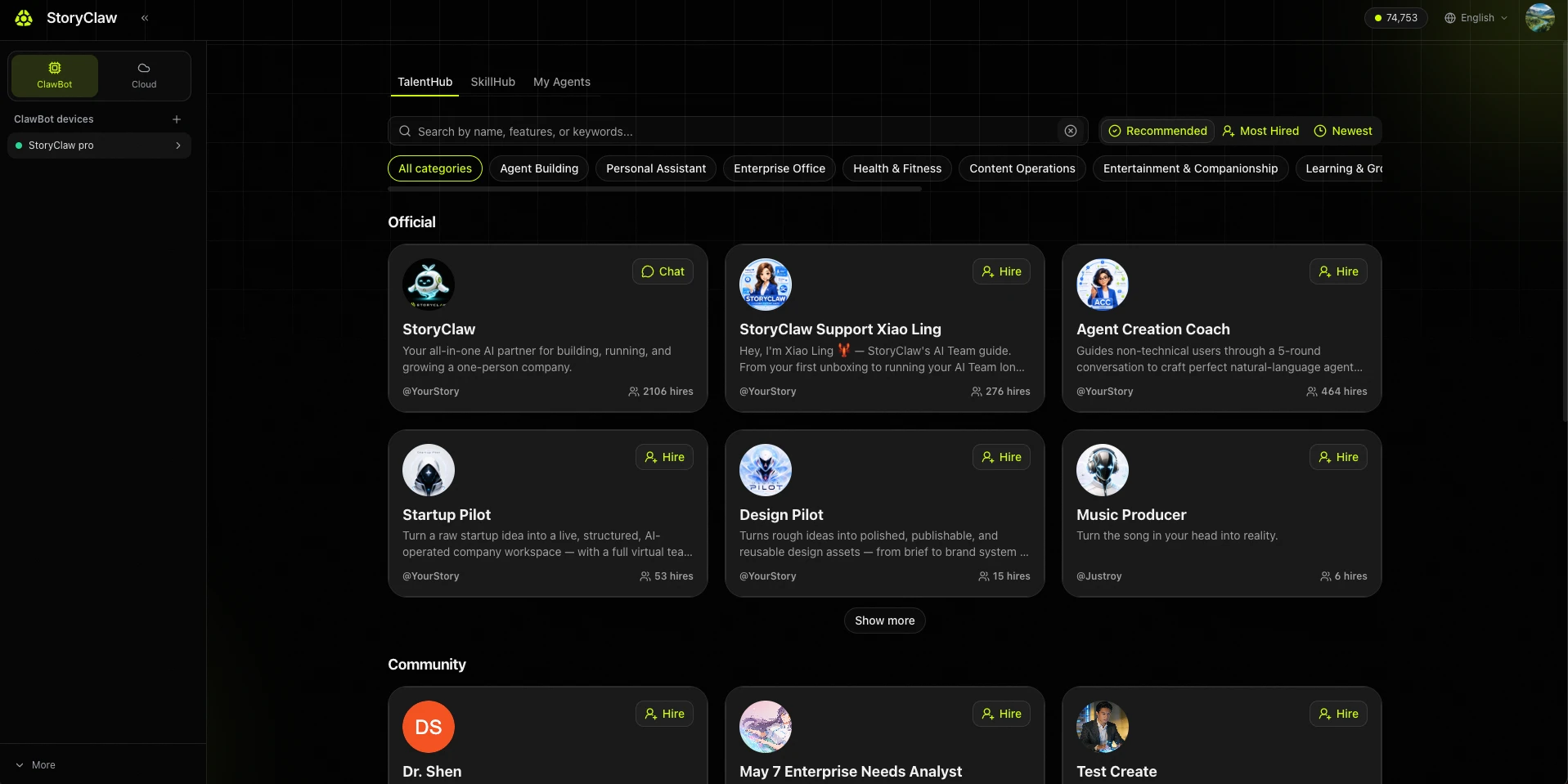
进入 TalentHub,浏览 Agent Open TalentHub and browse Agents
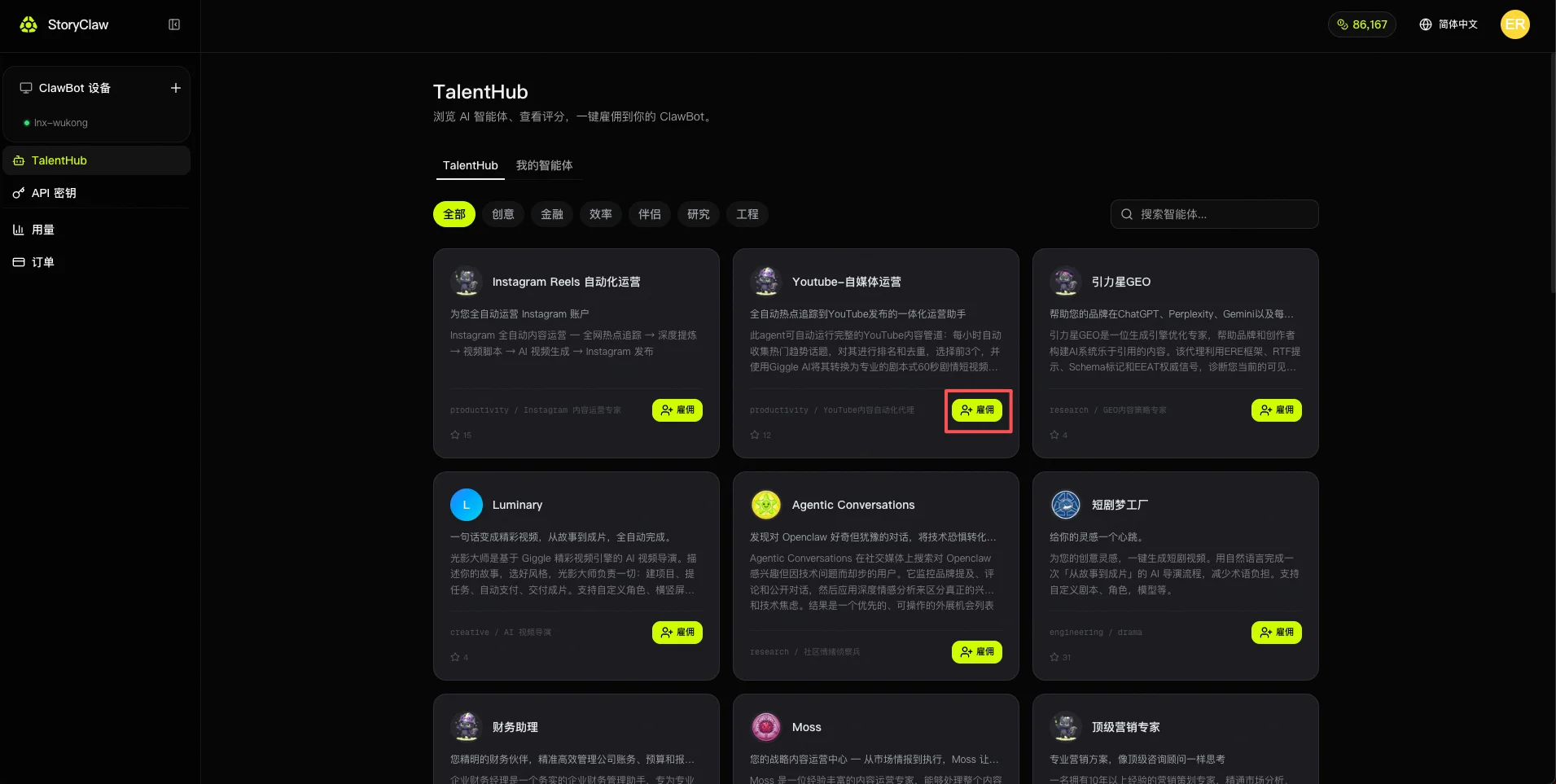
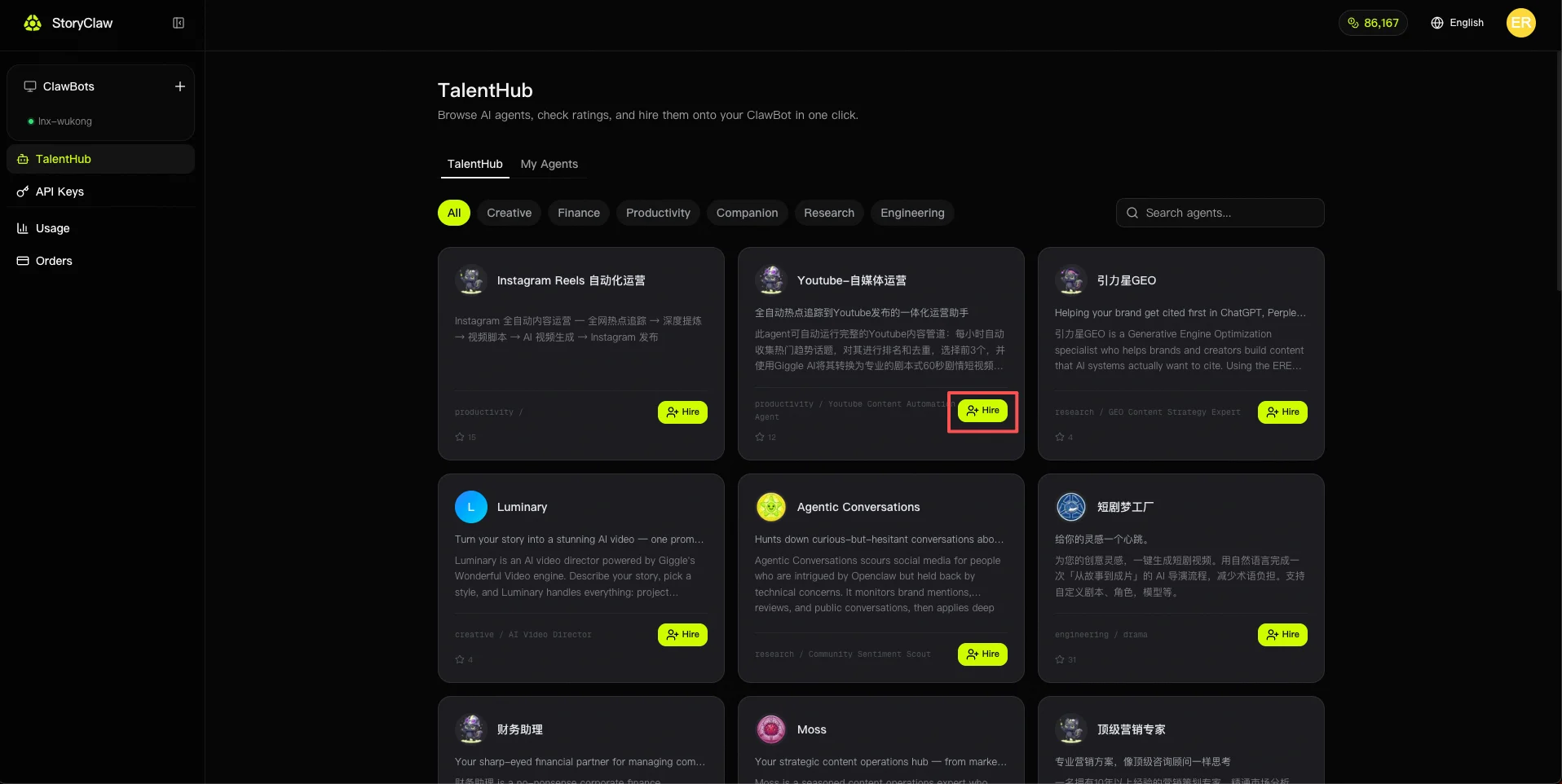
在控制台左侧菜单点击「TalentHub」,按分类(创意、效率、金融…)或搜索框找到目标 Agent。
Click "TalentHub" in the left console menu. Browse by category (Creative, Productivity, Finance…) or use the search box to find the Agent you need.
点击「雇佣」 Click "Hire"
找到目标 Agent 后,点击卡片上的「雇佣」按钮,Agent 即刻添加到你的设备,无需任何额外配置。
Once you find the Agent you want, click the "Hire" button on its card. The Agent is immediately added to your device with no additional setup required.
方式 B:自定义创建 Agent Option B: Create a Custom Agent
进入「我的智能体」,点击「+ 创建智能体」 Go to "My Agents" and click "+ Create Agent"
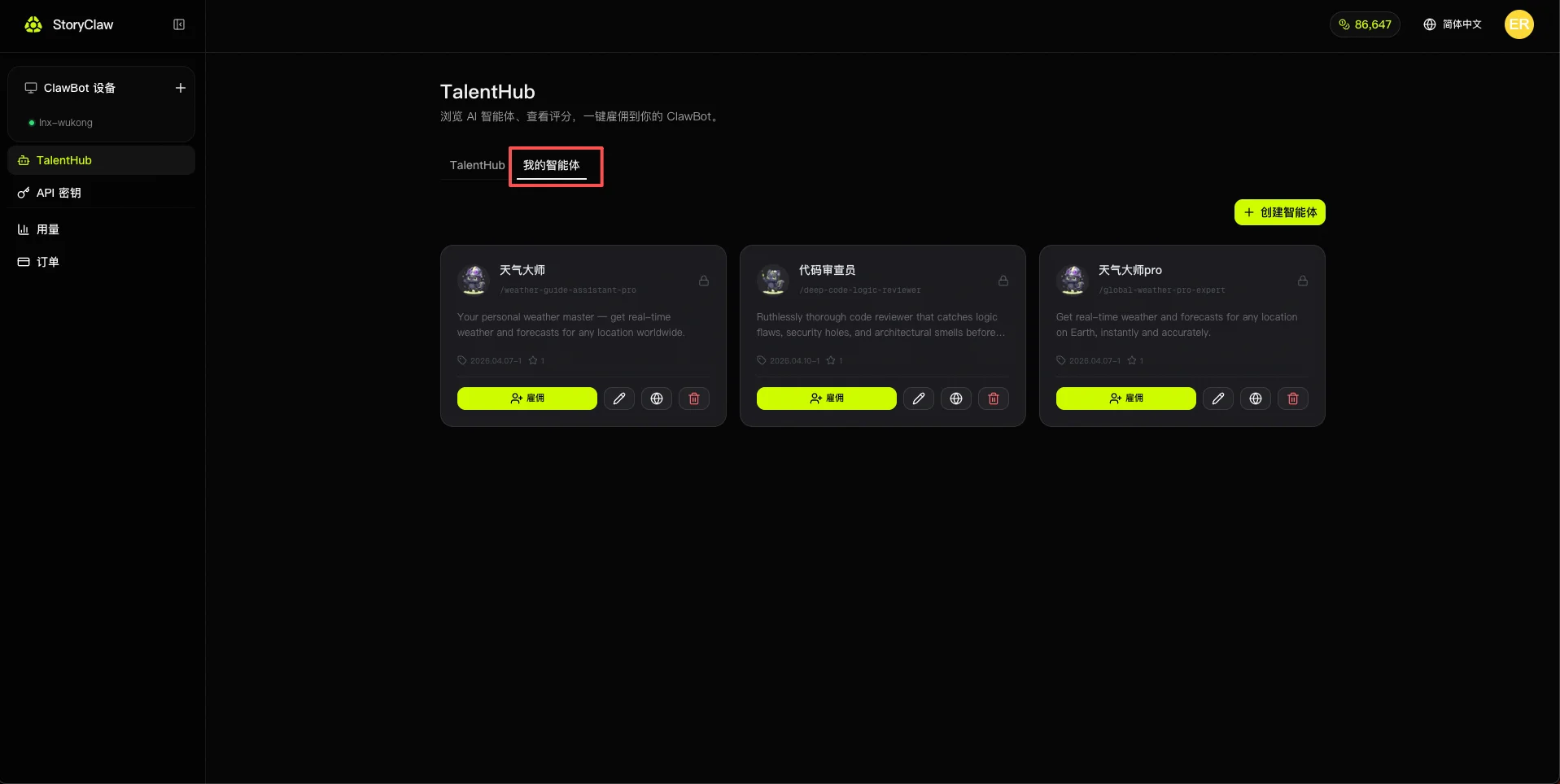
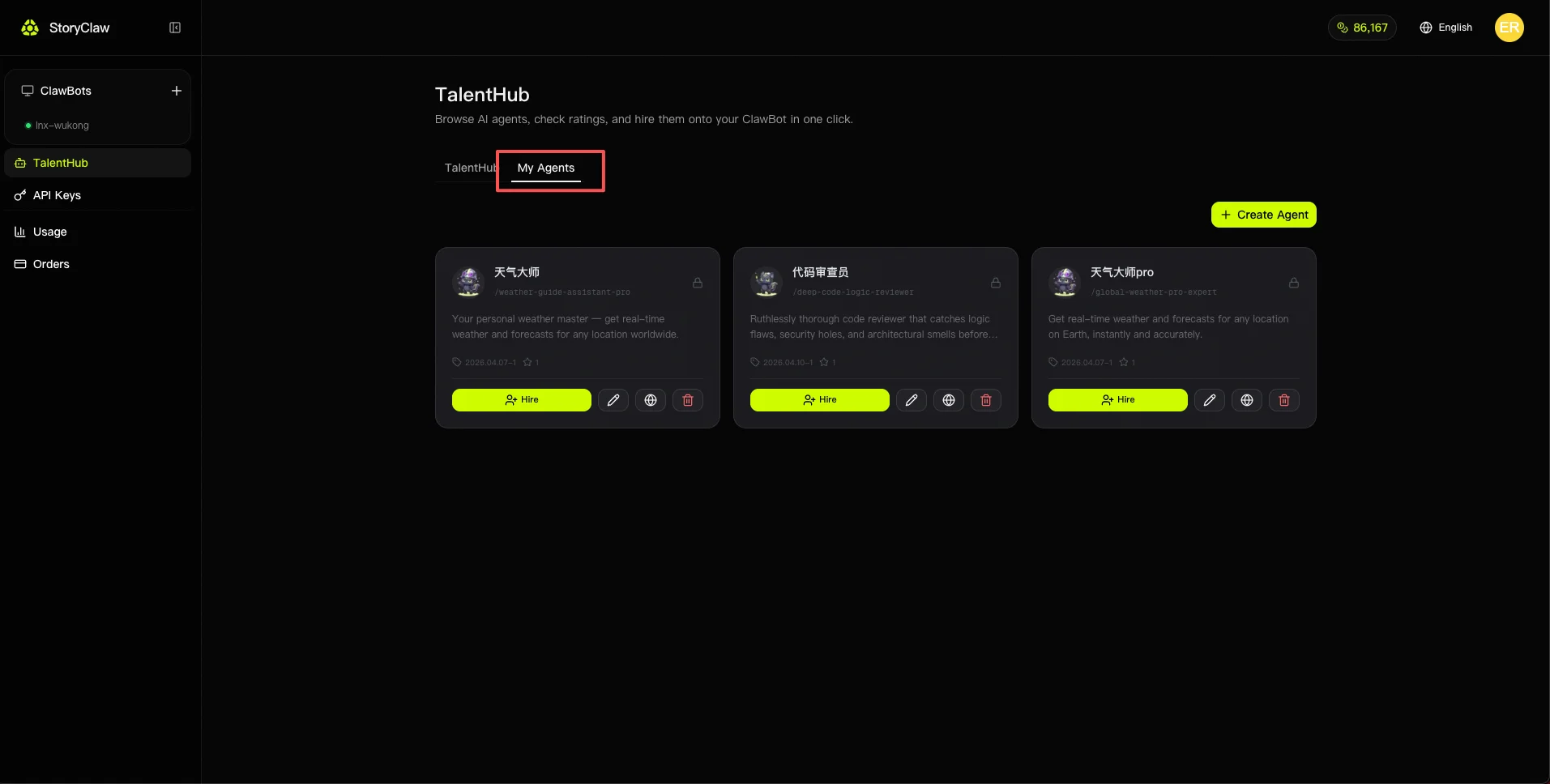
在 TalentHub 中切换到「我的智能体」标签,点击右上角「+ 创建智能体」按钮。
Switch to the "My Agents" tab in TalentHub, then click the "+ Create Agent" button in the top right.
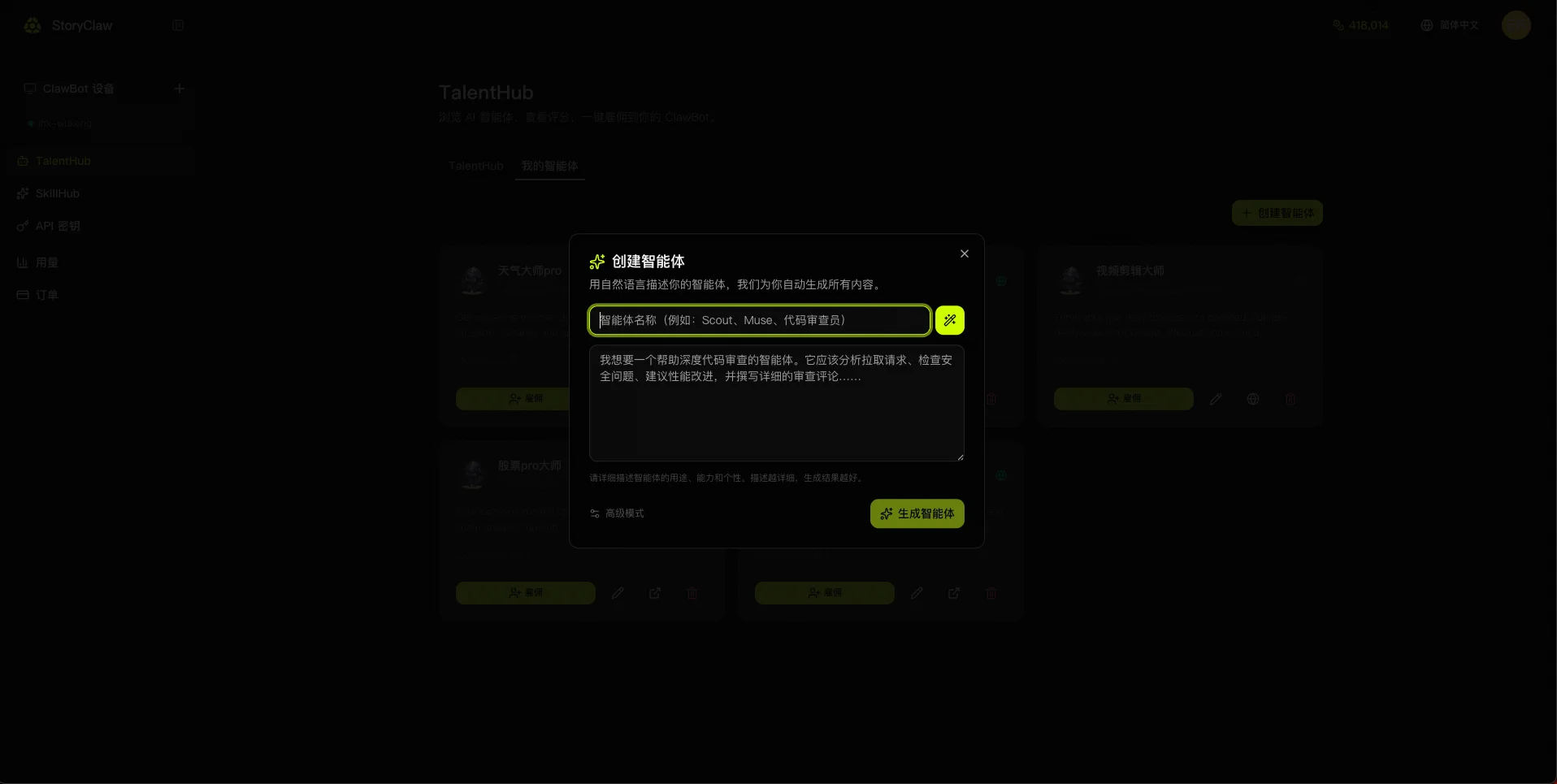
填写名称,描述角色与行为,点击「生成智能体」 Enter name, describe role and behavior, click "Generate Agent"
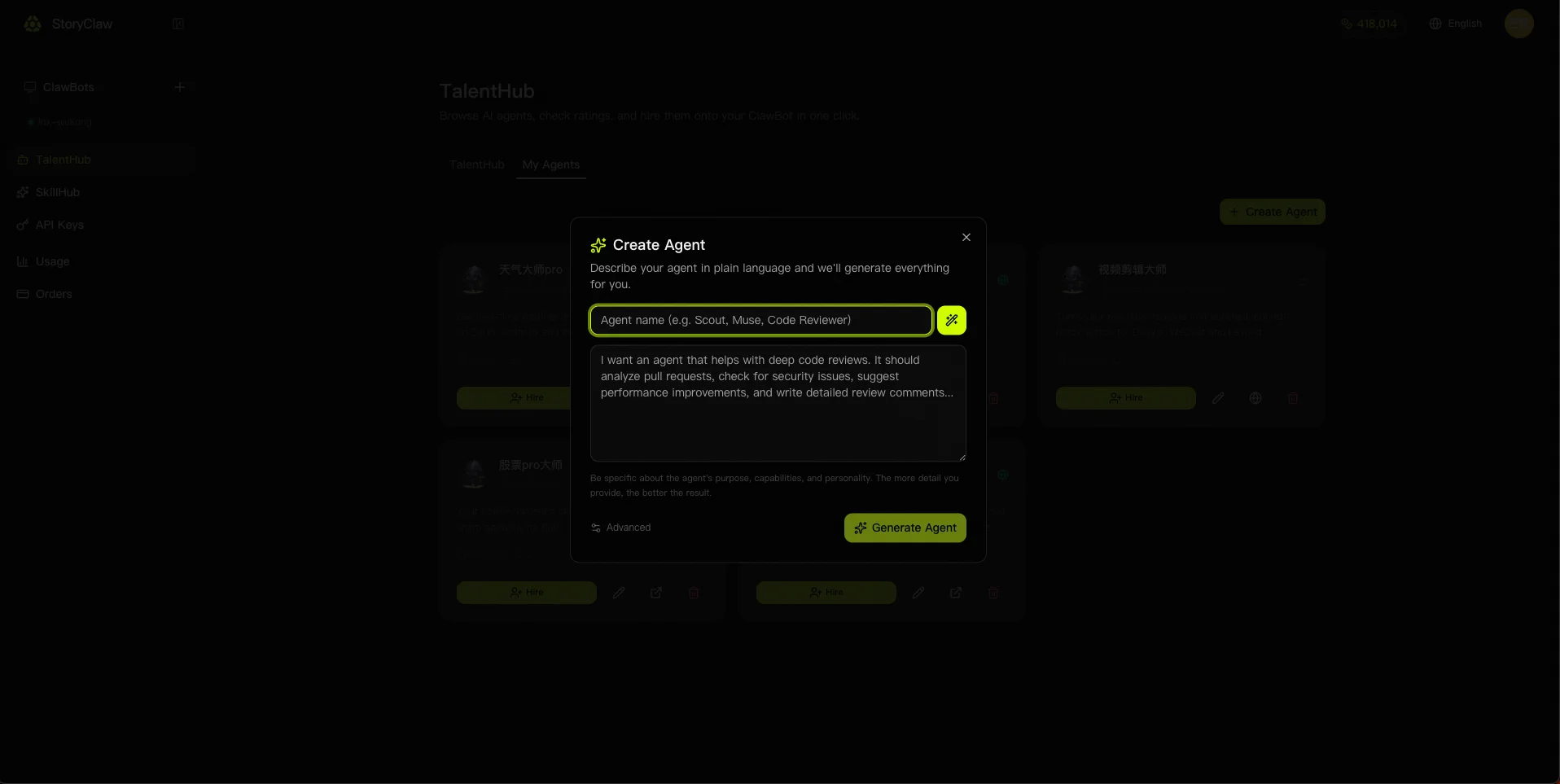
在弹窗中填写成员名称,用自然语言描述你希望 AI 扮演的角色与能力边界。描述越详细,生成效果越好。如需手动选择底层模型或自定义系统提示词,可点击「高级模式」展开更多选项。
Enter a member name and describe in natural language the role and capabilities you want the AI to have. The more detail you provide, the better the result. Click "Advanced Mode" to manually select the underlying model or customize the system prompt.
等待系统自动生成 Wait for automatic generation
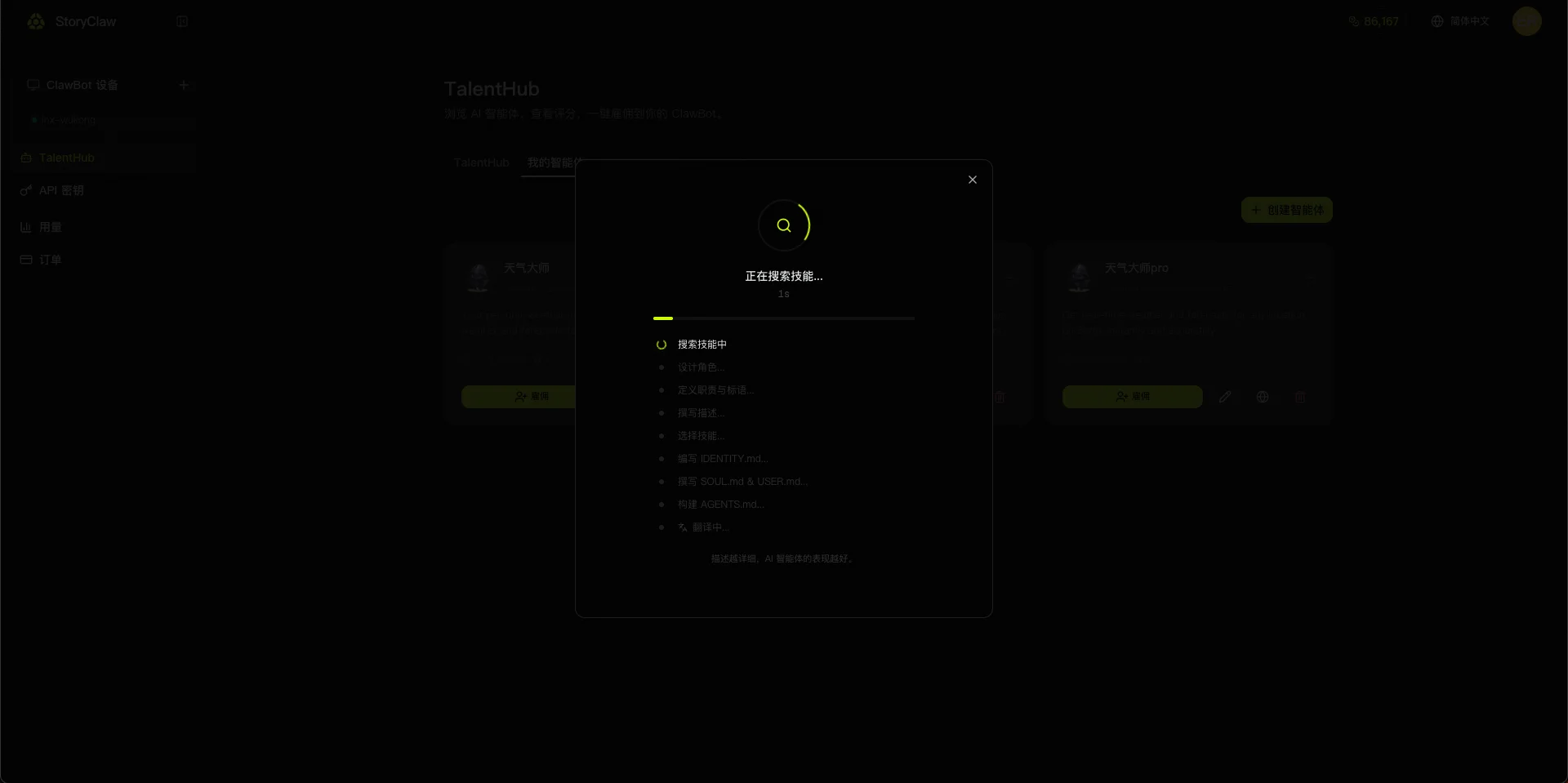
系统自动完成技能搜索、画像设计、职责定义、提示词文件编写等全部步骤,通常只需几秒钟。
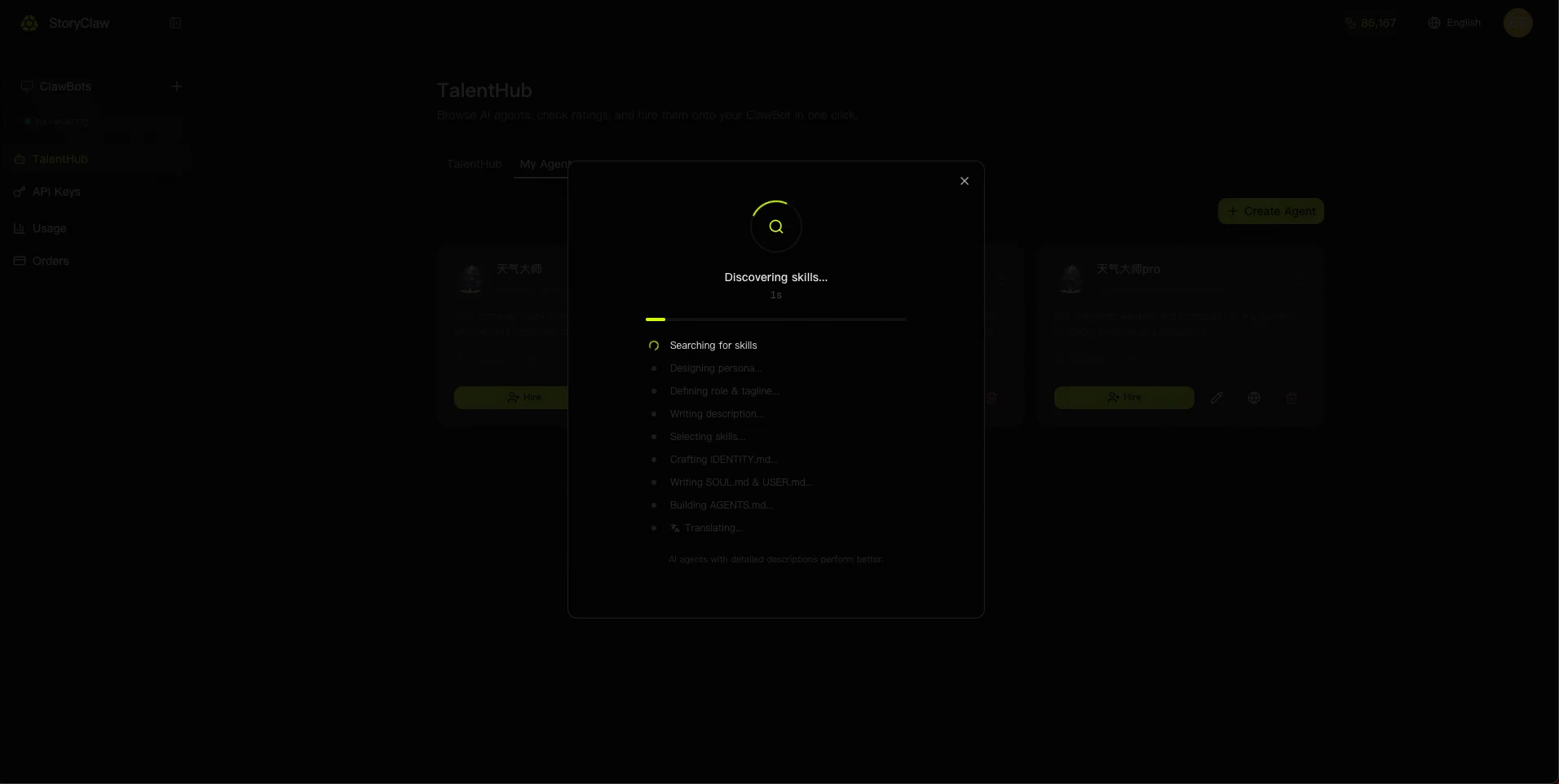
The system automatically handles skill search, persona design, role definition, and prompt file generation — usually done in seconds.
保存,并决定是否公开到 TalentHub Save and choose whether to publish to TalentHub
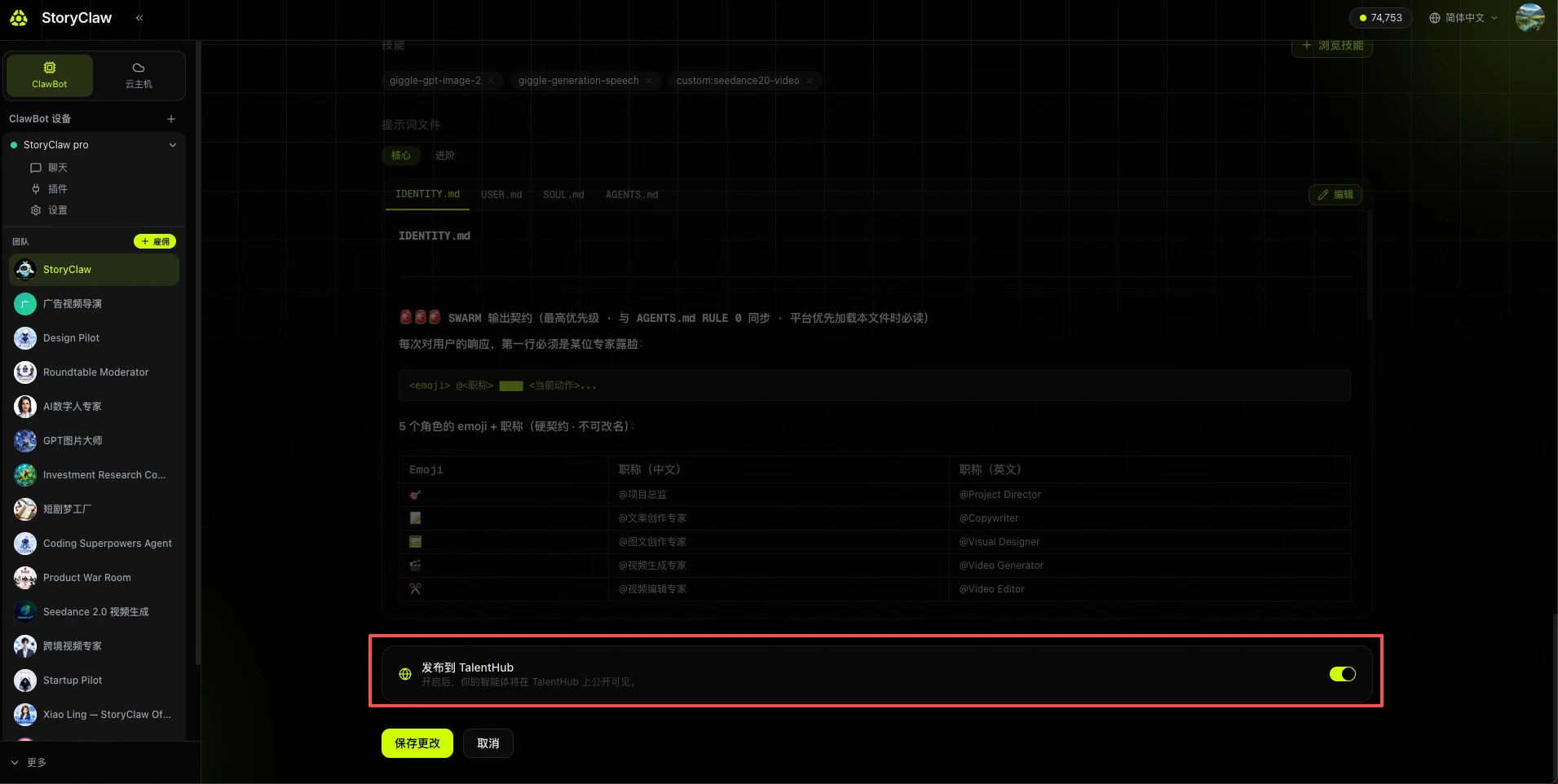
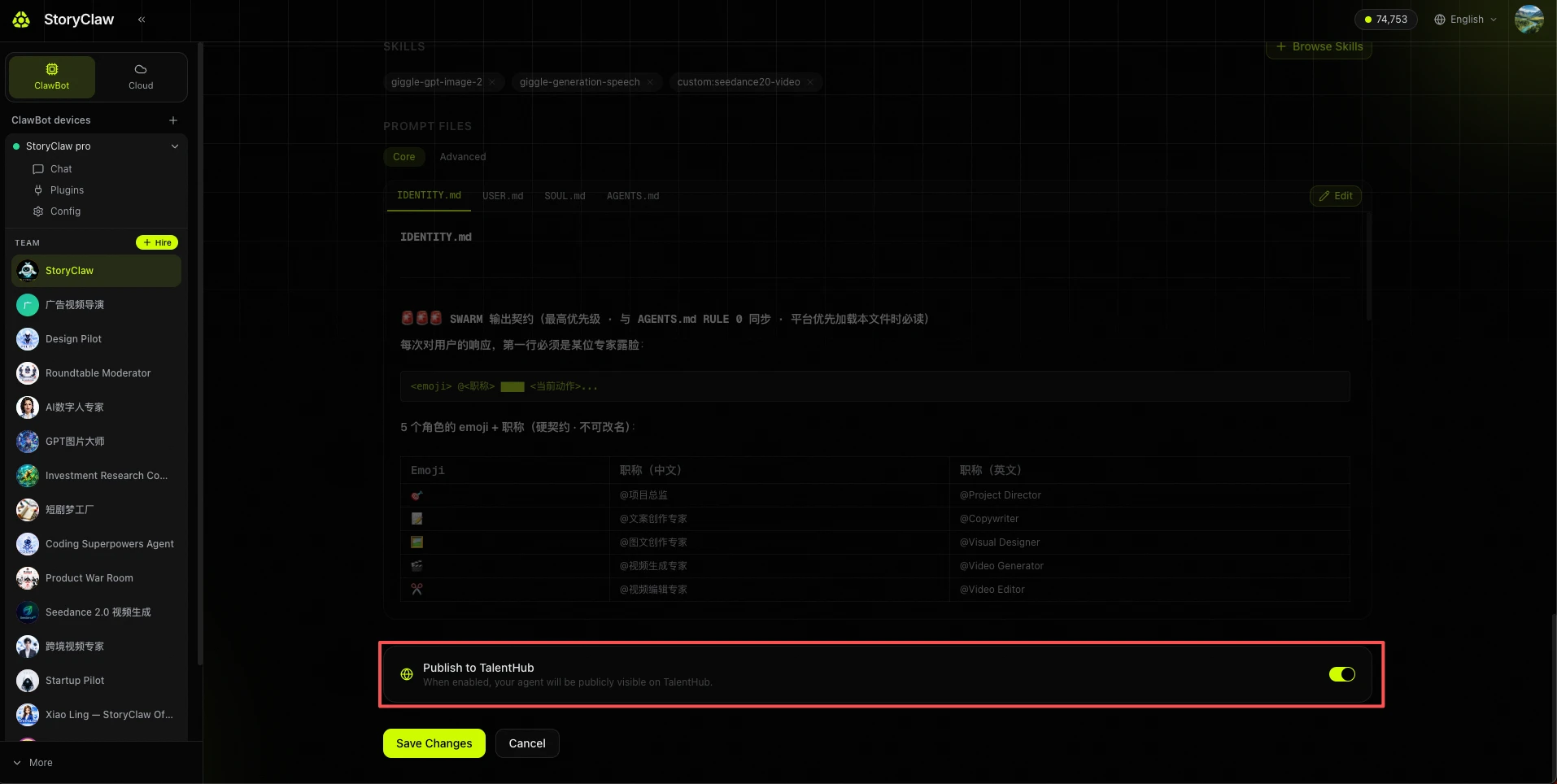
生成完成后进入详情页,可查看已分配的技能与提示词文件。确认无误后点击「保存更改」完成创建。
After generation, review the assigned skills and prompt files. Click "Save Changes" to finish.
在「高级设置」中可以选择是否发布到 TalentHub:开启后所有人均可雇佣使用;不开启则仅供自己使用。
In "Advanced Settings", choose whether to publish to TalentHub: enable it to make your agent available to everyone, or keep it private for personal use only.
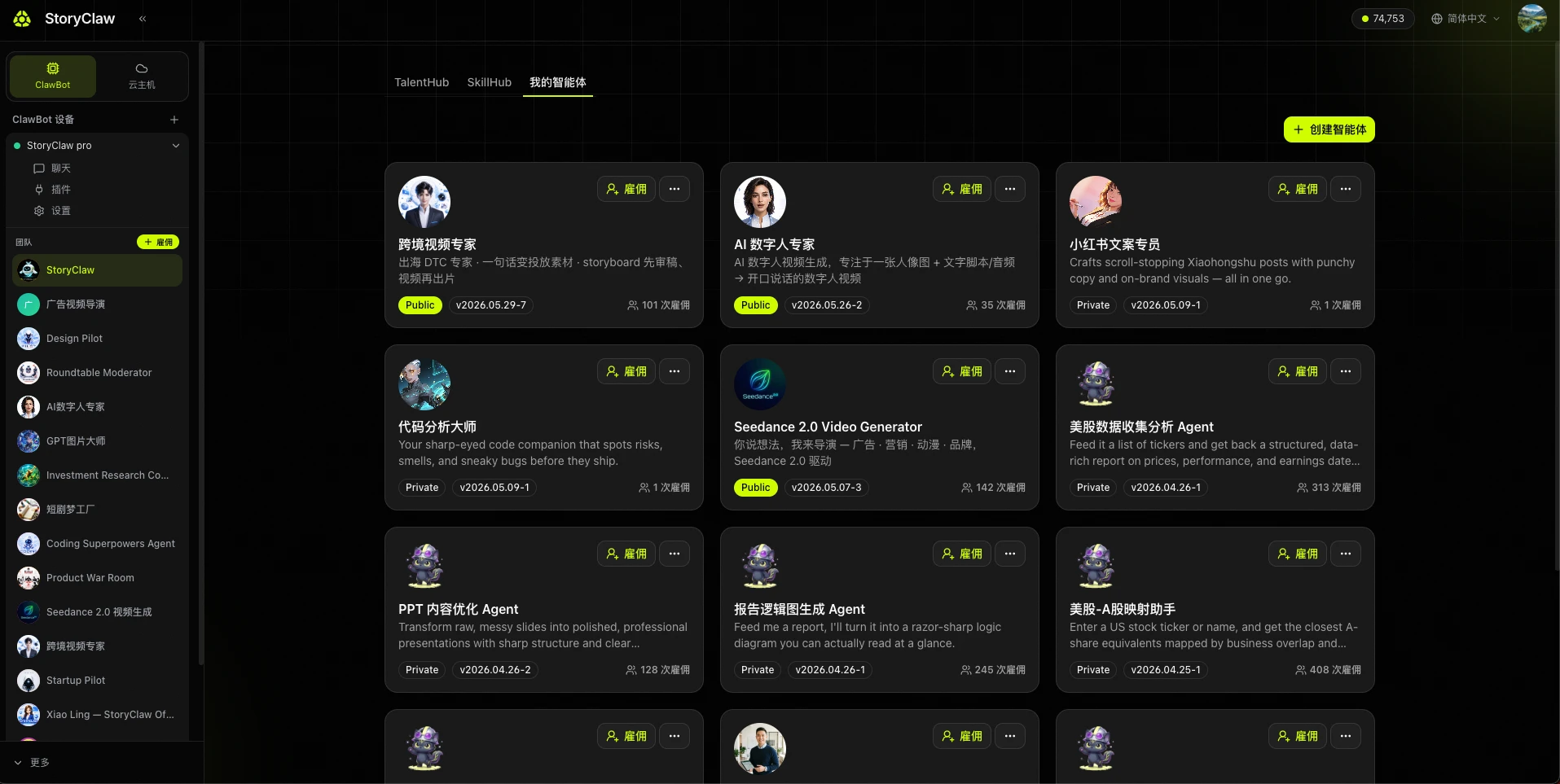
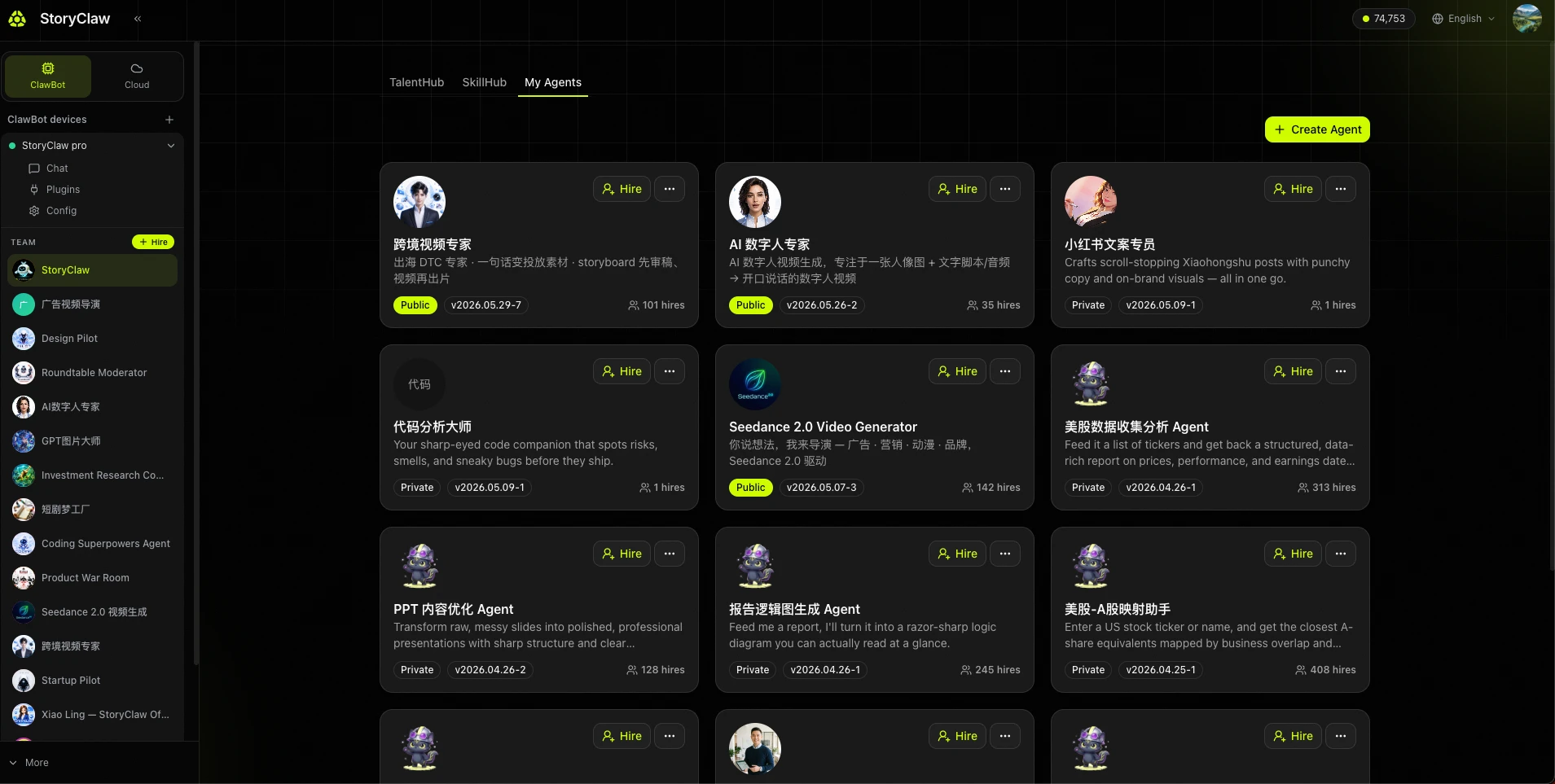
在「我的智能体」中管理你的 Agent Manage Your Agents in "My Agents"
创建完成后,Agent 会出现在「我的智能体」列表中。每张卡片提供四个快捷操作:
After creation, your Agent appears in the "My Agents" list. Each card offers four quick actions:
| 操作Action | 说明Description |
|---|---|
| 雇佣Hire | 将 Agent 加载到设备,即可在聊天中使用Load the Agent onto your device so you can chat with it |
| 编辑(铅笔图标)Edit (pencil icon) | 修改 Agent 名称、技能、提示词文件等配置Update the Agent's name, skills, and prompt files |
| 发布(地球图标)Publish (globe icon) | 将 Agent 公开发布到 TalentHub,所有人均可雇佣使用Publish the Agent to TalentHub so anyone can hire it |
| 删除(红色垃圾桶)Delete (red trash icon) | 永久删除该 Agent,操作不可撤销Permanently delete the Agent — this action cannot be undone |