WeChat ボット
プラグインページから QR コードをスキャンするか、Agent チャットでバインドして、WeChat ボットを ClawBot デバイスに接続します。
プラグインページからの QR コード
1. プラグインページを開く
StoryClaw コンソールにログインし、左メニューで ClawBot デバイスを選択して「プラグイン」をクリックします。
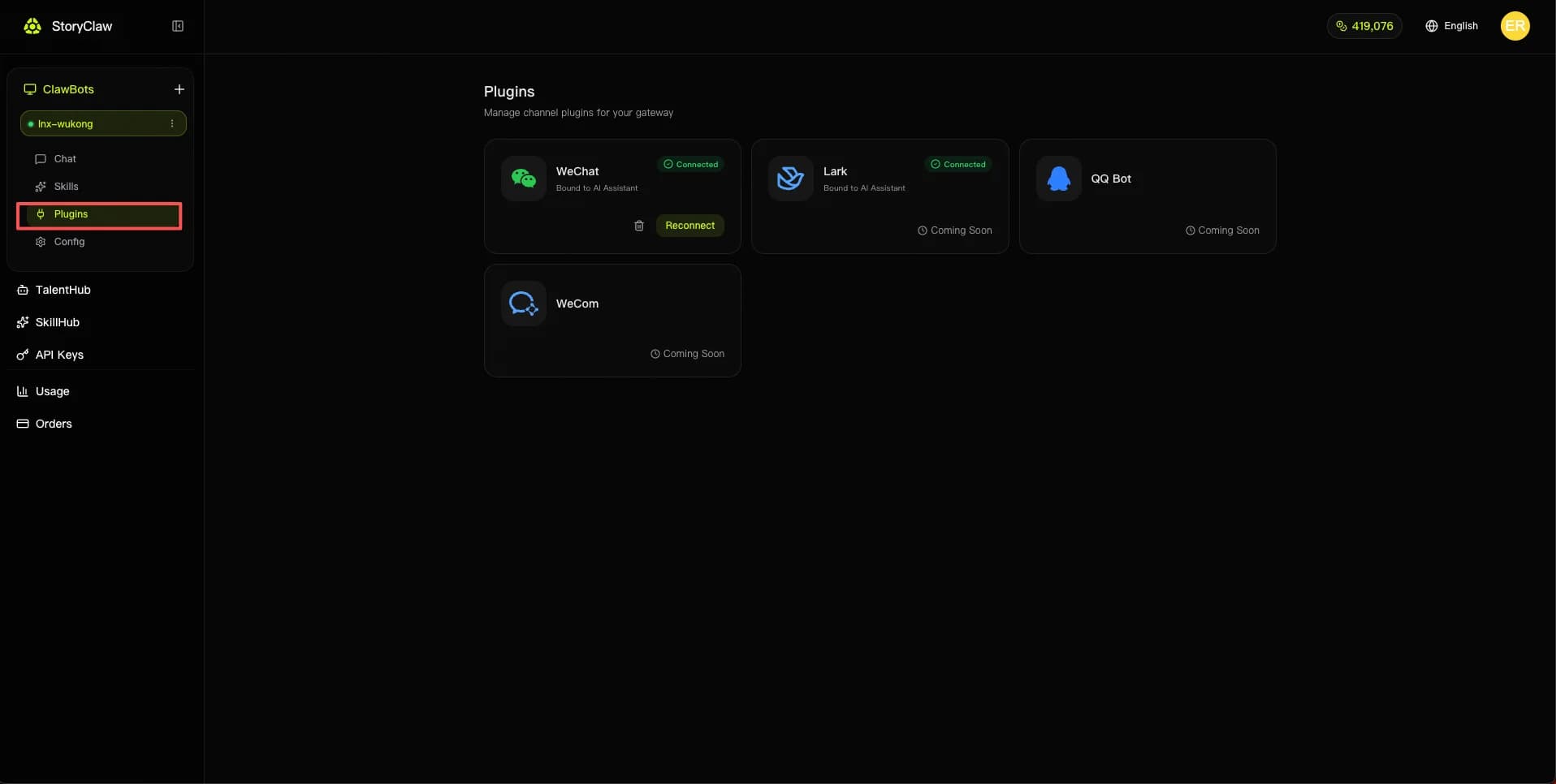
2. WeChat プラグインの「接続」をクリック
プラグイン一覧で「WeChat」カードを見つけて「接続」をクリックします。QR コードスキャンウィンドウが表示されます。
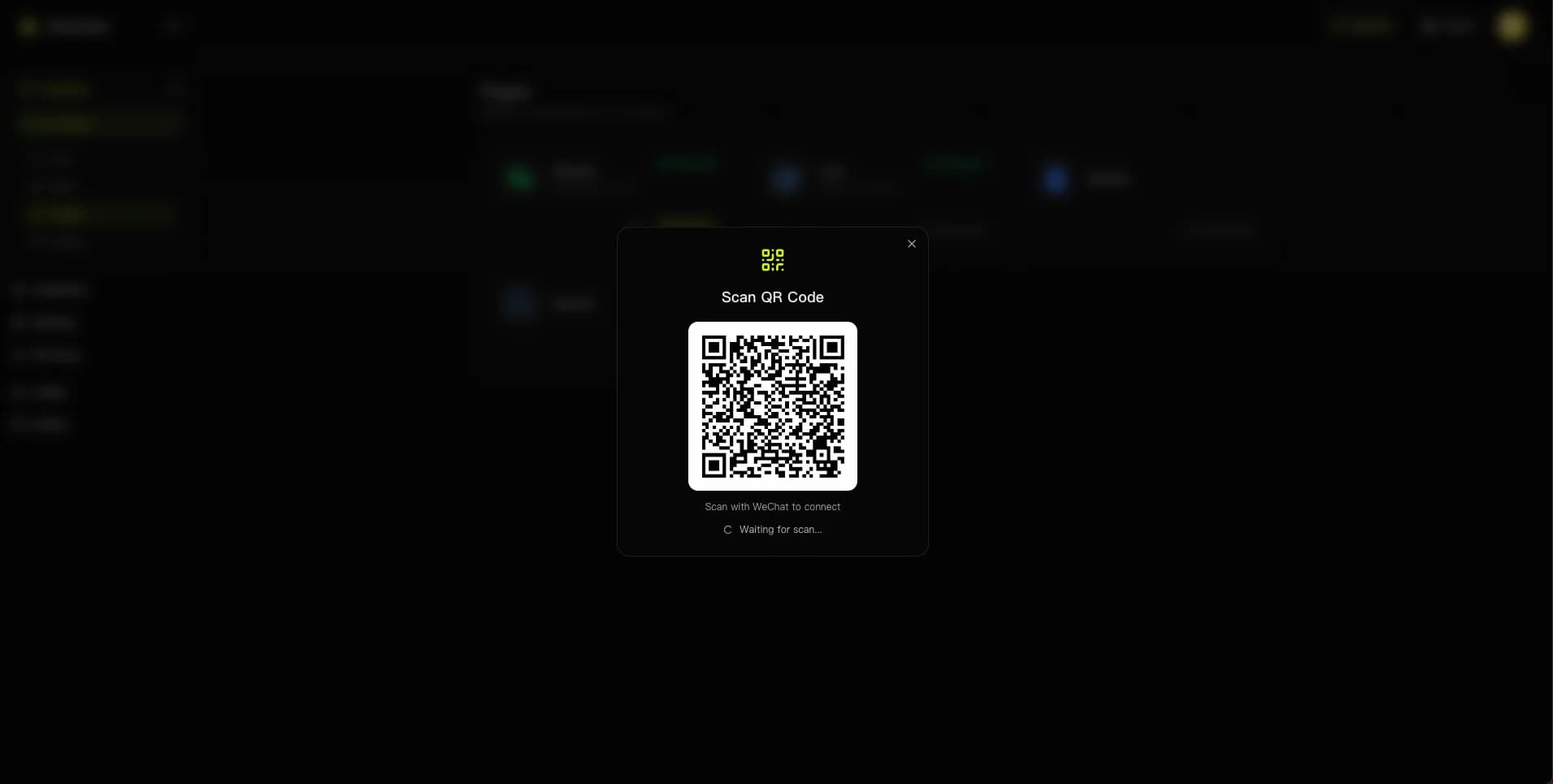
3. WeChat で QR コードをスキャン
スマートフォンで WeChat を開き、「+」アイコン →「スキャン」をタップして、画面上のコードをスキャンします。スマートフォンでログインを確認します。
Agent チャットでバインド
1. ClawBot で Agent とチャット
ヒント
このタスクには Claude Sonnet 4.6 を推奨します。
Agent に次のメッセージを送信します。
Use this command `npx -y @tencent-weixin/openclaw-weixin-cli@latest install` to install the WeChat plugin for me and return the login QR code. If you can't return the QR code, diagnose and fix the issue — just give me the binding QR code in the end, I don't care about intermediate errors.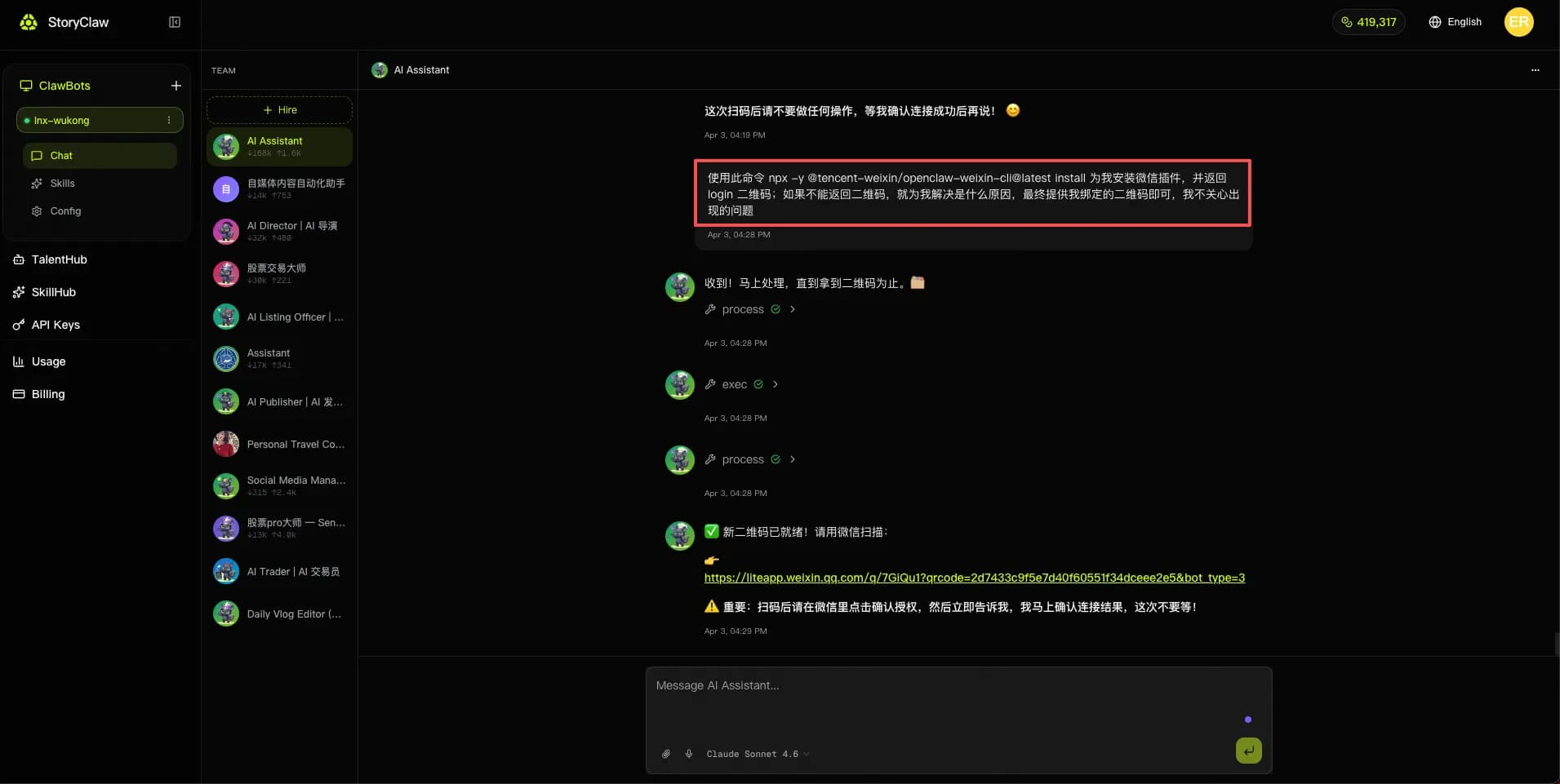
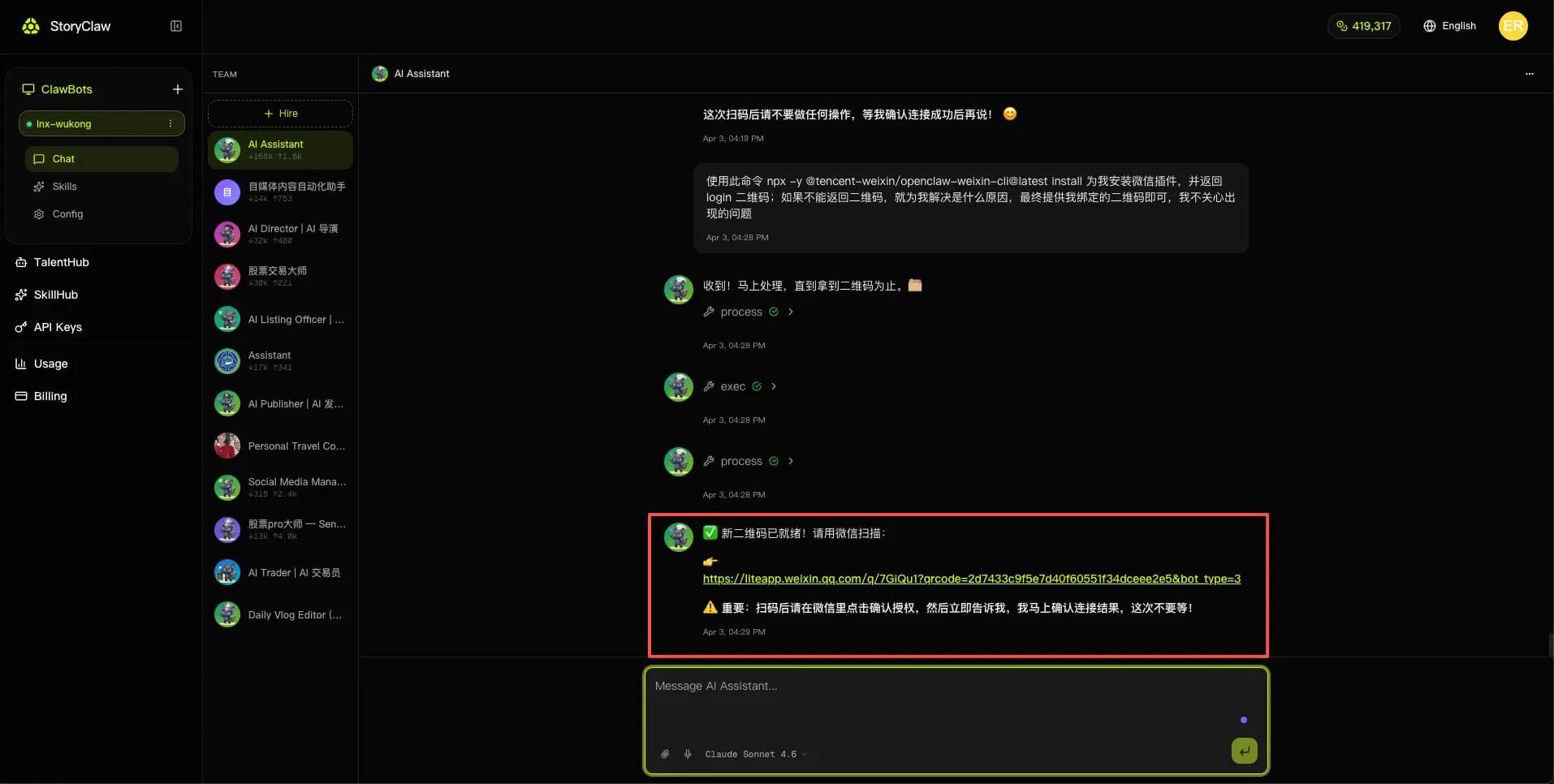
2. 生成された QR コードリンクをクリックし、WeChat でスキャンしてバインド
処理が完了すると、Agent が QR コードリンクを返します。リンクをクリックして QR コードを開き、WeChat でスキャンした後、WeChat のポップアップで「許可」をタップしてバインドを完了します。