
API Keys
Create a key in the StoryClaw console, paste it into CC Switch, and you're ready to go.
Create a key in the console, paste it into CC Switch, and you're ready to go.
Create a Key
Confirm your subscription
Log in to the StoryClaw console and confirm you have an active LLM subscription.
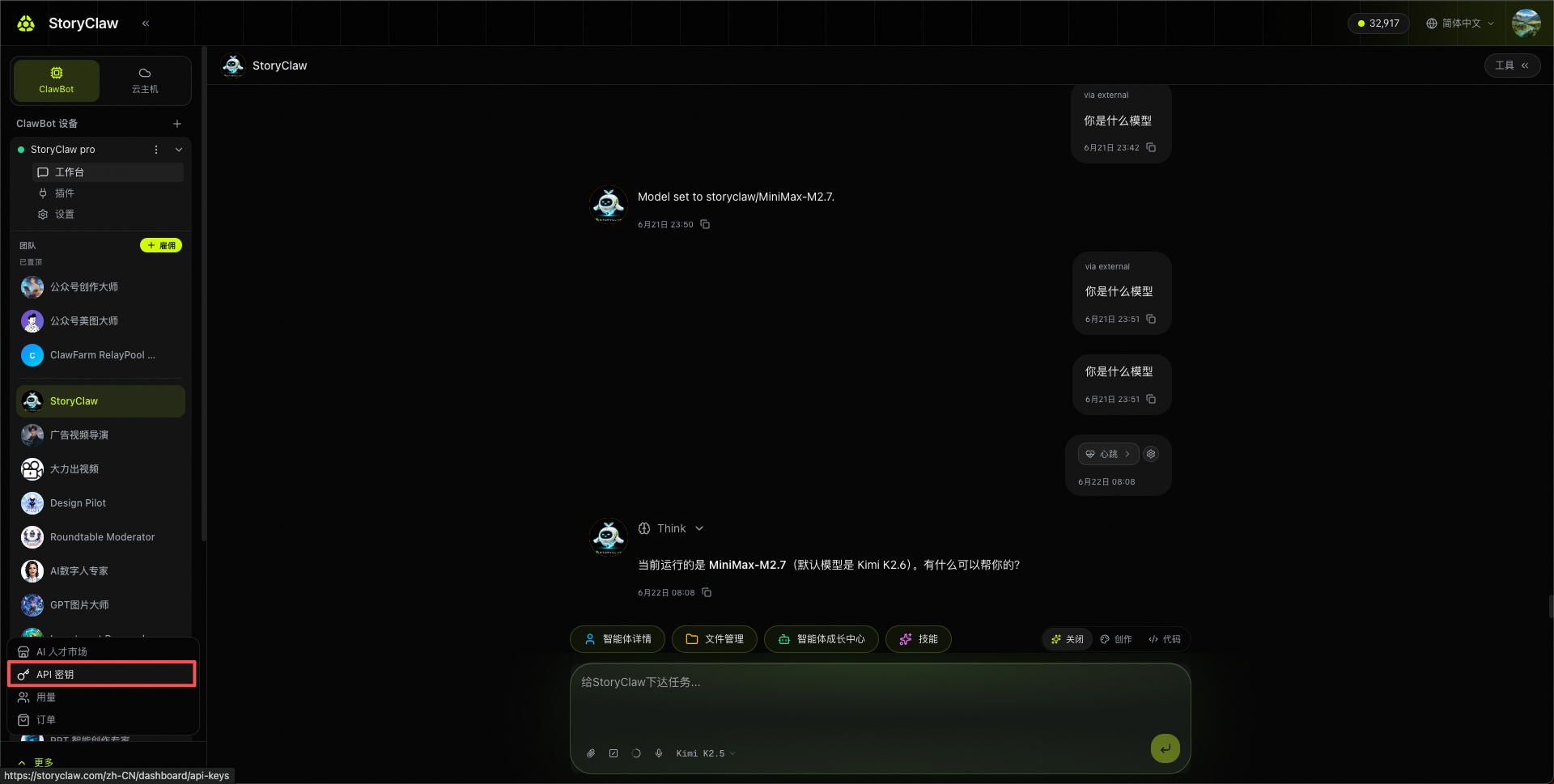
Open API Keys
Click API Keys in the left sidebar.
Create a key
Click + Create Key in the top-right, enter a name (e.g. Codex), then confirm.
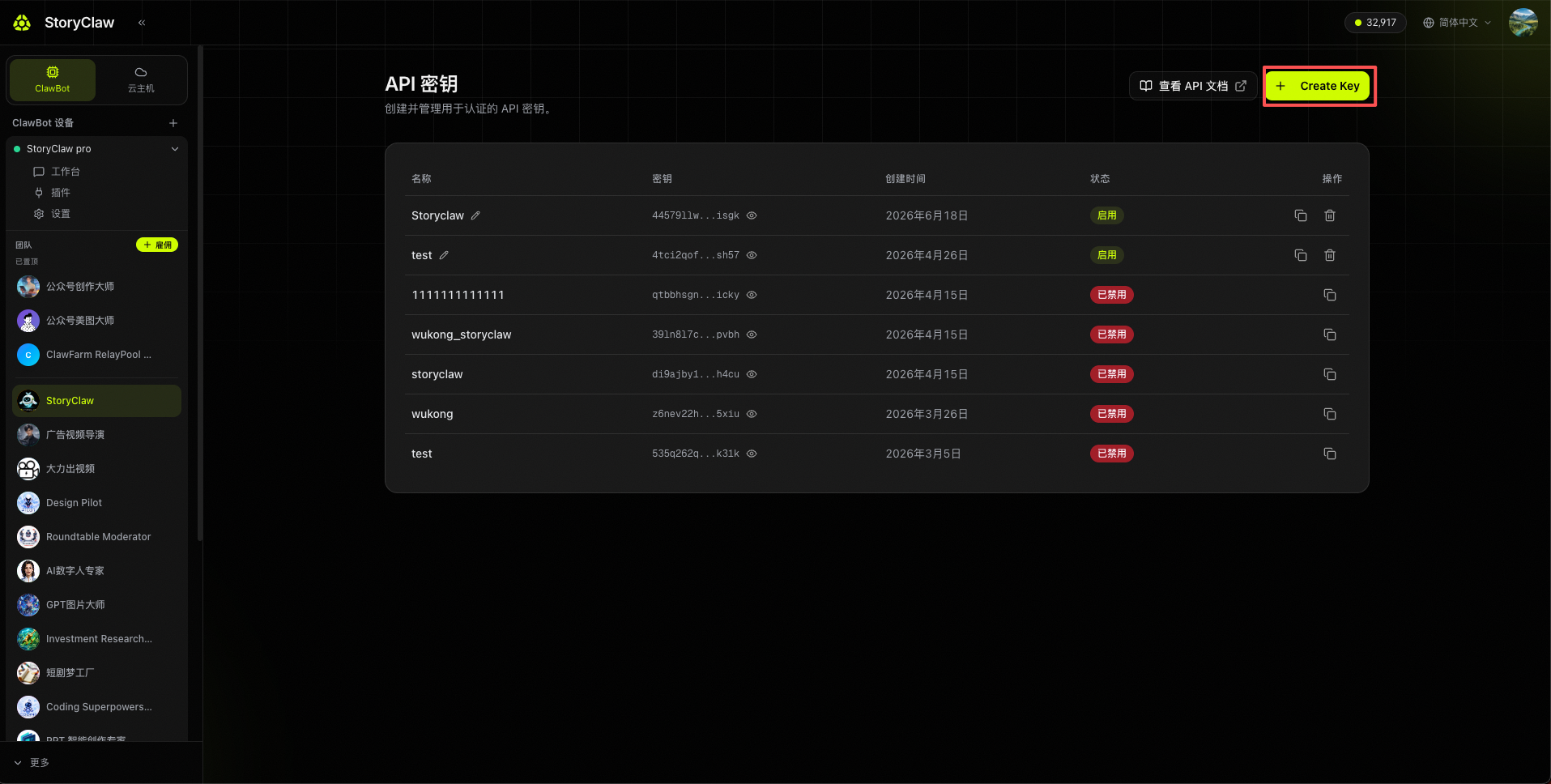
Copy the key
Click the copy button next to any key in the list to copy it at any time.
Keep your API key secure. Do not commit it to version control or share it with others. If compromised, delete it in the console and generate a new one.
Verify the key works
Once you have a key, confirm it works:
curl https://llm.storyclaw.com/v1/models \
  -H "Authorization: Bearer YOUR_KEY"
A list of models means the key is valid. A 401 with Invalid or missing API key means the key is wrong or has been deleted.
Next steps
- Connect an AI coding tool: Claude Code, Codex