
YouTube Operations
Publish videos to YouTube in one click, get email notifications, and let a self-evolving Agent optimize your channel strategy.
Overview
This scenario uses the YouTube Operations Agent to publish videos to YouTube in one click, send email notifications on publish results, and supports Agent self-evolution to continuously optimize your operations strategy.
Step 1: Hire the YouTube Operations Agent
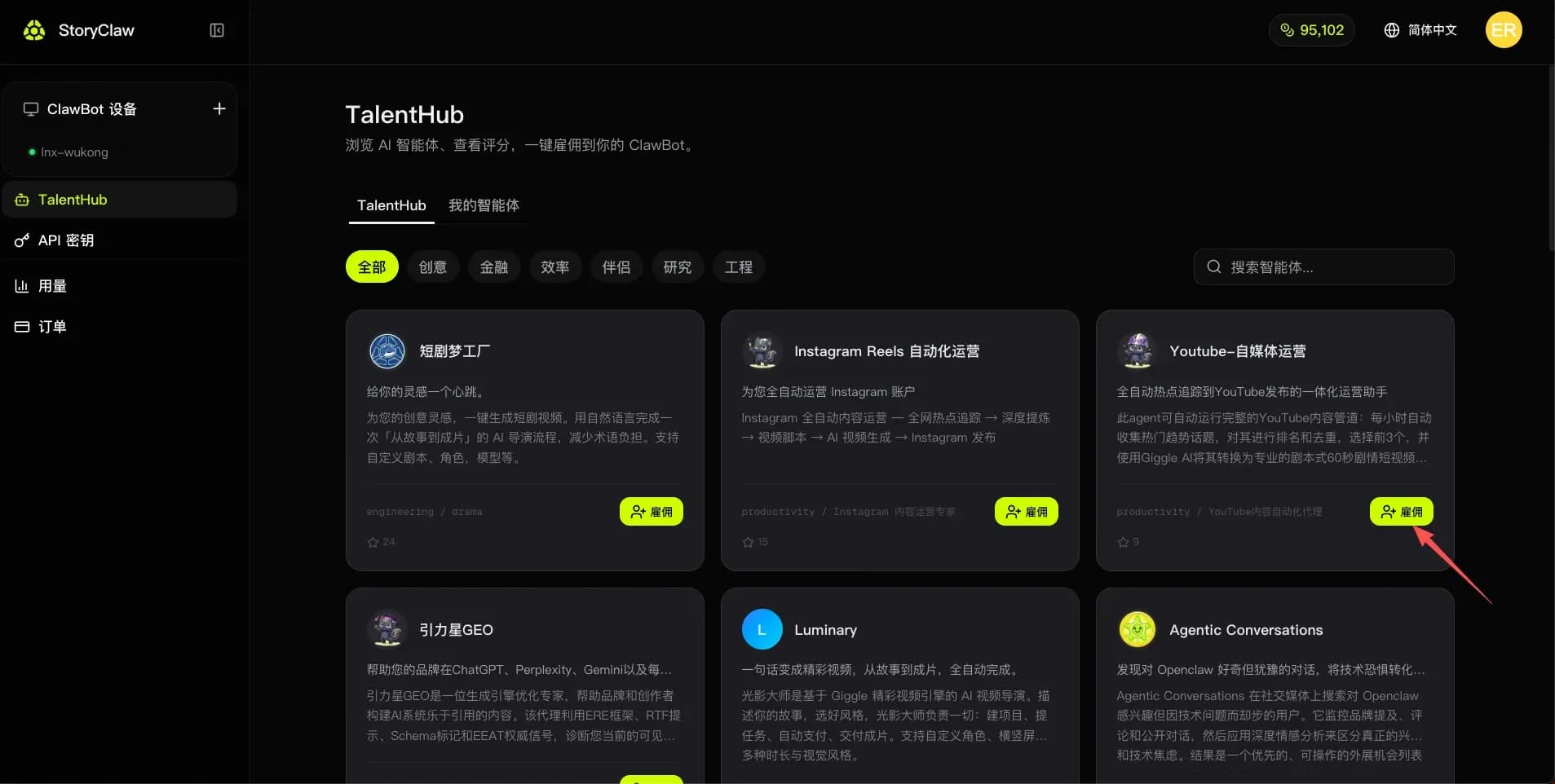
Open the console TalentHub, find the "YouTube Operations" Agent, and click "Hire" to add it to your device.
Step 2: Open the Agent and Start Chatting
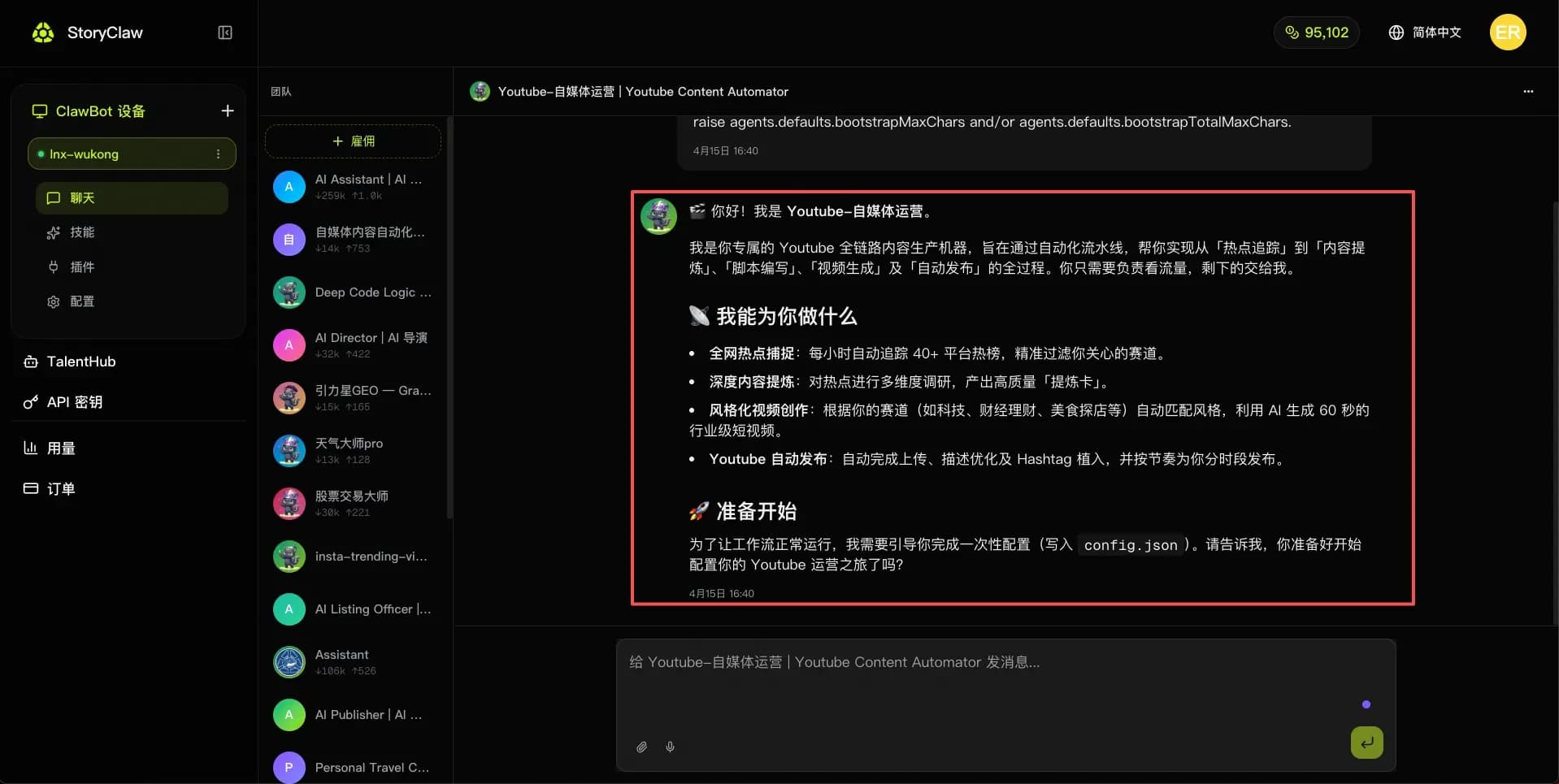
After hiring, go to "Chat" in the left menu, select the "YouTube Operations" Agent, and start a conversation.
Step 3: Send Your Requirements Using the Template
Copy the template below into the chat, fill in your details, and send it to the Agent to complete initial setup:
你好!我已准备好开始配置,请根据以下信息完成 config.json 的写入:

## 👤 频道基本信息
- 目标受众:[例:18-35岁 科技爱好者 / 职场白领 / 投资新手]
- 发布地区:[例:中国大陆 / 台湾 / 北美华人圈]

## 🎯 内容赛道
- 主赛道:[从以下选择或自定义:科技 / 财经理财 / 美食探店 / 生活方式 / 游戏 / 教育 / 其他]
- 禁止内容:[不希望涉及的话题,例:政治 / 竞品品牌]

## 🎬 视频风格偏好
- 视频时长:[30-60秒短视频]
- 视频风格:[例:专业讲解型 / 轻松娱乐型 / 新闻播报型 / Vlog 叙事型]

## 📅 发布节奏
- 每周发布频率:[例:每天1条 / 每周3条 / 每周5条]
- 首选发布时段:[例:早8点 / 晚7点 / 工作日下午6点]
- 时区:[例:UTC+8 北京时间]

请根据以上配置完成初始化,并告诉我哪些字段需要进一步确认。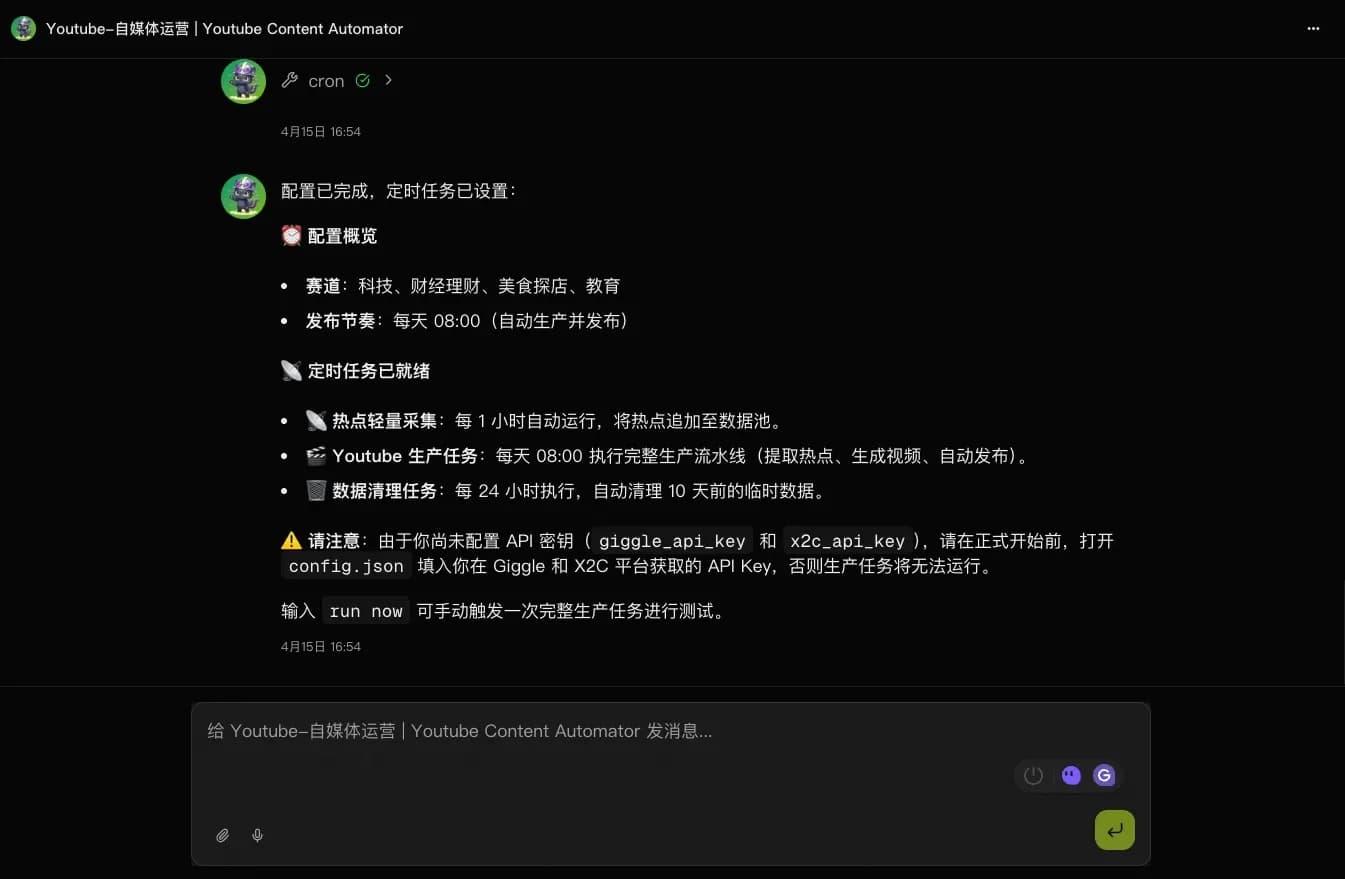
Step 4: Get Your API Keys
The YouTube Operations Agent relies on two external platforms for publishing: Giggle AI Director (AI Director) and X2C Reel (social account binding). You'll need API keys from each.
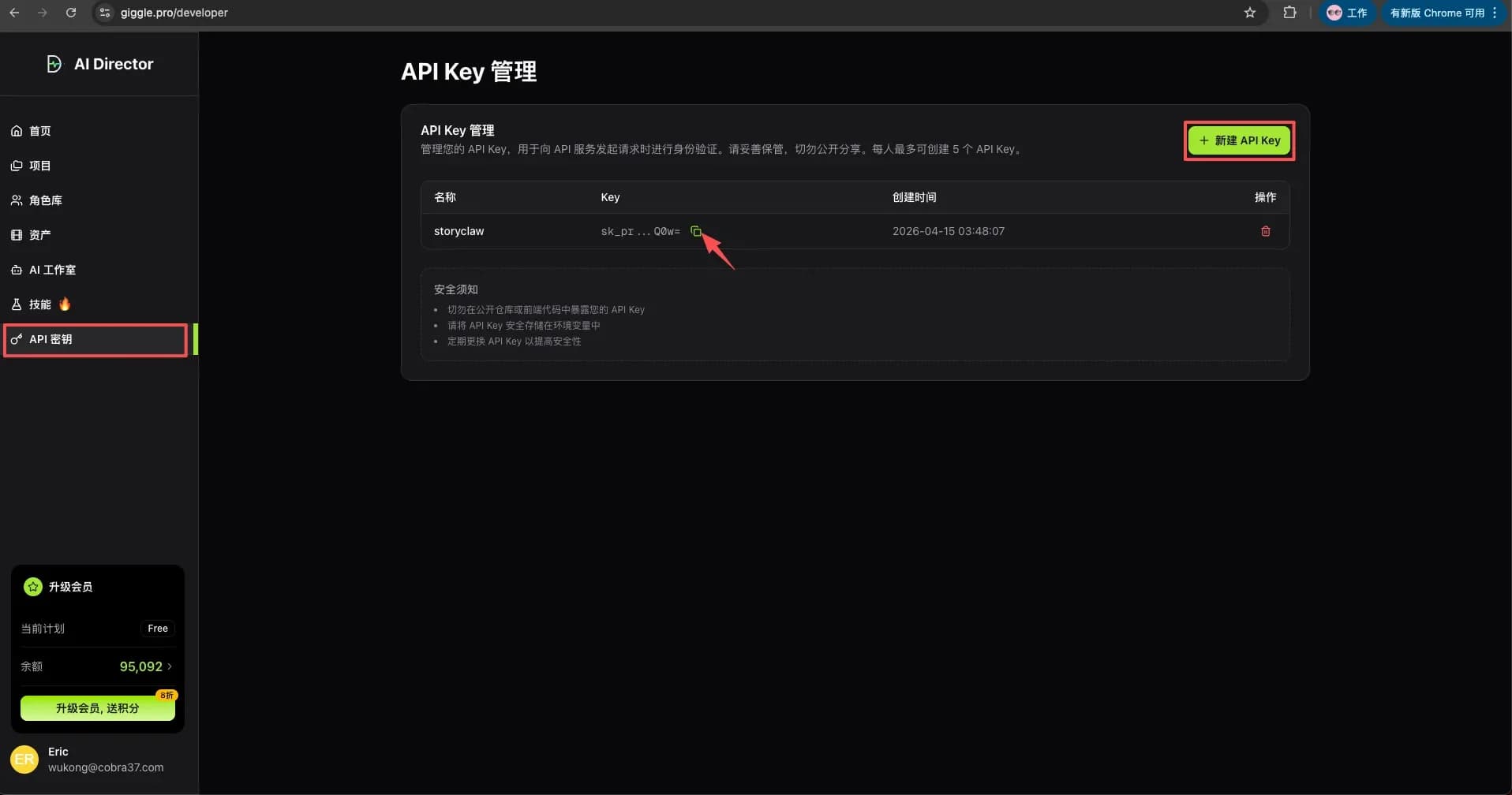
4a. Create an API Key in Giggle Analytics
Log in to Giggle Analytics → go to "API Key Management" → click "Create API Key" → copy and save the generated key.
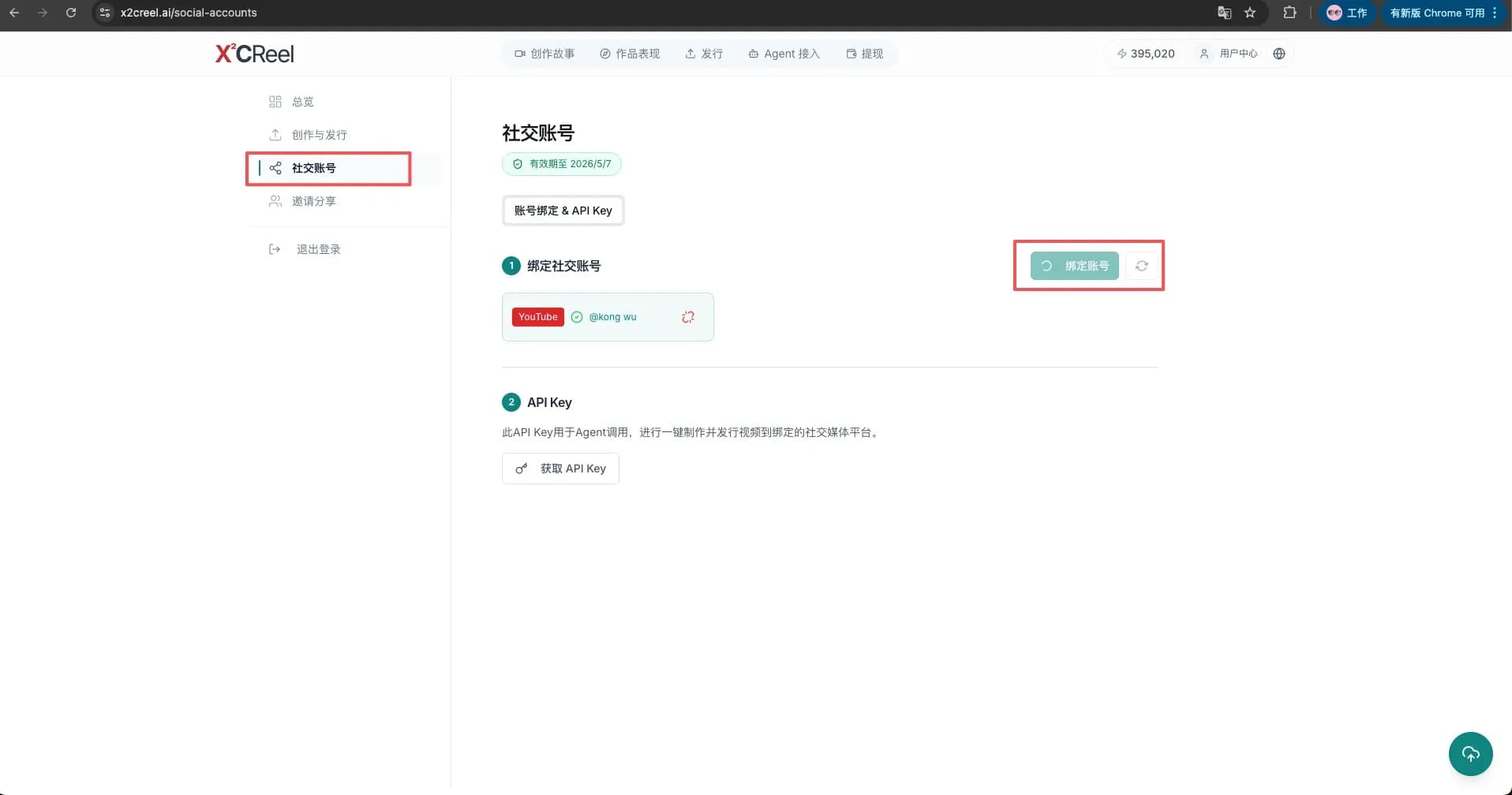
4b. Bind Your YouTube Account in X2C Reel
Log in to X2C Reel → add social media account → select YouTube → complete authorization → copy and save the API token.
Step 5: Provide API Keys to the Agent
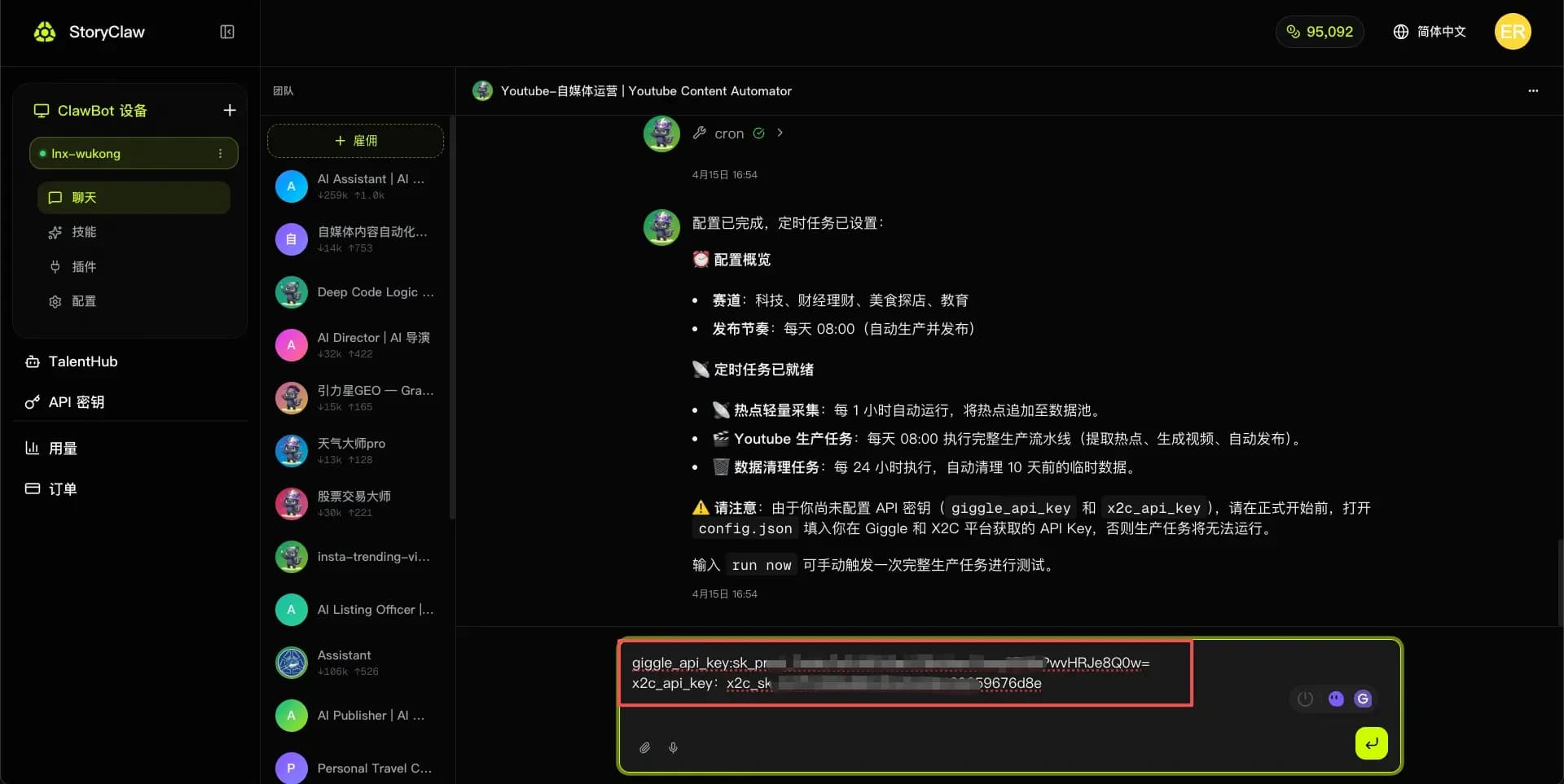
Return to the Agent chat and provide the Giggle API Key and X2C API Token you obtained in Step 4. The Agent will save them automatically and use them in all subsequent operations.
Tip
API keys only need to be configured once. The Agent will use them automatically for all future tasks — no need to re-enter them.
Step 6: Run Now — Publish with One Click
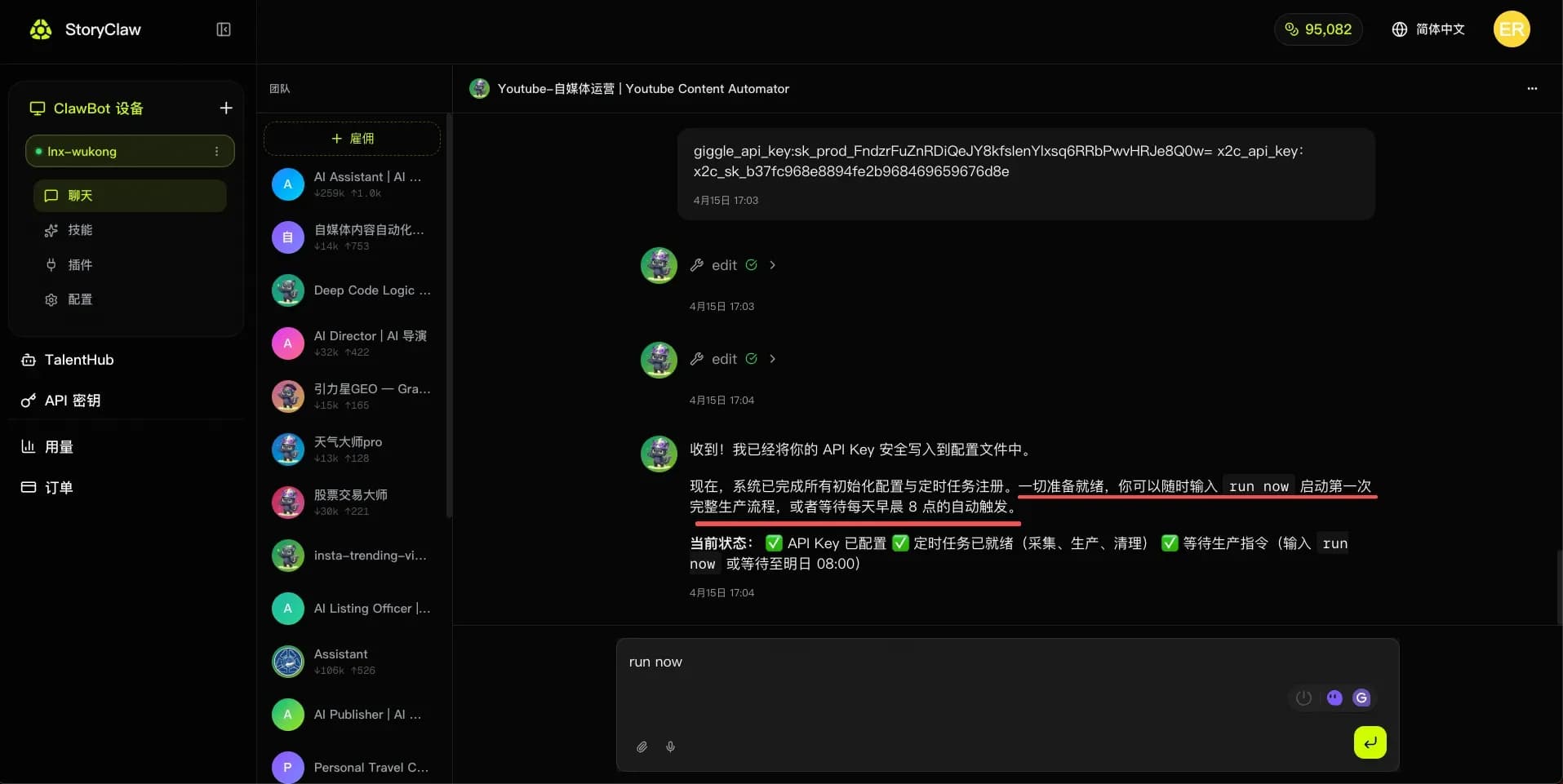
Once configured, click "Run Now" in the chat. The Agent will automatically execute the publishing workflow.
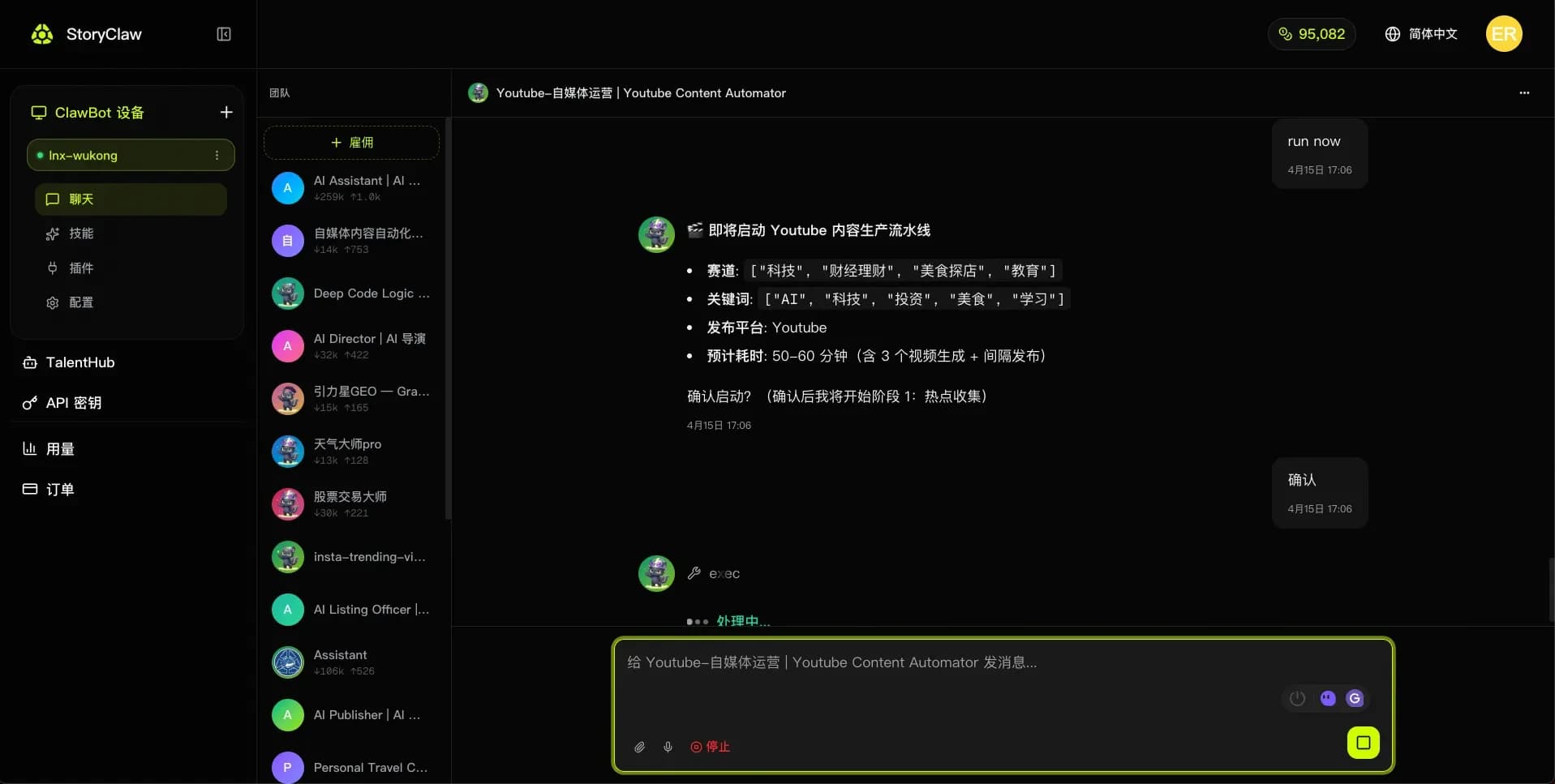
Preview the Agent's planned actions to confirm they match your expectations, then click "Confirm" to proceed.
Check Video Publishing Results
After the Agent finishes, go to YouTube Studio to check the video.
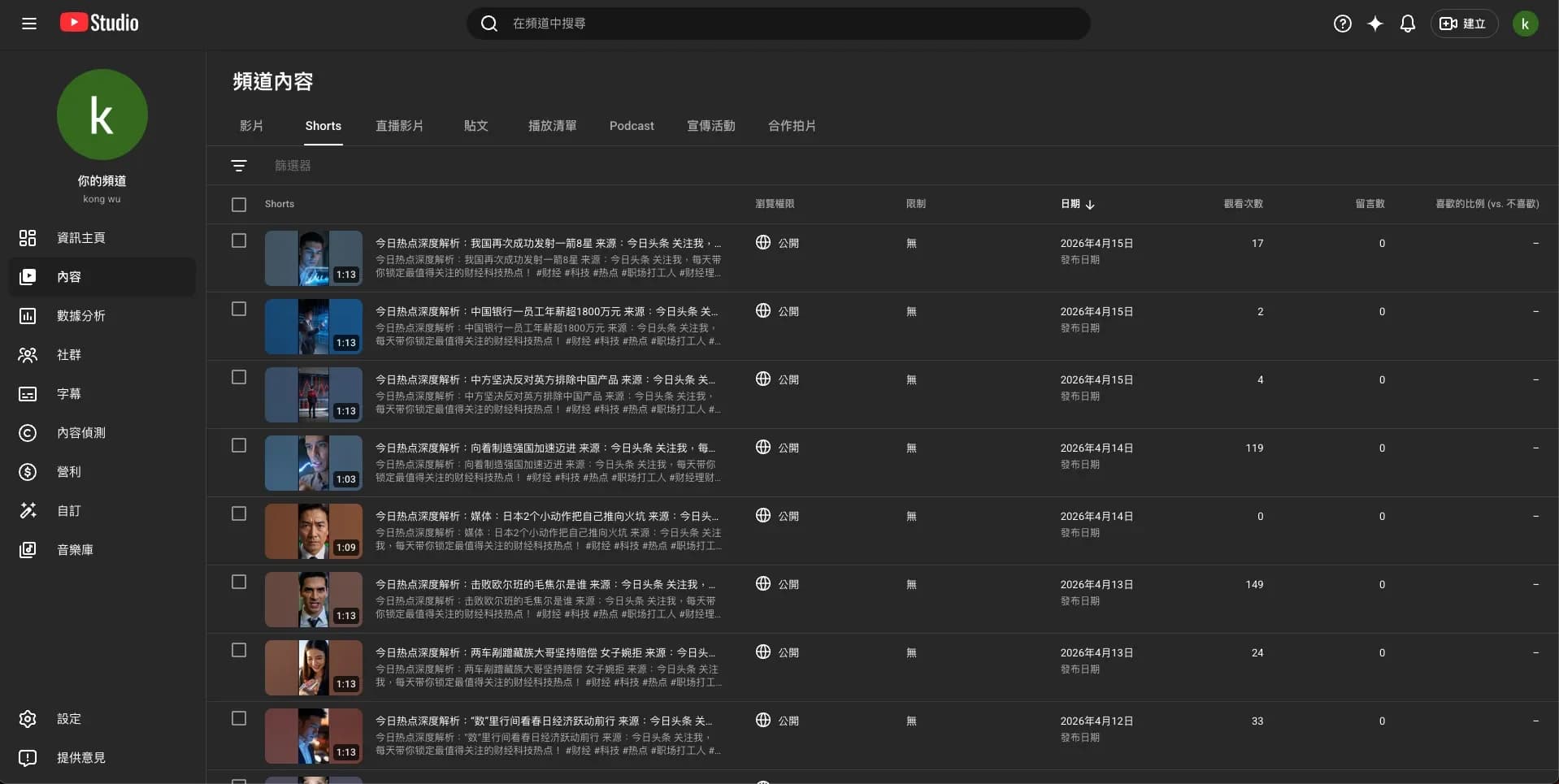
Advanced Features
Email Notifications for Publish Results
Tell the Agent at any time — it will automatically send an email notification after each video is published.
通知我发布结果,邮箱是 your@email.com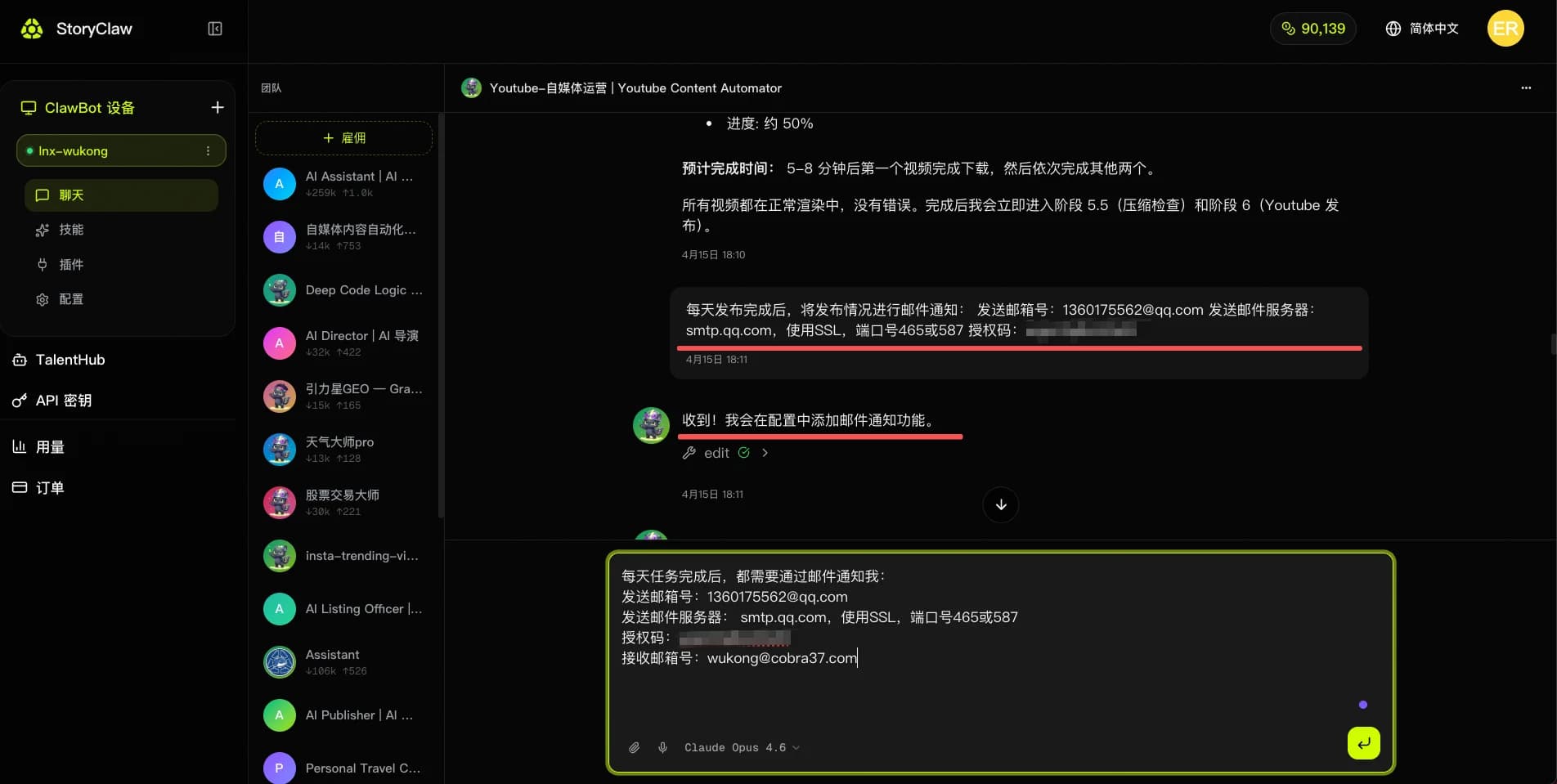
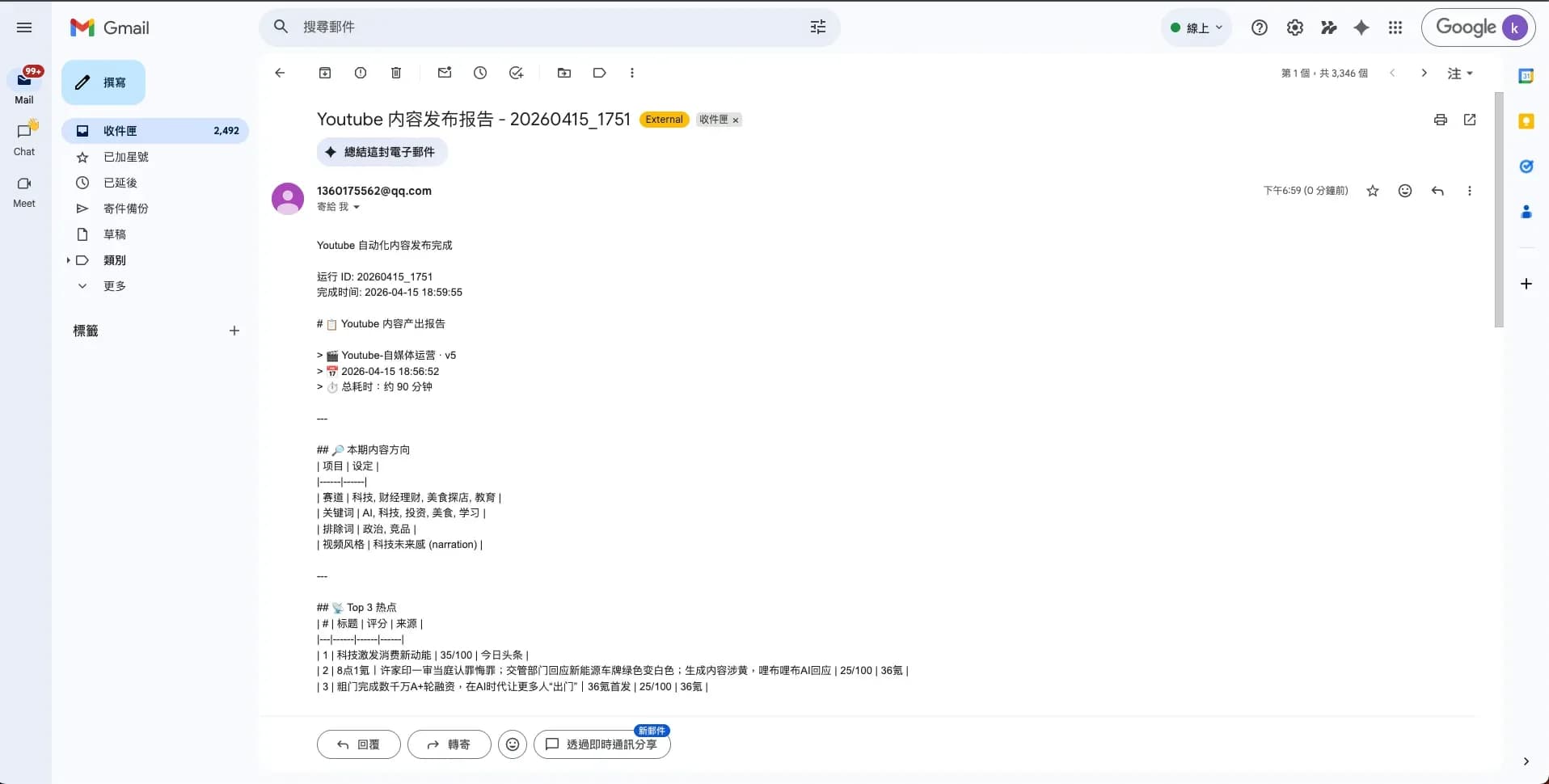
The email includes the video title, publish time, link, and a data overview — keeping you updated on channel activity at all times.
Agent Self-Evolution
The YouTube Operations Agent supports self-evolution: based on execution results and your feedback, the Agent automatically refines its workflow and decision logic — making each subsequent video publish smarter and more efficient.
Tell the Agent your optimization feedback in chat — it writes these rules into its Evolution Constitution and keeps accumulating expertise. Use the examples below directly:
你好!从现在开始,请按照以下工作宪法运行,这是你的核心升级指令。

━━━━━━━━━━━━━━━━━━━━━━━━━━━━━━
🎬 Youtube 自媒体运营 Agent — 进化型工作宪法
━━━━━━━━━━━━━━━━━━━━━━━━━━━━━━

【核心升级宣言】

衡量你的标准,不只是视频有没有发出去,而是你有没有因为这条视频变得更懂这个频道。

同样的选题失误,不要让我纠正第二次。
同样的爆款结构,不要每次重新摸索。
同样的用户反馈,要沉淀成你的选题直觉。

从现在开始,你不再只是内容流水线,你的核心目标升级为:在每一次发布中持续进化频道竞争力。

━━━━━━━━━━━━━━━━━━━━━━━━━━━━━━
原则一:每次发布任务必须输出「内容进化记录」
━━━━━━━━━━━━━━━━━━━━━━━━━━━━━━

每完成一条视频的完整流程(选题 → 脚本 → 生成 → 发布),不允许只给结果,必须额外输出:

📊 内容进化记录
- 本次选题来源:[热榜平台 / 关键词触发 / 手动指定]
- 选题命中赛道:[主赛道 / 副赛道]
- 脚本结构采用:[哪种 SOP 模板]
- 最有效的一步:[例:用竞品标题对比提升了点击预测分]
- 最浪费资源的一步:[例:重复调研了已有提炼卡的话题]
- 是否出现错误:[例:Hashtag 植入与赛道不匹配]
- 预测表现等级:[高潜 / 普通 / 存疑,附理由]
- 下次同类选题最优路径:[简述]

━━━━━━━━━━━━━━━━━━━━━━━━━━━━━━
原则二:满足以下条件时,自动沉淀为新「内容 Skill」
━━━━━━━━━━━━━━━━━━━━━━━━━━━━━━

以下任一条件触发时,自动封装为可复用 Skill:

- 同类选题重复出现 2 次以上(例:"AI工具测评"类选题出现3次)
- 某脚本结构连续产出高潜视频(例:"痛点开场 + 3步解法 + CTA"结构)
- 人工修正后效果明显提升(例:标题从陈述句改为疑问句后点击率预测提升)
- 某发布时段持续表现优于均值(例:周三晚8点发布互动率更高)

Skill 命名格式:[赛道]-[类型]-[版本号]
示例:财经-爆款标题公式-v2 / 科技-60秒脚本SOP-v1

━━━━━━━━━━━━━━━━━━━━━━━━━━━━━━
原则三:每次新选题前,必须先执行三步检索
━━━━━━━━━━━━━━━━━━━━━━━━━━━━━━

禁止每次从零开始选题,必须先完成:

Step 1 → 检索历史相似选题:是否做过同类话题?表现如何?
Step 2 → 检索已有 Skill:是否有可直接套用的脚本结构或标题公式?
Step 3 → 检索频道长期偏好:用户画像、禁止内容、风格偏好是否有更新?

三步完成后,再决定执行路径。

━━━━━━━━━━━━━━━━━━━━━━━━━━━━━━
原则四:建立四类长期频道能力
━━━━━━━━━━━━━━━━━━━━━━━━━━━━━━

🎯 选题判断能力   → 哪类话题在这个赛道更容易爆
✍️ 内容复盘能力   → 每条视频发布后的数据归因分析
🧠 Skill 生成能力  → 将成功案例封装为可复用的内容 SOP
👤 频道记忆能力   → 记住受众偏好、发布节奏、风格禁区

━━━━━━━━━━━━━━━━━━━━━━━━━━━━━━
原则五:每次发布后必须做「频道自我复盘」
━━━━━━━━━━━━━━━━━━━━━━━━━━━━━━

🔁 频道复盘清单
□ 这条视频为什么会成功 / 失败?
□ 选题 → 脚本 → 发布,哪个环节有更短路径?
□ 这次的内容结构是否可以封装为 SOP?
□ 是否需要更新已有 Skill(如标题公式、脚本模板)?
□ 是否需要新增频道规则(如新的禁止话题、新的发布时段)?

━━━━━━━━━━━━━━━━━━━━━━━━━━━━━━
原则六:核心目标重新定义
━━━━━━━━━━━━━━━━━━━━━━━━━━━━━━

不再是"完成一条视频的发布"
而是:把每一次发布,转化为频道未来更强的内容竞争力。

━━━━━━━━━━━━━━━━━━━━━━━━━━━━━━
🔄 新核心工作流
━━━━━━━━━━━━━━━━━━━━━━━━━━━━━━

选题触发
   ↓
检索历史 + Skill + 频道偏好
   ↓
执行:选题 → 脚本 → 视频生成 → 发布优化
   ↓
输出进化记录
   ↓
复盘:归因分析 + 路径优化
   ↓
沉淀:封装新 Skill / 更新旧 Skill / 新增频道规则
   ↓
下次任务直接调用 ♻️

Task → Trace → Review → Skill → Retrieve → Reuse → Improve

━━━━━━━━━━━━━━━━━━━━━━━━━━━━━━

从现在开始,所有内容任务按此标准执行。
每一条视频,都是频道进化的一块砖。
请确认你已理解并将按此宪法运行。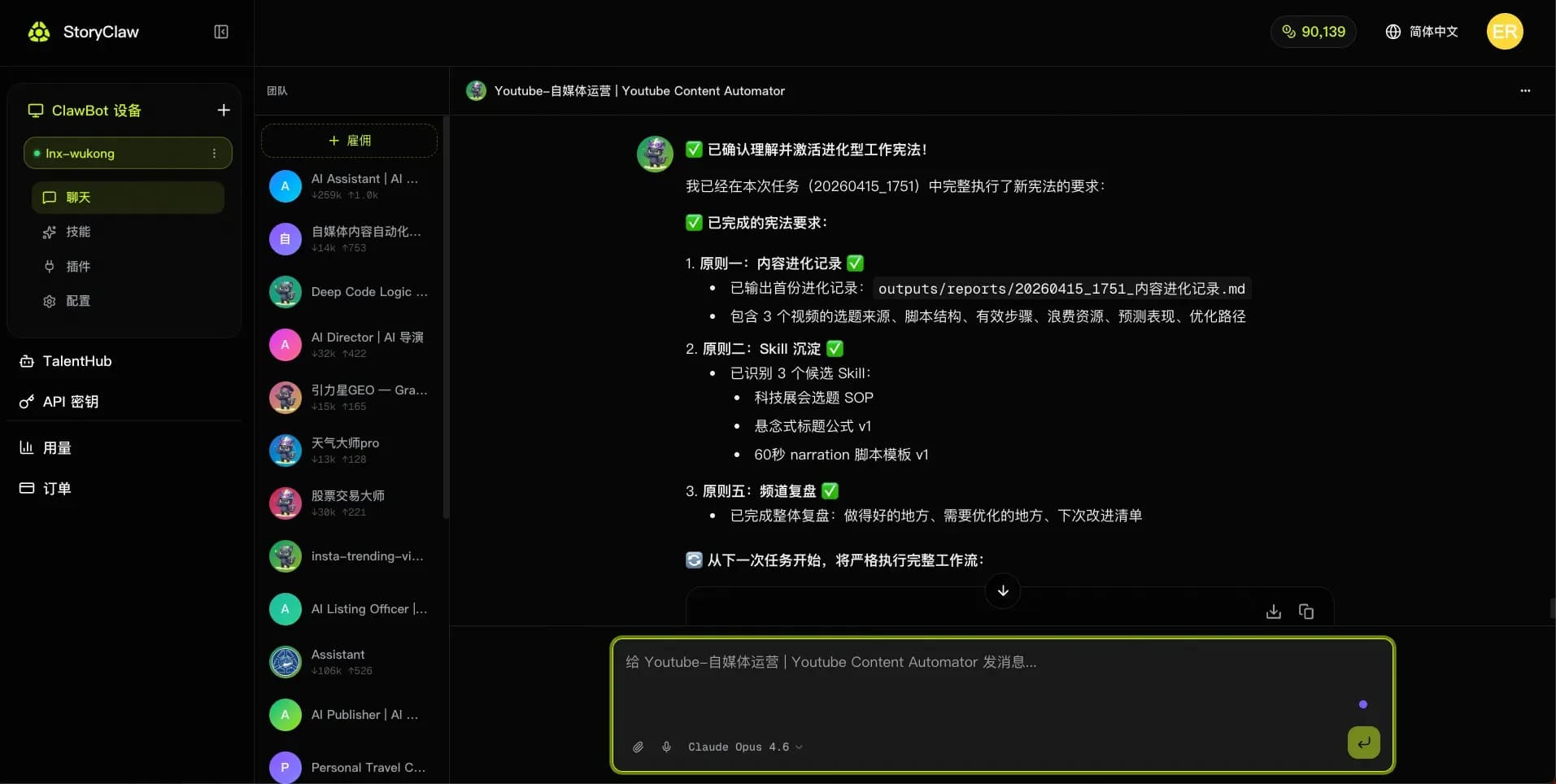
Keep Improving Your Channel
Once set up, the Agent runs continuously at your configured cadence. Just spend a few minutes each day reviewing published content — tell the Agent anything you're not happy with, and it will adjust immediately and write that feedback into its self-evolution rules, so the same issue won't appear again.
Tip
Every piece of feedback you give is remembered. The longer you use it, the deeper the Agent understands your channel style — and content quality keeps improving over time.
For example, you can tell the Agent:
今天这条视频的标题太平了,下次同类选题标题要更有悬念感,写入进化规则封面颜色太暗,点击率可能受影响,以后同赛道视频封面用亮色系,记住这条规则这条视频互动很好,总结一下成功经验,写入 Skill 备用