
QQ Bot
Register a bot on the QQ Open Platform and bind its BotAppID and Token in the StoryClaw console to bring an AI member into QQ groups.
Overview
Prerequisites
- Completed developer verification on QQ Open Platform
- Created and activated at least one AI member in the StoryClaw console
Setup Steps
1. Create a bot on QQ Open Platform
Log in to q.qq.com, go to the "Bot" management page, click "Create Bot", fill in the bot name and description, select "Group Bot" type, and submit your application.
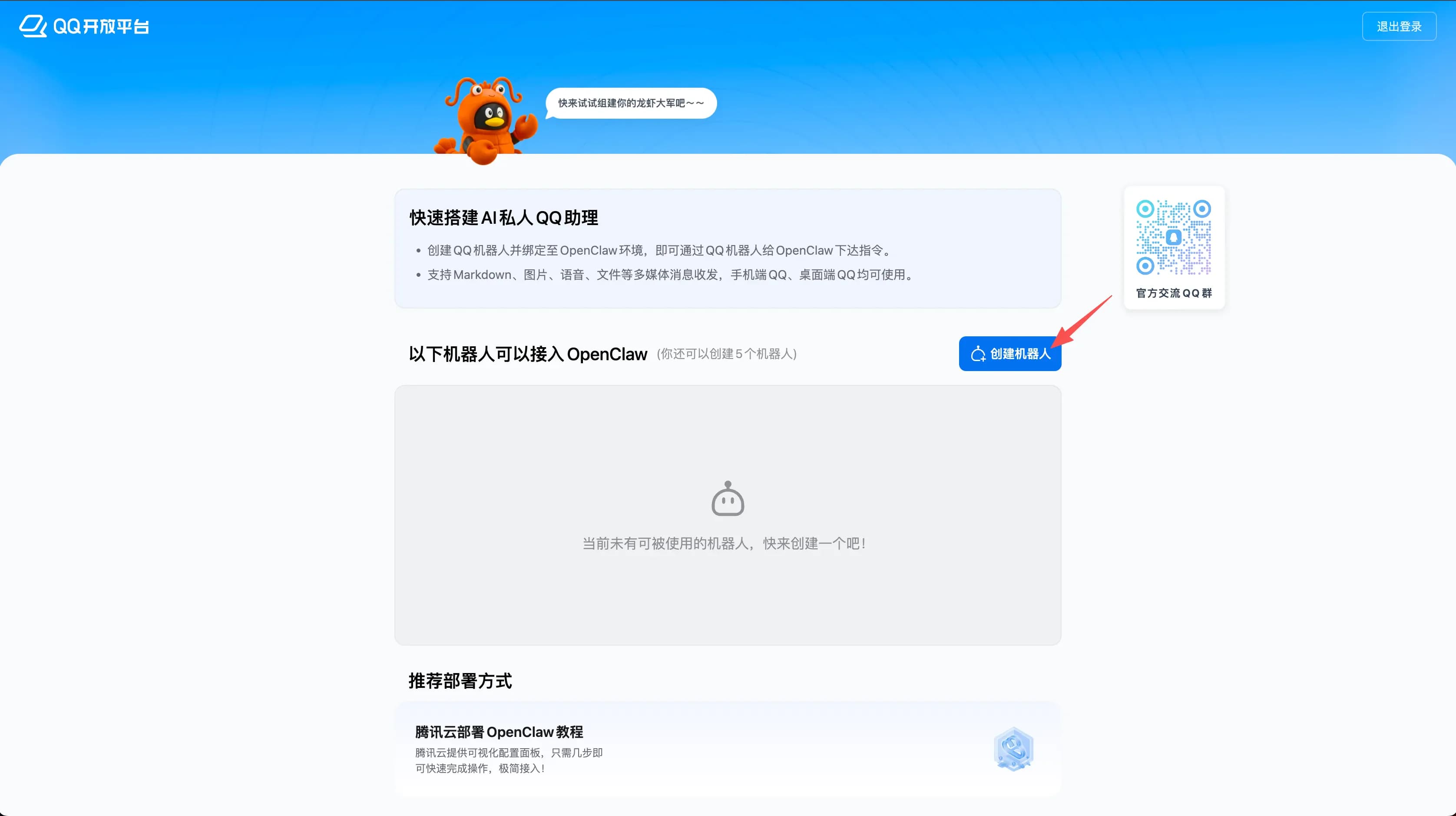
2. Get BotAppID and Token
After the bot is created, go to "Developer Settings" on the bot detail page, copy the BotAppID, and generate or copy the Token (Bot Token).
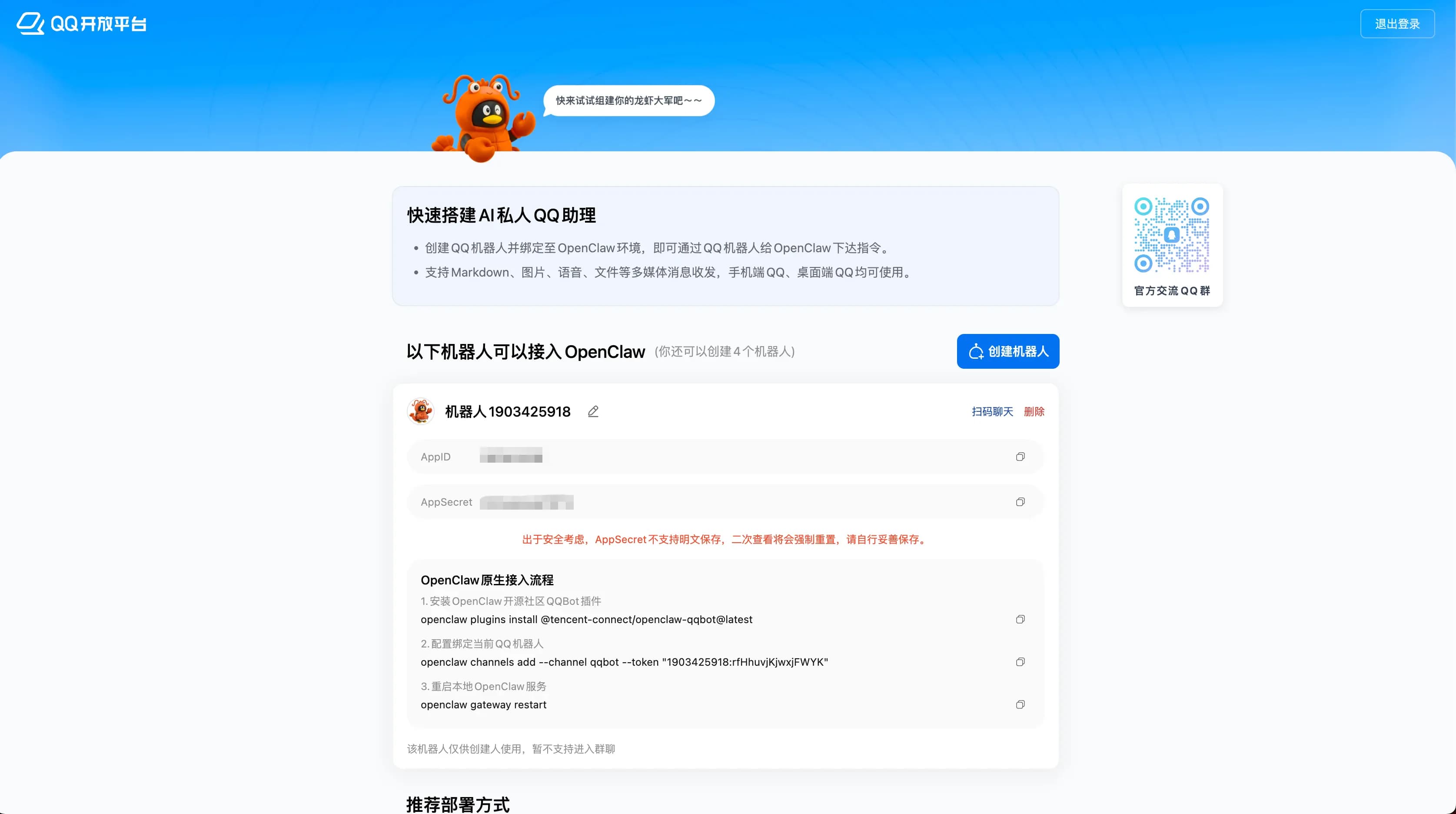
3. Enter credentials in the console
Go to StoryClaw console → ClawBot device → Plugins → QQ Bot, paste the BotAppID and Token into the corresponding fields, select the AI member to bind, and click "Save".
4. Add the bot to a QQ group
After the bot passes review and goes live on QQ Open Platform, invite it to a group using its QQ number. @mention the bot in the group to trigger AI member responses.
Troubleshooting
Q: Bot not responding in group
A: Confirm Token is configured in the console and ClawBot device is online; the bot must be @mentioned to respond.
Q: Token verification failed
A: Regenerate the Token on QQ Open Platform and update it in the console.