
Cloud ClawBot Setup Guide (Device)
Bind your device to finish onboarding — the whole process takes about 1 minute.
You must complete device binding following the steps below, or the device will not work.
Step 1: Bind Your Own Device
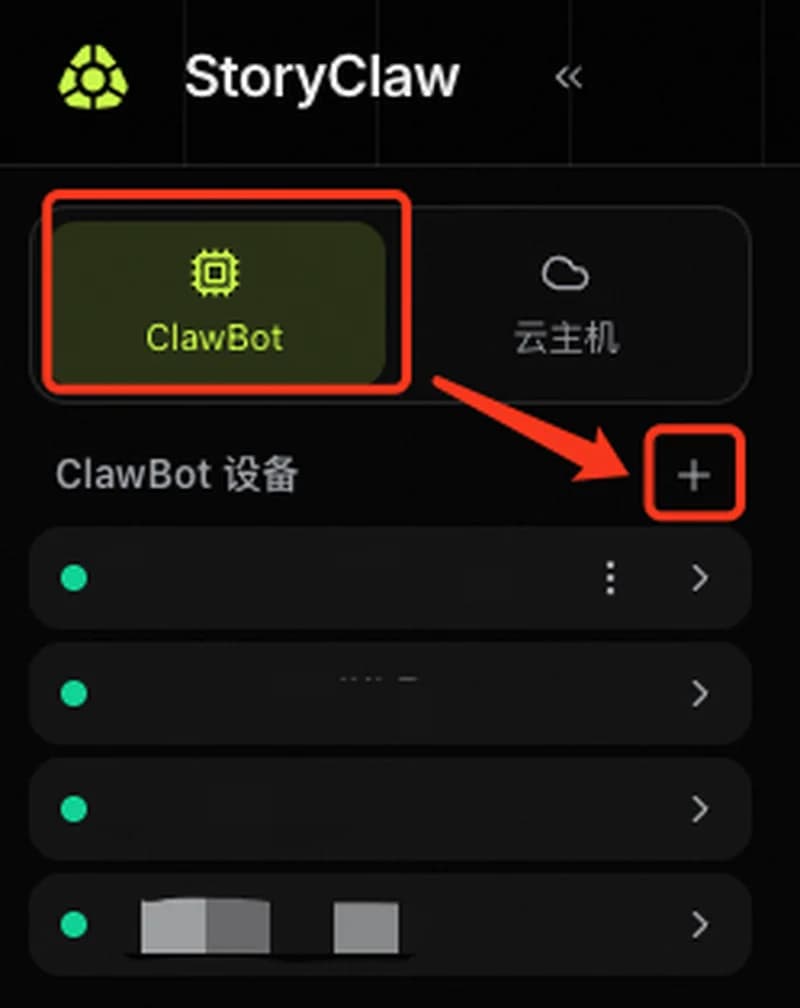
Log in to storyclaw.com, open ClawBot Devices on the left, and click the + button.
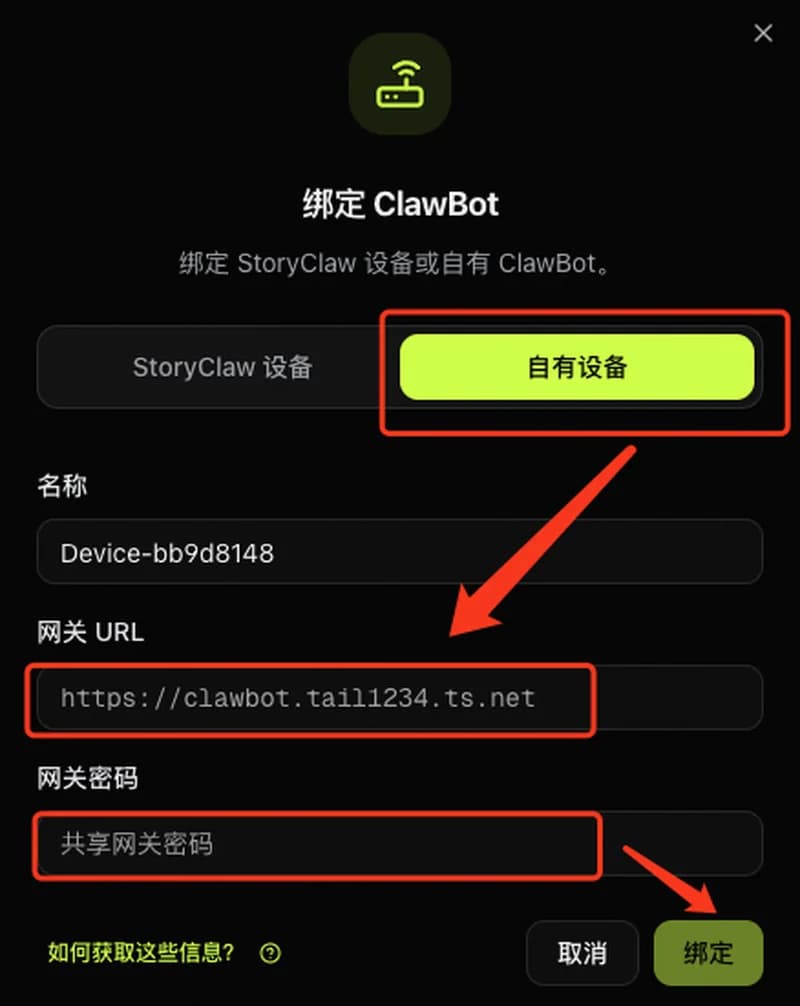
In the dialog, switch to the Own Device tab, fill in the device name, the gateway URL starting with wss://, and the gateway password, then click Bind.
Step 2: Start Using
Once bound, the device comes online automatically. Return to the ClawBot Devices list, click the device card to open the chat interface, and start talking with your AI agent.
Done
Setup complete. You can now use all features: smart chat, document analysis, report generation, AI video, image generation, and more. Contact your admin if you run into any issues.